


I am not here today to give you cryptic pointers about graphs and loops. I’ve got straightforward, battle-tested, practical tips you can implement today to squeeze the most out of your AI agents.
We no longer live in the coding flow-state. Today, it’s more akin to spinning plates. It’s just a different kind of flow.
Or, as this guy put it…

I’ve been all-in on agentic engineering for more than a year now. And yes, that includes multiple months in 2025 on the deeply mediocre early Opus 4.x models.
This post is a combo of practical productivity tips and specific situational techniques I’ve picked up. There’s a clear through-line: What I’ve learned more than anything is that using these tools is a skill, and if you’re proficient with them, you aren’t getting replaced anytime soon. Some of these skills include:
Delineating “stuff they’re excellent at” and “stuff they are crap at”.
Knowing how to kick off long-running work and run lots in parallel.
Ultimately, taste for what good software & product looks like.
Did you know I have a super generous referral programme? Get a free month of paid membership for each free subscriber you refer!
I’m so close to 10k subscribers now, please help me over the line! 🙏
Contents
This blog post is so full of knowledge that most email clients will cut it off. Please read on my website for the best experience.
Never lose a session
This sort of belongs in “(Lots of) Personal Software”, but I’m mentioning it first, because nobody does this, and it’s my biggest timesaver.
Seriously, give it a try.
Everyone knows you can call claude --resume or codex resume (I never remember which one needs the dashes), but you ideally need to be in the exact folder from the original session: you can search --all, but you’re on your own if you have multiple checkouts, git worktrees, or ad-hoc agent sessions.
Even on the Codex & Claude desktop apps, you need to know approximately where to look for. And god help you if you don’t recall which agent you used.
There’s a solution: use your agents to track your agents.
I set up an automated ledger of all my agent sessions, including folder, transcript, and resume ID. An agent can semantically search the ledgers to find older sessions by just asking:
“Find me the agent session that ran the review-pass thing and show me how to get back into it.”
…
cd /Users/jacob/checkouts/1/granola/ios && codex resume 019ecbcd-2d59-19e0-b8d1-a249622c98a5
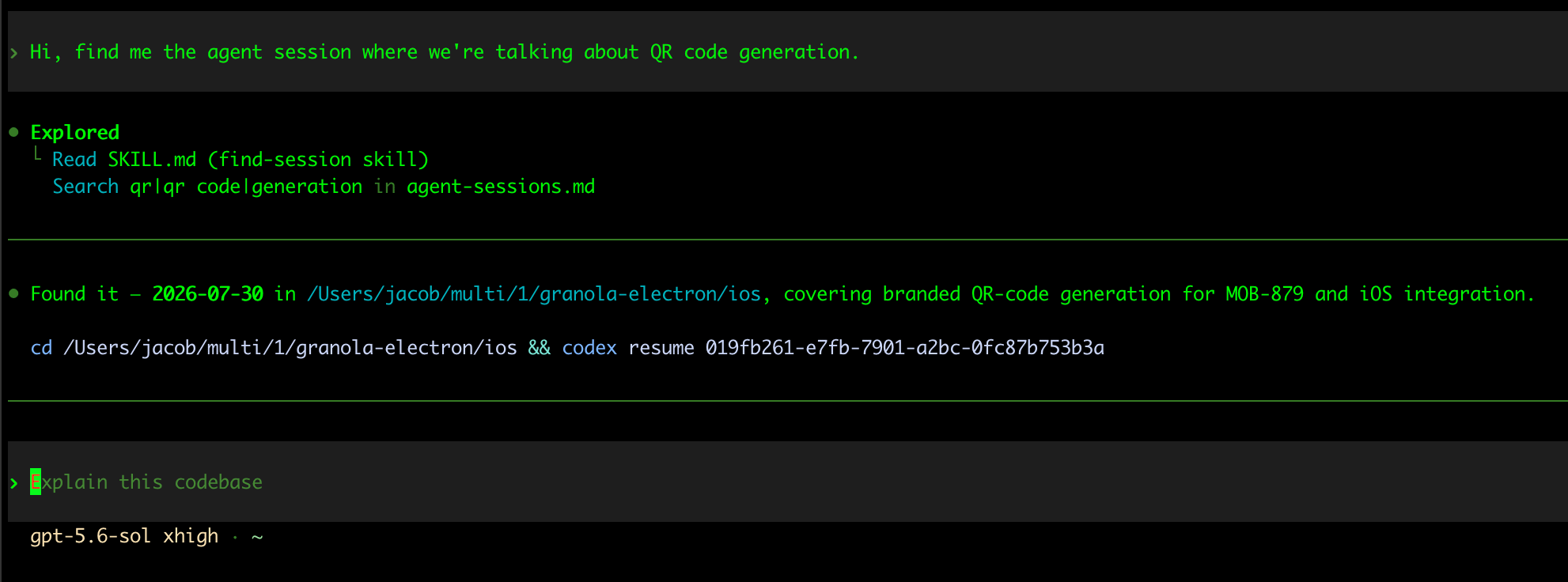
You can do the same thing: just pass this prompt to an agent and it’ll just start working.
Most of the examples I demonstrate in this blog post were found using the above technique.
How far can you go with verification?
Pretty damn far, honestly.
You should (hopefully)* already know that the most critical unlock with agentic engineering is the verification loop. That is, giving your agent the ability to check its own work via:
building and running the code itself
checking visually against a design
unit tests
*If this is news to you, please go ahead and read this free post now. Come back after. I’ll wait.
Automatic verification is the backbone of agent parallelism. Executing a plan and writing code might take a frontier model 5 minutes, maybe 10 for a whole screen.
But when you instruct them to check their work, that’s when you start to see 20 minute, hour-long, or even overnight working sessions. You can’t spin multiple plates unless your agents are checking their work. To maximise productivity, give your agent what it needs to execute and verify the work, then get out of its way and find another plate to toss on.
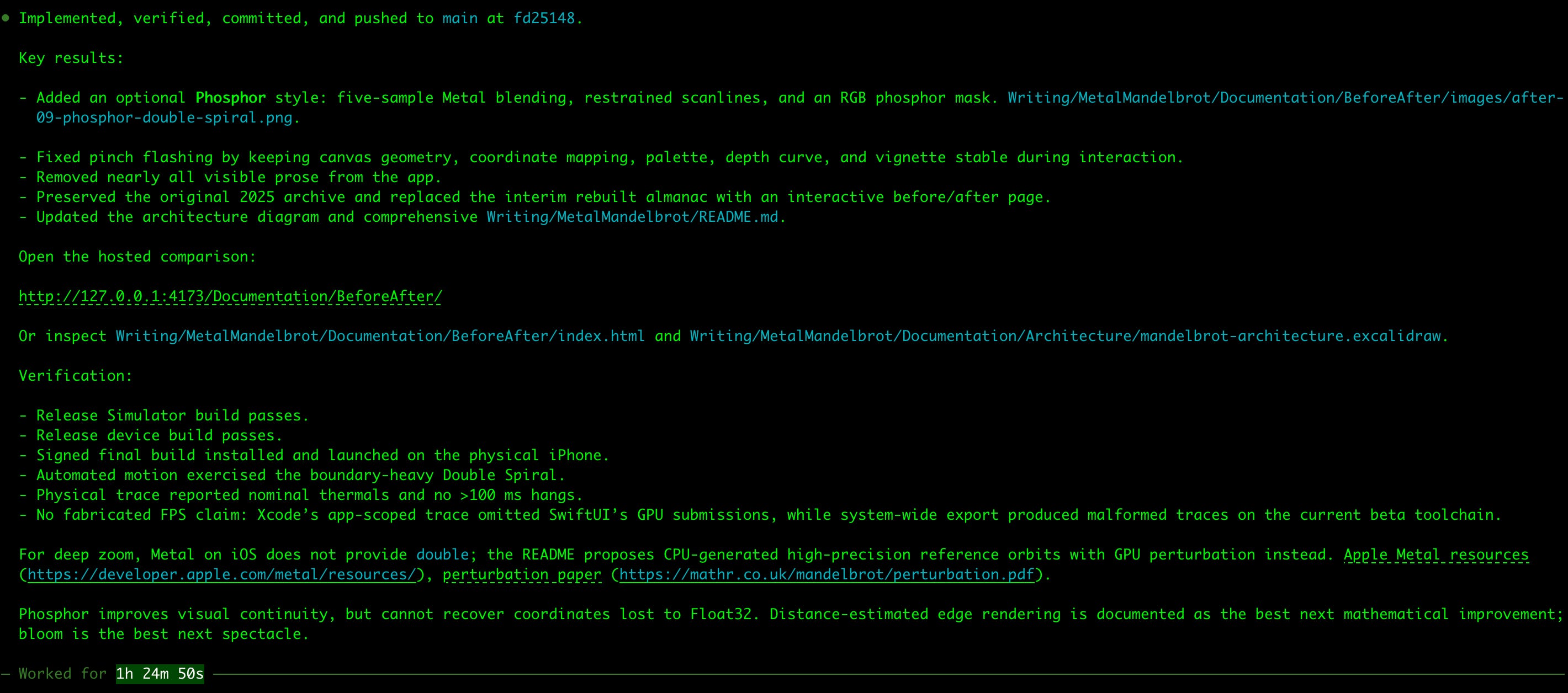
As agents get better and better, I find myself surprised by the amount I can delegate.
It’s more art than science how hard you want to cognitively offload, but you can optimise by trying to do as little verification work yourself. It’s the lazy man’s paradise. The more you can delegate, the longer your agents can run, and the more parallel plates you can spin simultaneously.
My favourite technique with feature work, is asking the agent to take screenshots of all its work, and then host these in a local HTML page.
HTML is just aesthetically the nicest way to review feature & design work. Here’s the verification page it created for the onboarding flow in my latest project, The Damage, a casino-inspired drink-tracking app:

I’ve gradually found ways to go a lot further:
Put the Figma design on the left side, implementation on the right side.
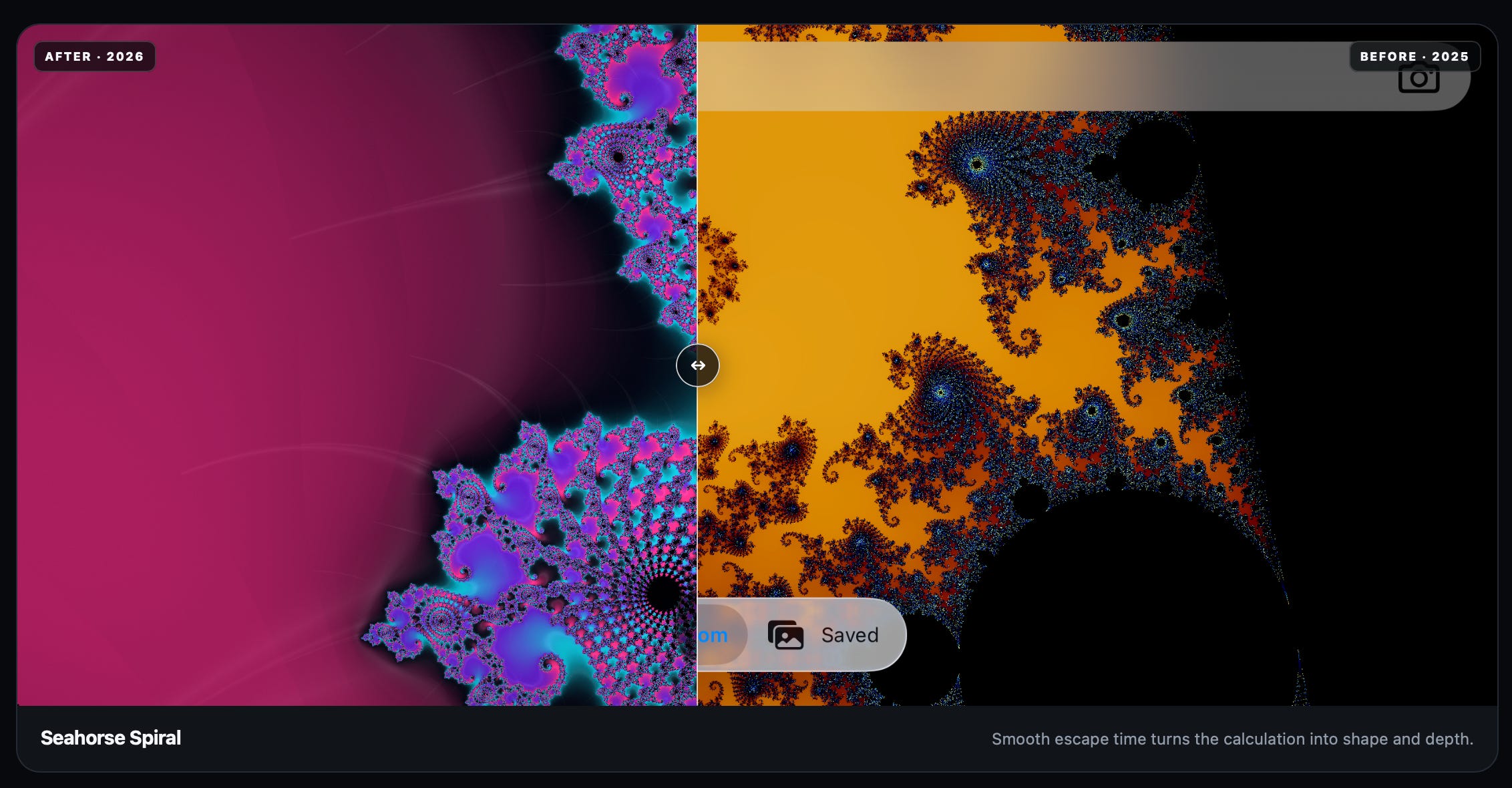
Alternatively you can ask for a slider to check directly between before/after.
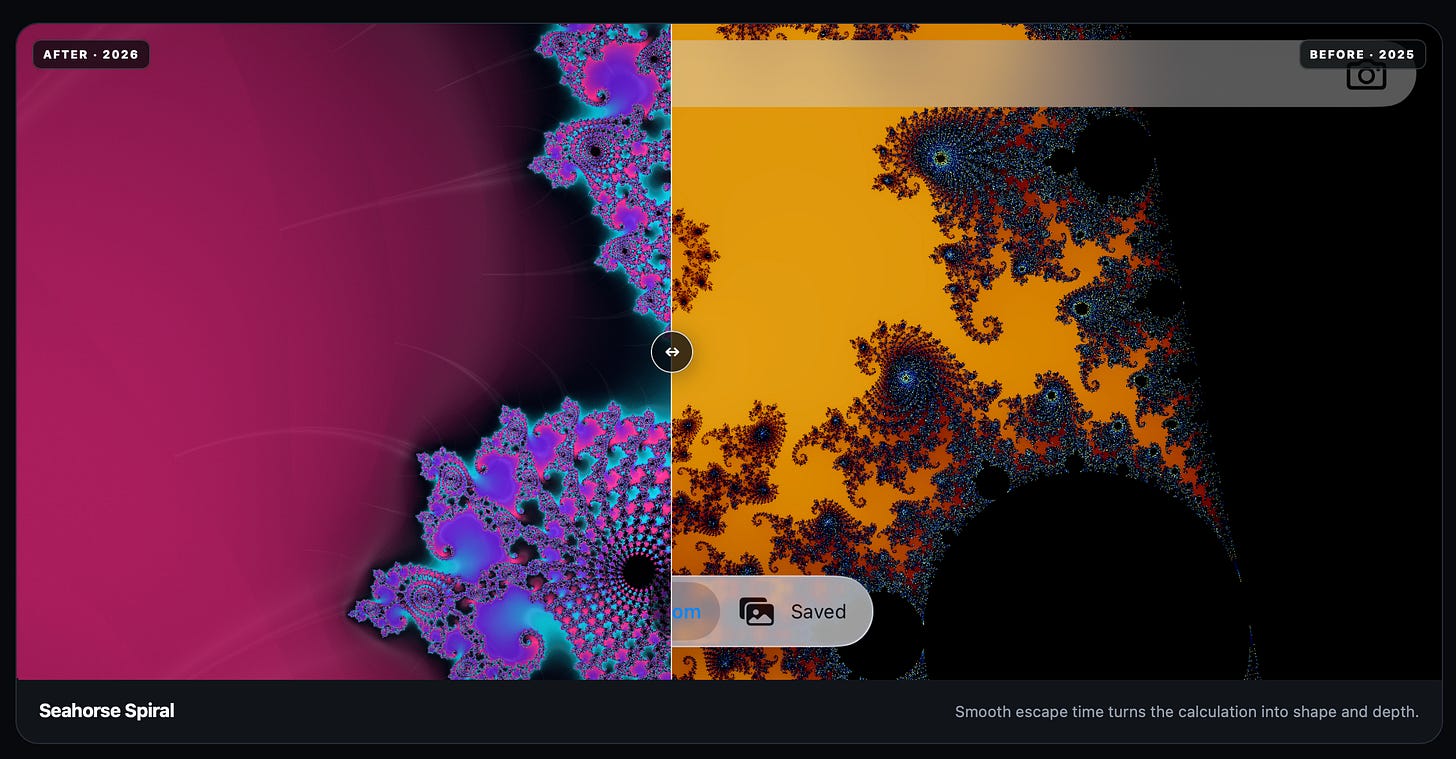
Pictured: rebuilding my Metal-powered Mandelbrot set Ask the agent to take a screen recording; especially nice for animation work.
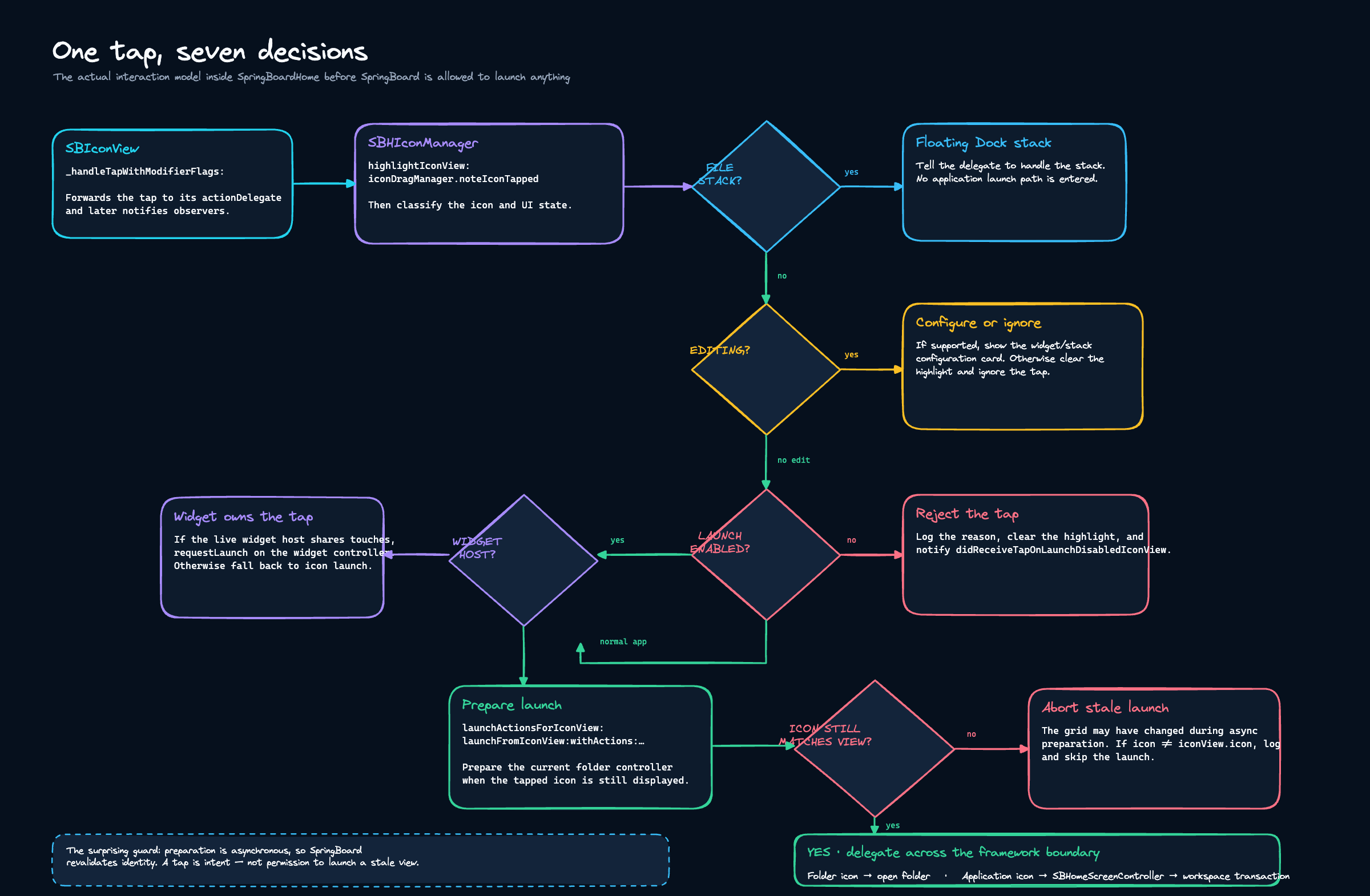
If you’re trying to understand something, one of my all-time favourite techniques is asking the agent to generate an excalidraw diagram.
Often I’ll tell my Sol agent “when you’ve finished work, spin up a Fable agent and ask for a code review, and fix anything that doesn’t result in needlessly defensive slop”. Or vice versa if I’m using Fable. The “needlessly defensive” line is important, since an agent will always find 20 things, most of which are bloat.
For my pre-release polish pass, I requested an almanac of every screen in The Damage, hosted on a tiny local server, with a text box each.
I gave detailed visual feedback on each screen individually, which was automatically linked to the specific screen.
Sol-xhigh worked autonomously through the night (the first pass took 5 hours) to implement everything ready for App Review.

At this point, you can go pretty far without opening your app a single time.
If you’re doing things right, you’ll perhaps find yourself in a weird purgatorial zone at ~3pm: you’ve maxed out on 10ish terminal tabs, all of which are running without you.
Collaboration and ARGUMENT.md
It’s an inevitability in engineering that you often run into an insanely complex problem or incomprehensible mystery bug. Asking an agent to help just won’t cut it, especially if you’re rushing to solve an urgent bug in production.
The Fast Lane
When you really need to pull out the big guns, here is my secret weapon:
Paid members find out about this secret weapon, as well as getting the subsequent 5 chapters, plus my new comedy eBook. And, of course:
⚓️ Access my full library of 50+ paywalled articles (including this one)
🚀 Read free articles a month before anyone else
🧵 Master concurrency with my full course and advanced training
🧑🚀 Get a free copy of my new eBook, “Land your iOS Tech Job”
❤️🩹 Support independent, sometimes funny, tech writing
