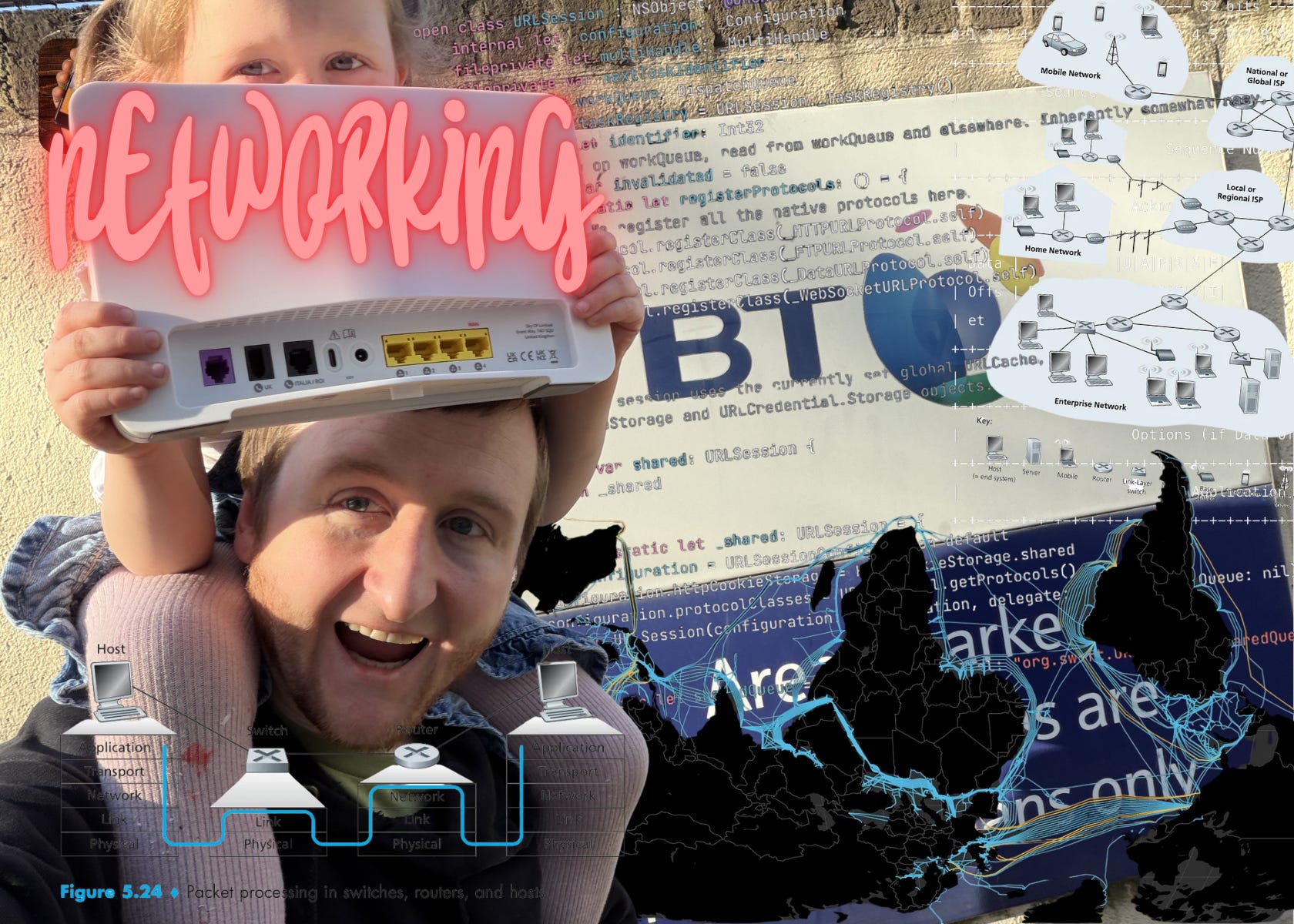
One of the reasons I reckon I’m a decent writer is that I can remember what it’s like to be very junior. Noob-y mistakes were my bread and butter. I hailed from the “no question is a stupid question” school of thought, and had zero filter when I felt blocked.
These traits combined to make me very annoying to Josh and Si, our resident seniors. My relentless requests for help were invariably met with some variant of:
“You forgot to assign the UITableViewDataSource, didn’t you?”
“You didn’t set translatesAutoresizingMaskIntoConstraints = false”
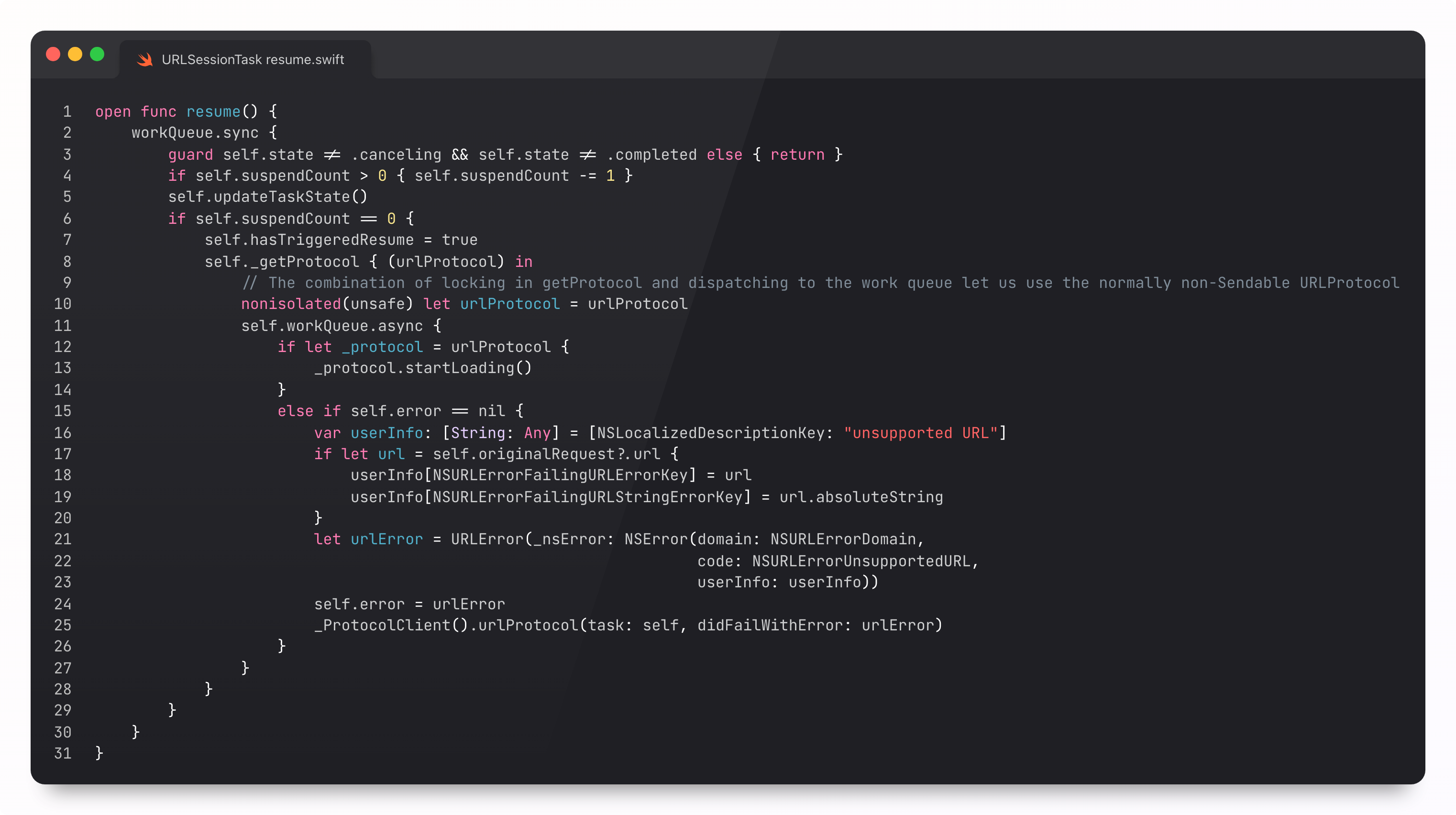
“You have to call .resume() on that URLSessionDataTask”
This wistful nostalgia trip got me thinking.
What actuallyhappens when you call .resume() on a URLSessionDataTask?
The subsequent rabbit hole is quite fascinating, and required reading if you never stopped to wonder how literallythe entire internet works.
So today is a theory lesson + case study.
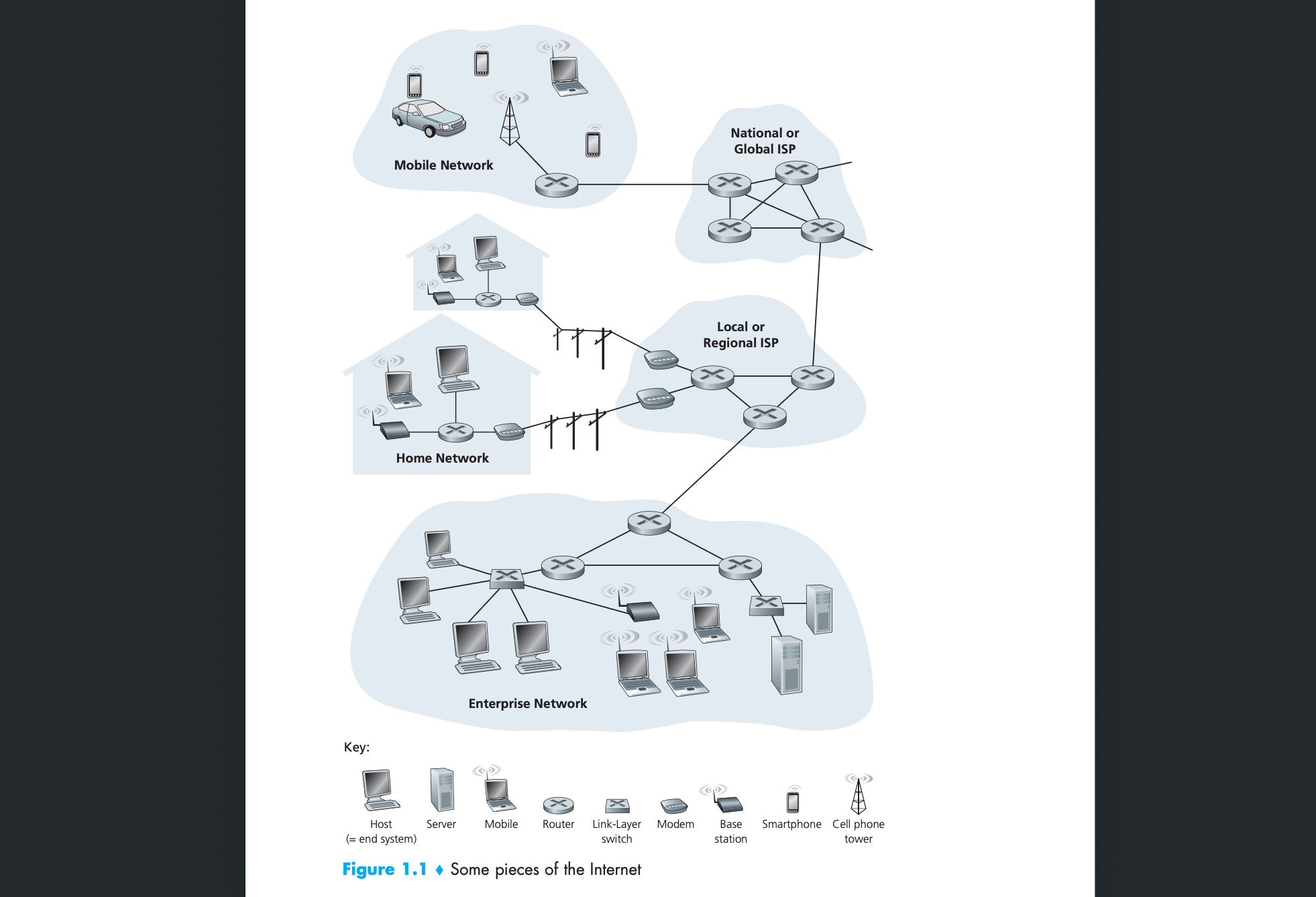
We’re covering the conceptual model underpinning the vast network of networks that make up the internet.
Along the way, we’re going to follow the unassuming URLSessionDataTask as it traverses each layer of abstraction: from your app’s API request, to system frameworks, into the kernel, via drivers into the radio hardware, and finally out into the physical world as electromagnetic radiation.
Sponsored Link
Lessons Learned from Security Incidents in Mobile Apps
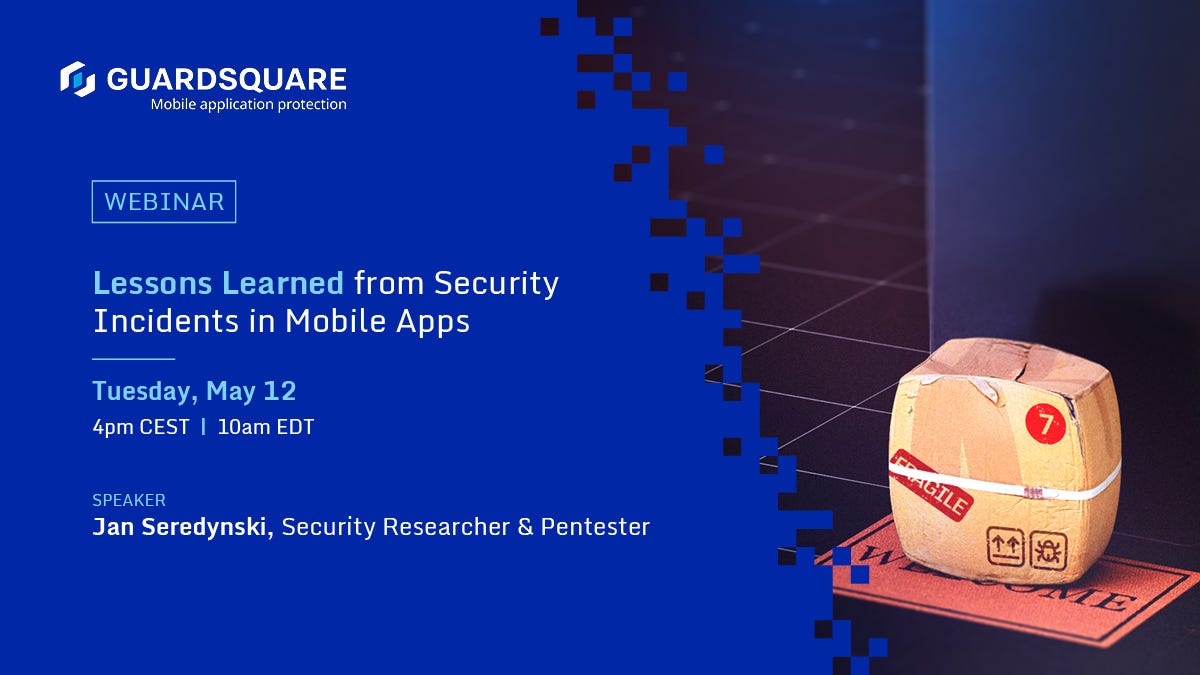
Join Security Researcher and Pentester, Jan Seredynski, on a live stream on May 12 as he dissects recent real-world security incidents in banking, food delivery, and e-commerce. From face verification bypass to location spoofing, he'll break down the anatomy of a breach and what teams can do differently to address them.
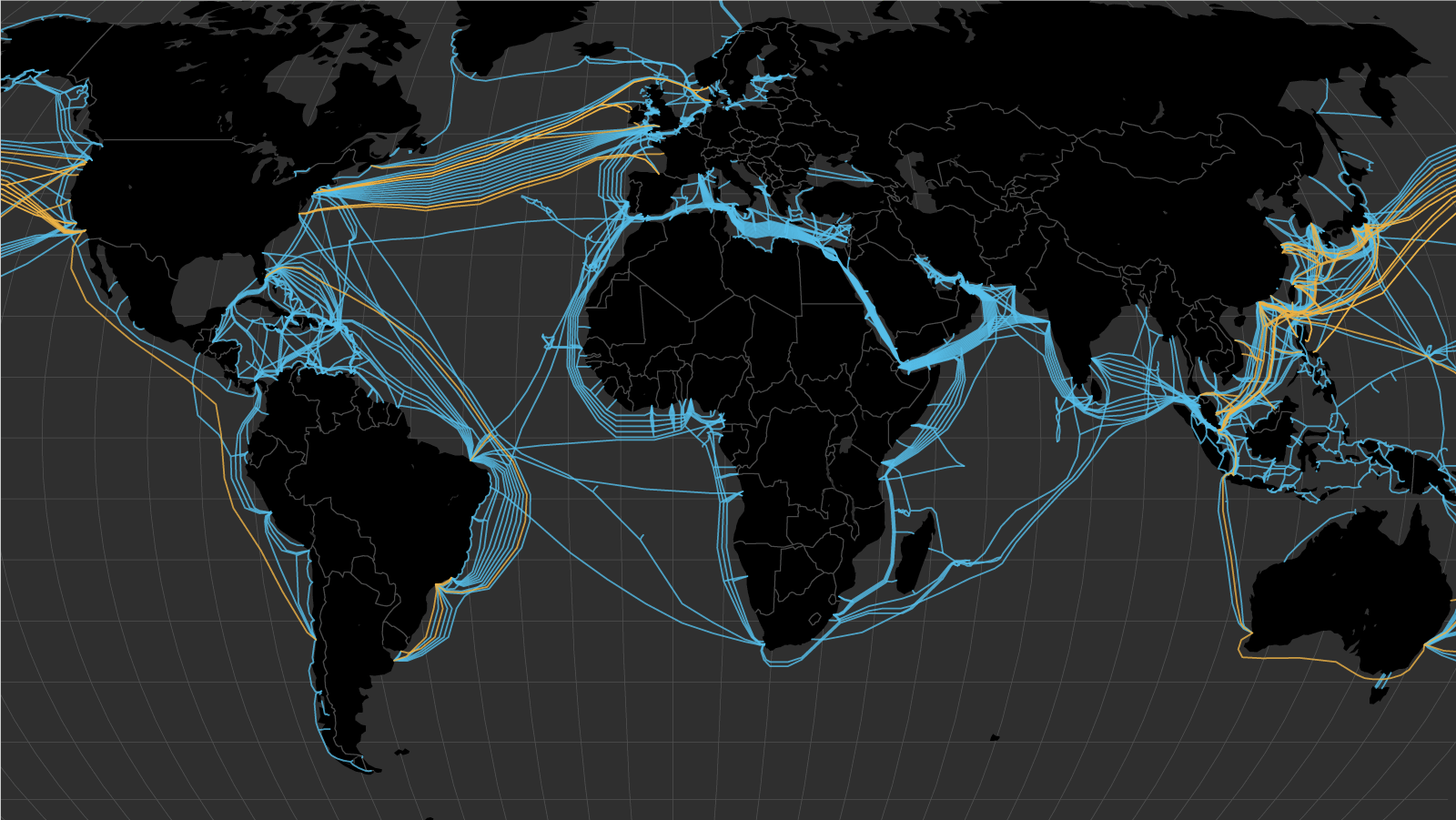
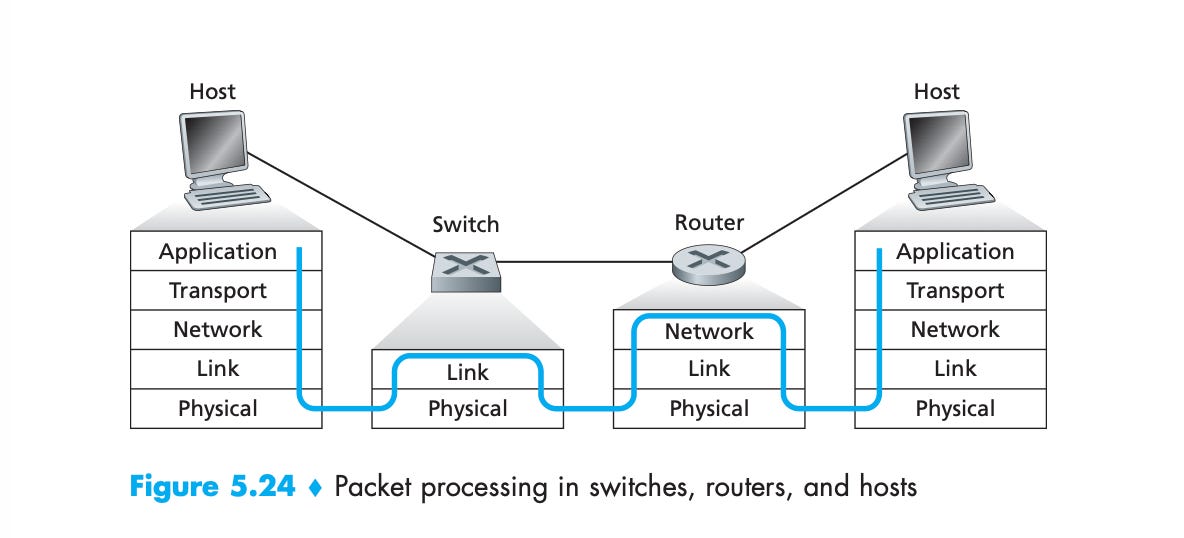
This network core includes the global backbone of the internet: an interconnected web of physical infrastructure like copper wire, fibre optic cable, and undersea cables carrying data between networks.
This lowest level of infra is operated by friendly, totally non-evil companies such as Verizon, AT&T, and Google. The interconnectivity is key: the internet as we know it works because these companies all agree to route each other’s traffic.
The networks are compatible because they all speak to each other via IP, the internet protocol. This is the most fundamental thing to understand. A protocol is simply a specified format for sending and receiving messages. These formats are agreed via an “RFC” process run by a shadow cabal, the Internet Engineering Task Force.
Routers forward packets between each other as data traverses this physical system of cables, fibre, and radio links to their destination; from your iPhone in the UK, through to a VPN server in Sweden, down to an edge cache in Germany to retrieve your favourite scheiße video (and back).
To understand how we go from URLRequest to a streamed .mp4, we follow the classic five-layer Internet model:
application
transport
network
link
physical
The layered model is all about abstractions.
The application layer worries not about the underlying orchestration of packet encapsulation and transport links. It might as well be magic. Who cares? Data go into pipe, data come out of pipe.
This “who cares” powers the entire global software ecosystem, preventing lowly web developers going insane when confronted with manmade horrors beyond comprehension (like ethernet ports).
Abstraction saves you from understanding implementation details of each layer. You just need to know the protocol, that is, the format of data in and out. Abstraction is everywhere. It’s why you’re able to ship profitable SwiftUI apps without understanding the low-level process memory management done via a red-black tree inside the XNU kernel. Whoooooo. Cares.
Let’s investigate each layer, step-by-step, looking at real code to understand as we go.
URLSession and the Application Layer
The application layer is where all the interesting stuff around the network can be done. It contains HTTP, DNS, cookies, caches, configuration, and everything else you actually touch in your day-to-day.
URLSession
URLSession is your entry-point into this world. To handle a run-of-the-mill network request, you’ll create a session, configure it, set up a task, and kick it off with resume().
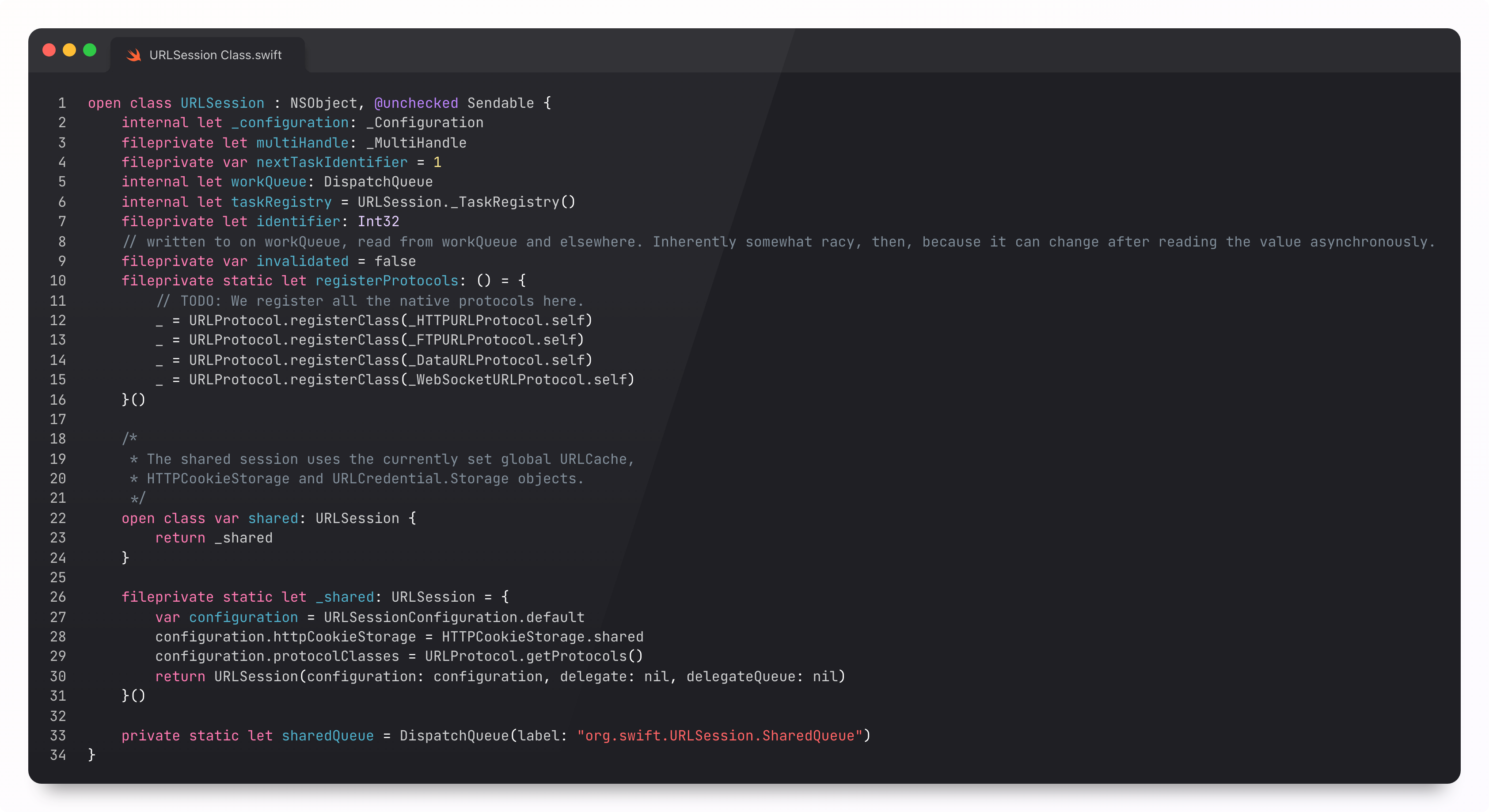
Internally, URLSession uses both Grand Central Dispatch and NSOperation to avoid data races, using GCD queues to protect its internal state, and operations to handle URLSessionDelegate callbacks.
Resuming the DataTask
Individual requests are created and executed using a URLSessionDataTask. This calls into the underlying implementation library (curl or CFNetwork) and feeds data back to the session. The task tracks its state, counts bytes, and finishes with either a URLResponse or an Error.
This data task gives devs the opportunity to configure the request before work begins. It inits in a suspended state, kicking off when resume() is called.
The async/await form conveniently handles both task creation and resume() internally. It’s truly nothing special, wrapping the O.G. dataTask(with: URLRequest) function in withCheckedThrowingContinuation.
HTTP, DNS, and Cookies
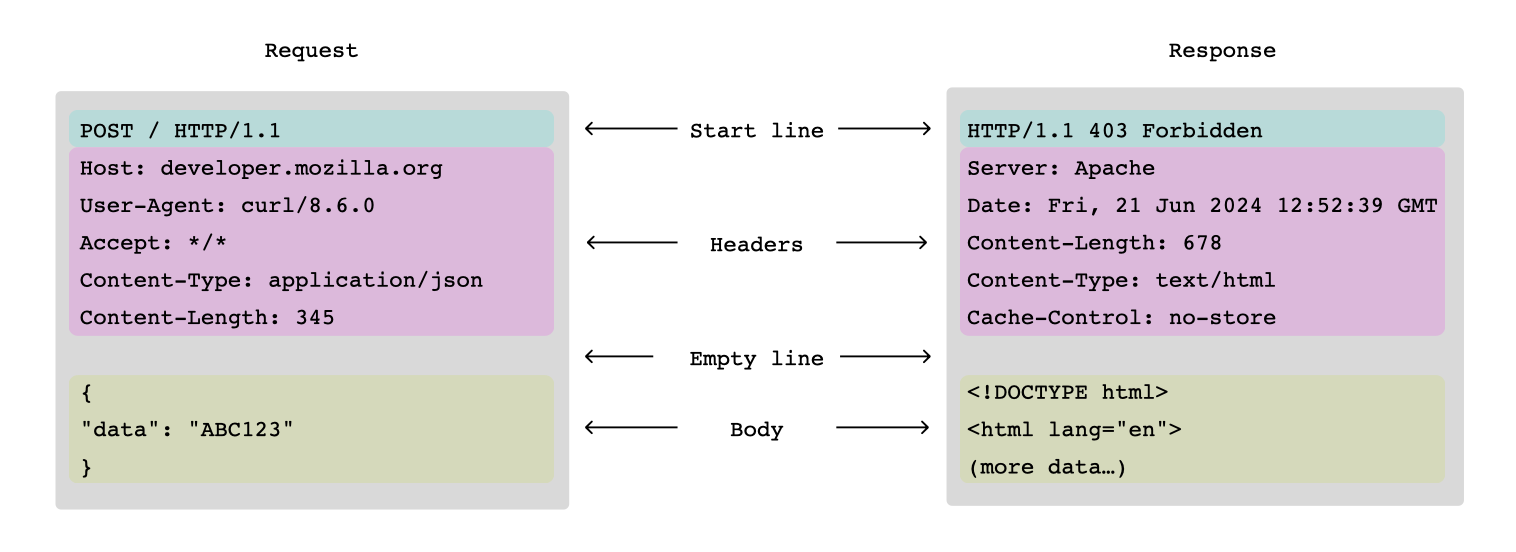
In the application layer, network requests often have a human-readable format, such as the ubiquitous HTTP request.
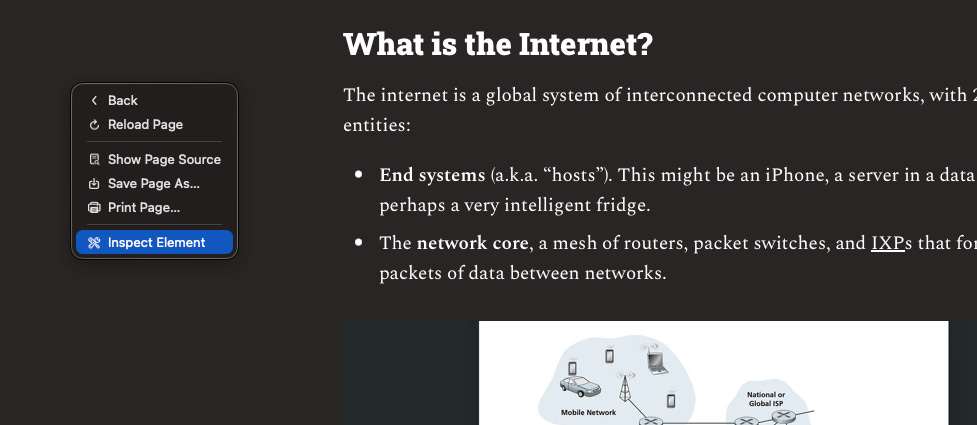
You can trivially instrument the application layer yourself: via Charles Proxy, Proxyman, or on the web, by right-clicking and tapping “inspect element”, then looking at the “Network” tab of the site debugger.
DNS is a distributed dictionary that maps URL hostnames to IP addresses. Caches on your URLSessionConfiguration help decide whether your request even needs to hit the network. Cookies attach metadata to stateless requests to help our server maintain a consistent user state. If you want a stateless request, you can use an ephemeral session configuration.
The curl and CFNetwork libraries handle lower-level details in the application layer such as multiplexing, which combines multiple HTTP streams onto the same TCP connection (see below), saving energy by reducing connection overhead.
Ultimately, these lower-level libraries run syscalls into the kernel such as connect, socket, send, and recv. This brings us down to the next layer.
Network.framework & the Transport layer
The transport layer moves messages between end systems.
Transport Layer Protocols
I’ll jump ahead very briefly, because there’s one really important thing to understand about IP (in the layer below), that explains everything about transport layer protocols:
IP is unreliable.
When a packet is sent with IP, there is no guarantee that it arrives to its destination, on time, or at all.
Now we know that, we can appreciate the 3 important protocols of the transport layer:
TCP, Transmission Control Protocol, is a system that creates a (pretty) reliable connection on top of IP by verifying that each message was sent. Most of the internet is built atop TCP/IP.
UDP, user datagram protocol, is fire-and-forget. It’s simple and fast, and “good enough” for streaming live video calls and gaming.
QUIC, quick UDP internet connections (QUDPIC just sounded silly), is a modern protocol that powers fast and reliable connections on top of UDP. Ask your backend engineers if they support HTTP/3 today!
I’m going to resist the temptation to write another 12,000 word behemoth, and focus on explaining why TCP is interesting, and relate it to iOS.
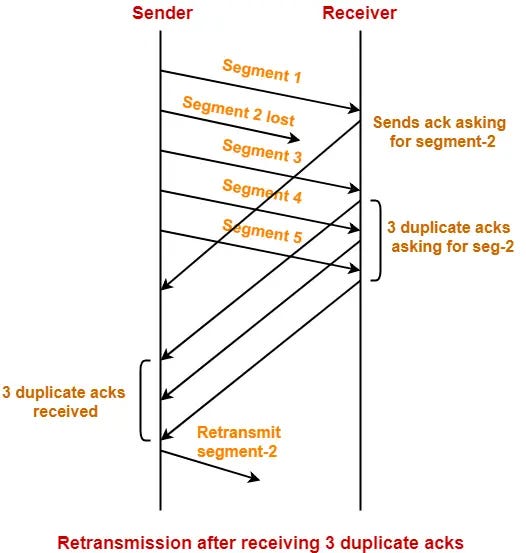
Segments and Reliability
When sending an HTTP request via TCP, the request is split into segments, which add bookkeeping logic around the original request data.
This bookkeeping includes sequence numbers, acknowledgements (ack), and checksums. When a segment is sent successfully, success is ack’d. TCP checks acks and “the lack of acks” to infer lost data segments for retransmission.
This is reconstructed into the original HTTP request on the receiving end system, and returns back an ultimate success response for our intrepid URLSessionDataTask.
Reliable doesn’t mean guaranteed. If Dick Dastardly snips your router’s ethernet cable, or blows up your local IXP with an implausibly large crate of TNT, the message won’t magically get delivered.
In a beautiful symphony of collaboration that makes you wish for the good ol’ days, TCP throttles the request if it detects an abnormally slow receiver. This forms the basis for congestion control and traffic management for the entire Internet. Kum baya, my friend.
Network.framework
Foundation is abstracted well away from the transport layer, but we can absolutely play around with it using the lower-level Network framework.
This gives devs access to transport-layer primitives like TCP, UDP, and QUIC, allowing you to configure properties like message format, retries, timeouts, authentication, encryption, and state machines.
This is used by apps like Telegram to implement custom application-layer protocols that offer end-to-end encryption, and transmit data over standard transport layer primitives.
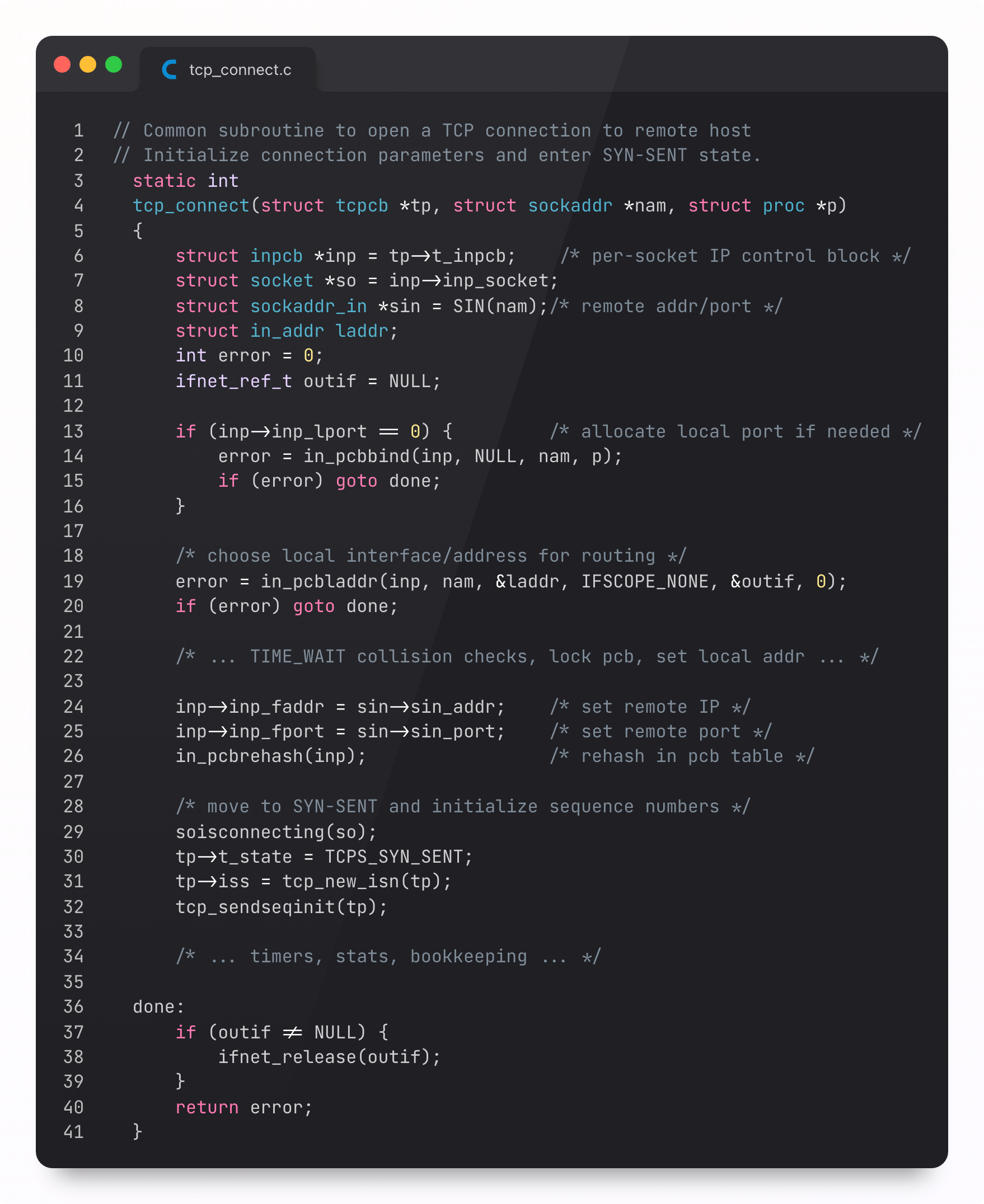
The Kernel TCP Stack
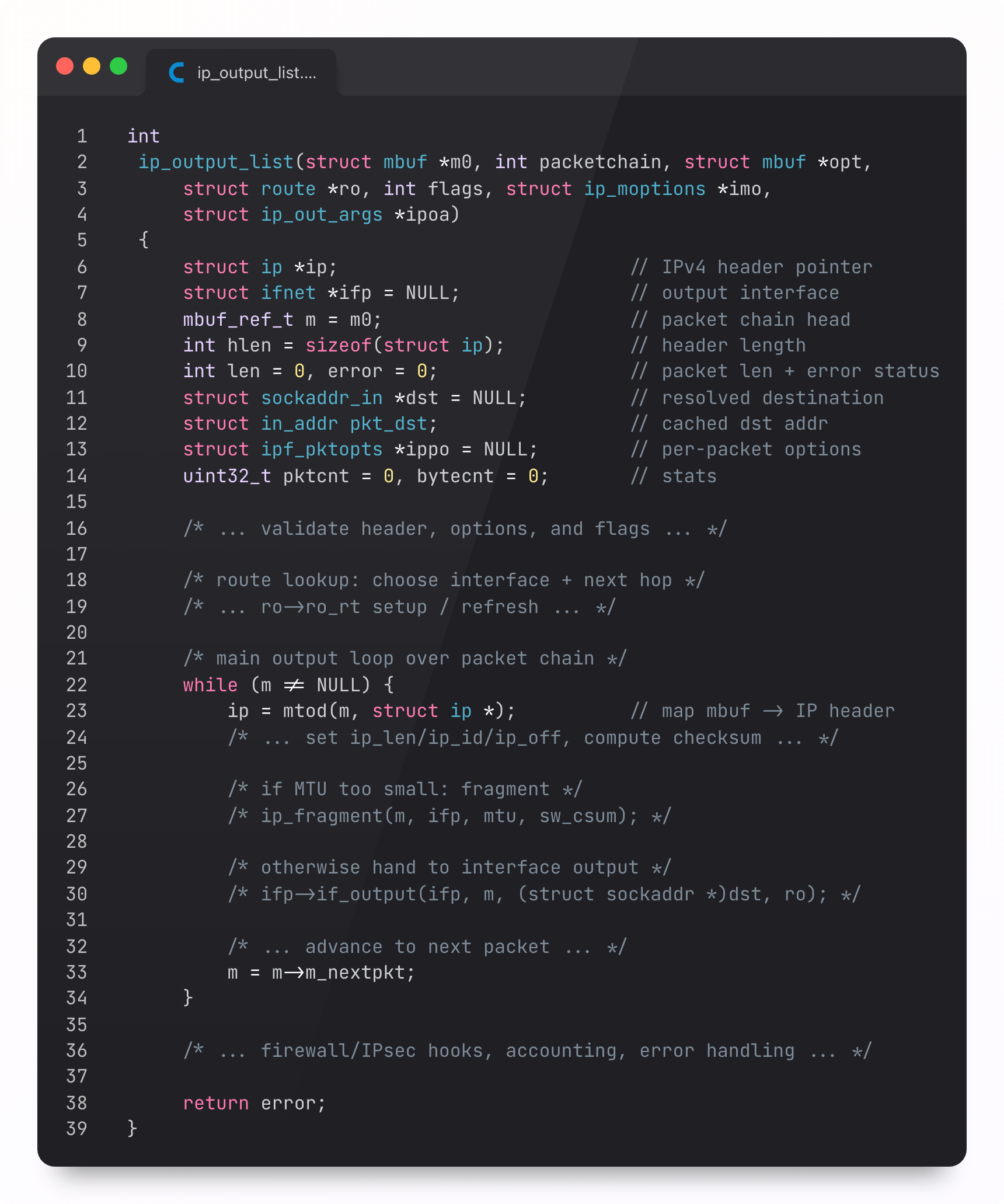
Ultimately, these transport layer primitives are built at a lower-level: the OS. The kernel (XNU) implements the TCP/IP stack and handles the necessary segmentation, routing, and congestion control:
This ultimately leads us down to the Network layer, and the Elvis of networking protocols: Internet Protocol.
IP and the Network layer
The network layer is responsible for moving packets of data (a.k.a. “datagrams”) from one end system to another. The packet traverses the network core by being forwarded between routers.
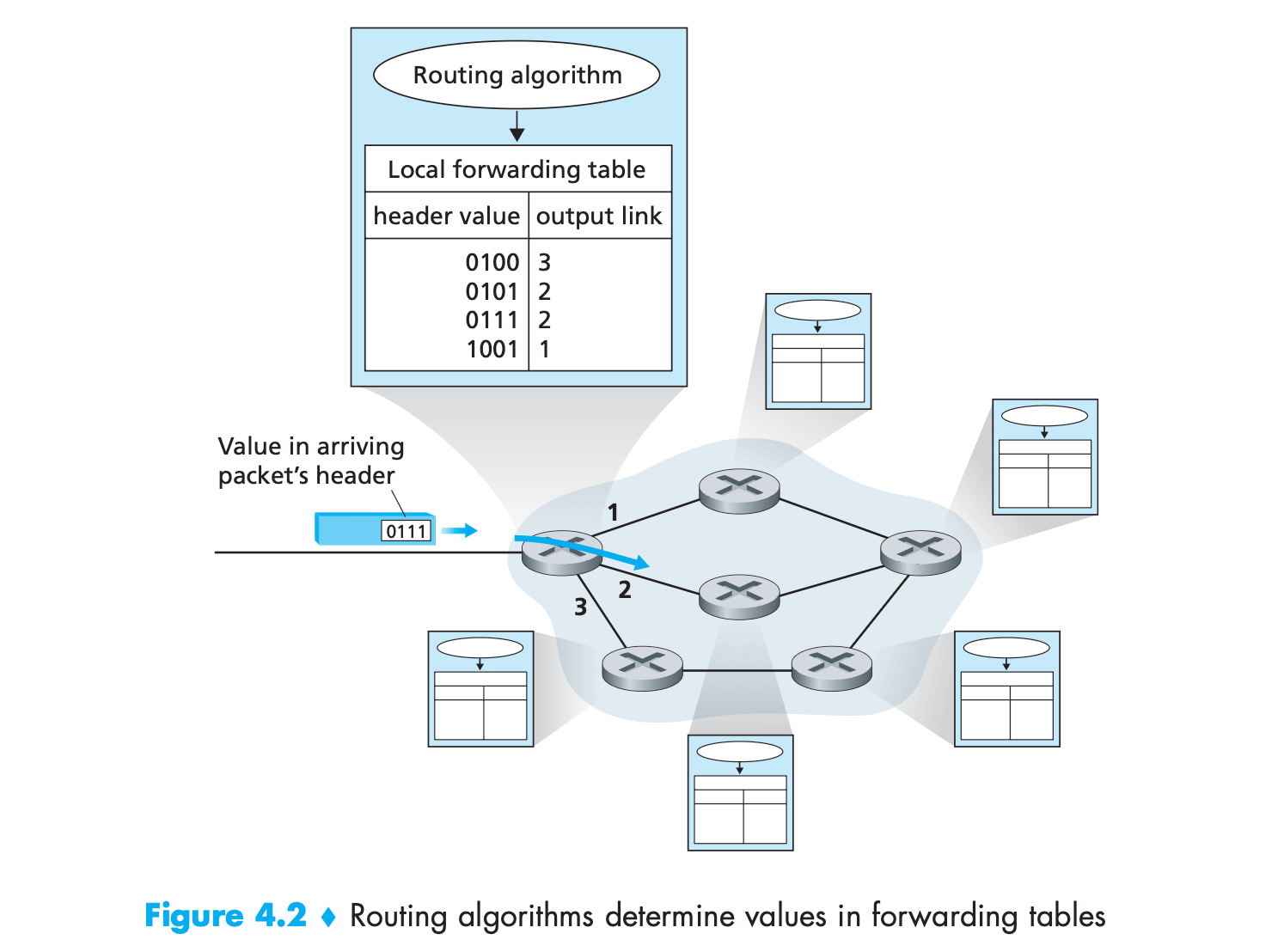
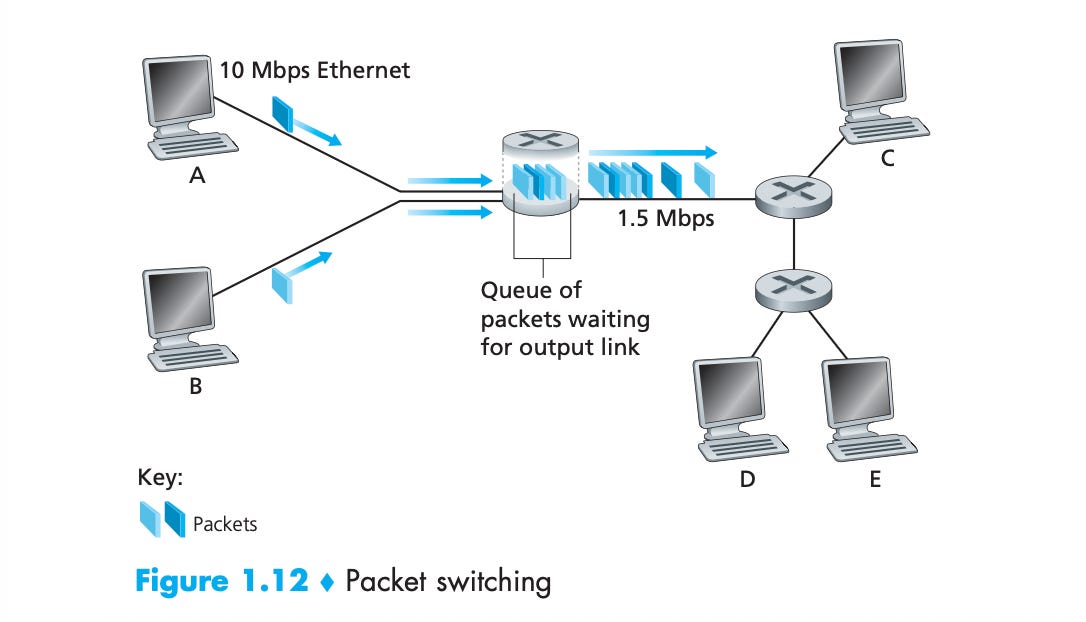
What does a router do? Two main things:
Forwarding datagrams.
Buffering un-forwarded datagrams.
Network Layer Datagrams
First, what is a datagram?
If you’re rolling IPv6 (weirdo), it looks like this:
IP has 2 key flavours, relating to the format of the source and destination addresses:
IPv4, which looks like 192.168.1.10
IPv6, which looks like 2001:db8:85a3:0:0:8a2e:370:7334
If your first reaction is total disgust at the IPv6 address, you would be correct. Workarounds like network address translation allowed millions of devices to hide behind a single IPv4 address, thus kicking the “there are only 4 billion possible IPv4 addresses” can down the road indefinitely.
Forwarding Datagrams
Routers are linked together to multiple other routers, via copper cables, fibre, or ethernet, across network links, or within an IXP (more wires tbh). Each router has its own IP address. This address acts less like a postal address, and more like a coordinate, narrowing down the logical location of the end system across the whole network.
When network topology changes, routers re-construct a forwarding table: they read the IP address of each neighbouring router, and determine which IP ranges should be forwarded to which links.
As long as the network is stable, picking the next “hop” in the network is easy: routers ship the datagram on to the closest prefix-matched IP on their forwarding table.
Across dozens of links, the packet gets closer and closer to its destination until it arrives at the destination end system (or gets dropped).
Buffering Datagrams
If you haven’t read the title, you might think that slicing a TCP segment into IP datagrams is as low-level as we get. Ultimately, though, no spoilerinos, the electrons that encode bits are transmitted serially through the network.
A router needs the full packet before forwarding anything, so latency adds up with each hop between routers. When the output is busy sending another datagram, your packet is buffered in a queue.
IP is best-effort, rather than reliable: a network connection is only as fast as the slowest, most congested link, so your p99 network latency often stems from a single dodgy link across the network core. If the buffer is full, the packet can just get dropped.
This unreliability can be political as well as technical: peering disputes between network operators have led to latency issues, and in the worst cases, “blackholes”, where a router intentionally discards traffic.
Network Layer in the iOS kernel
iOS has enforced IPv6 compatibility for years. Probably a good thing, otherwise their device sales would account for 75% of the total IPv4 address space. iOS devs really don’t touch the network layer, but we can track it down in the xnu kernel source:
The kernel selects the outgoing interface using its routing table. From here, it hands packets down to the iPhone’s link layer: the network driver (Wi-Fi) or the baseband subsystem (cellular).
The link layer (feat. Wi‑Fi)
The network layer moves packets across the wider Internet, to a destination.
The link layer is far less ambitious. Its job is to move “frames” from one network element to the next adjacent link in the chain. Just one.
or perhaps you’re hot-spotting and your device itself is the link.
This is your access network, the first leg that connects your device to the wider Internet. The link layer takes the IP datagram from the network layer and wraps it in a container, or frame, that includes just enough info to get it across the current link.
This info includes:
Who should receive this frame; for WiFi/Ethernet, this is the MAC address.
Error detection bits to flag up data corruption and mangled frames.
Control metadata like sequence markers, priority, flags, or frame types.
These frames differ based on how you are connected; ethernet (IEEE 802.3), cellular (LTE/5G), and WiFi (IEEE 802.11) all have their own protocols. The link layer also performs a lot of invisible labour, such as retrying these frames locally if they were lost. TCP hogs all the credit.
Wi‑Fi is a shared medium, meaning all the local devices occupy the same band of radio spectrum. Therefore, to avoid a prisoner’s dilemma of signal hogging, the protocol forces devices to wait and take turns when transmitting to the router. Therefore, WiFi throughput is often a function of the other devices on the network, as any parent of a gaming teenager knows while on a business video call.
With cellular, the base station tells you when you can transmit, and for what resources. What are you gonna do about it? Your cellular radio tends to hang around in a higher-power state after any burst of traffic, so batching up requests is kinder to battery life than constant little drips of network activity.
URLSession at this layer
I don’t even think our URLSessionDataTask knows what’s going on at this point.
The OS picked an interface, handed the packet to the relevant subsystem (cellular modem or WiFi driver), and your HTTP request has been mutilated beyond recognition, dismembered, and squeezed into a suitcase to hop to the next link.
Electrons and the Physical layer
The final layer in our digital lasagna of abstractions is called the physical layer because it’s… uh, I actually don’t know why it’s called the physical layer.
You’ll be pleased to know that we basically don’t have any wanky container names like packets or datagrams or frames here; just bits. Bits that move from point A to point B.
Every abstraction bottoms out here, because data has to actually exist: a change of voltage pushing electrons (slowly) through a copper wire, a pulse of light bounced through a fibre optic cable, or an electromagnetic wave ̶y̶e̶e̶t̶e̶d̶ cast aloft through the air.
iPhone Hardware
Your URLRequest ultimately becomes energy in the real world.
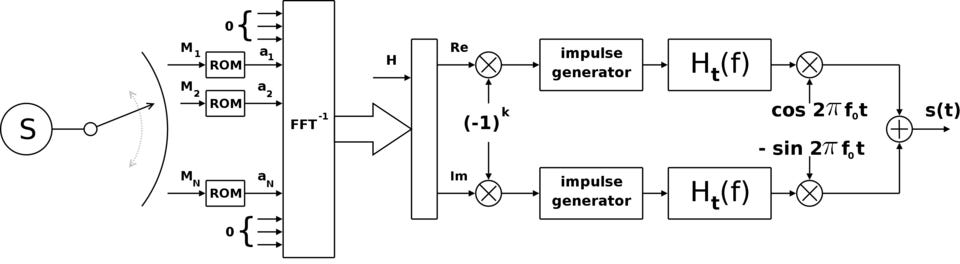
On your iPhone, the radio hardware accepts bits from higher layers, encodes them, maps them to symbols, modulates a carrier wave, amplifies the result, and sends it out through an antenna. The receiver in your WiFi router or local cell tower does the reverse, fighting noise, reflections, interference, distance, and walls.
The network request is no longer data: it’s encoded into an oscillating electric charge in radio circuitry, then an electromagnetic field produced inside an antenna, and then a spherical wave of microwave-frequency photons, propagating out from your device until eaten by a receiver.
As you can imagine, antenna design matters a lot to hardware engineers.
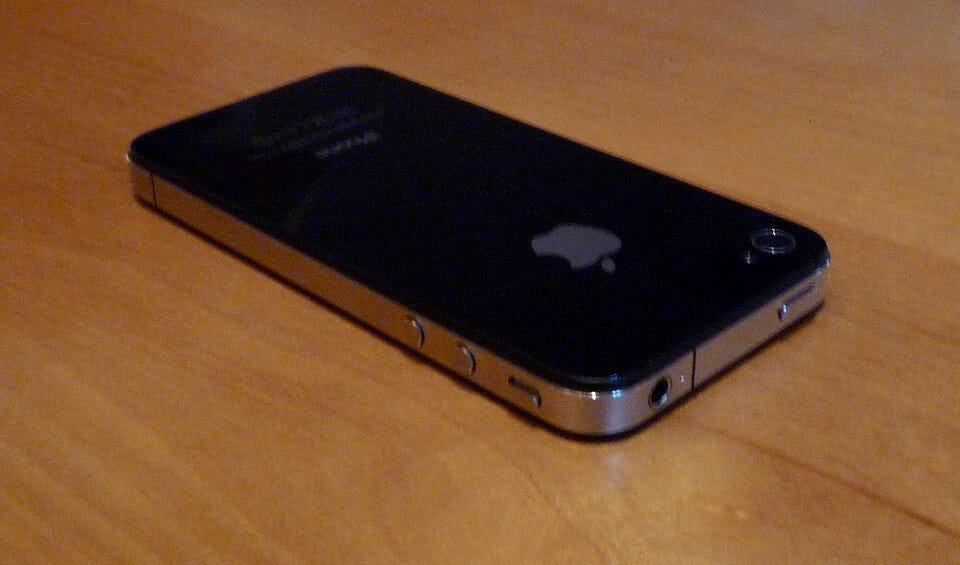
Recall iPhone 4.
The hardy steel rim lived a double life as a part of the antenna subsystem, meaning the way you held the phone could materially degrade the already-meagre 3G cell reception. Following this fiasco, Steve Jobs literally died from embarrassment.
Modern radios are adaptive f*ckers. They adjust their modulation and coding based on channel quality. In a clean signal environment, they can apply faster, denser schemes to push more data. In a noisy signal environment, they back off to slower, more robust schemes so the bits still squeeze through. Chuck in multiple antennas, MIMO, beamforming, and digital signal processing, and phones are subsequently pulling in gigabit ranges per second.
Signal modulation is simple and understandable, from Wikimedia Commons
Last Orders
Ultimately, your app does not talk to “the server.” It cries into the endless void, through a Lovecraftian rat king of network links and routers.
Abstractions allow us to comprehend the incomprehensible without going insane.
The application layer happily pretends to be speaking directly to a server via tin cans and string.
The transport layer does the hard work making sure segments actually arrive.
The network layer goes postal to get your data to its destination.
The link layer locates the next link as frames traverse between network nodes.
The physical layer is where abstraction stops and life starts.
On its journey, requests are chopped, wrapped, addressed, buffered, retransmitted, routed, modulated, amplified, and chucked across the planet by machines that mostly agree to cooperate with each other. And, incredibly, it works.
Next time you all URLSessionDataTask.resume(), just remember: Internet go brr.
If you enjoyed my post, subscribe free to join 100,000 senior Swift devs learning advanced concurrency, SwiftUI, and iOS performance for 10 minutes a week.
Lessons Learned from Security Incidents in Mobile Apps
Join Security Researcher and Pentester, Jan Seredynski, on a live stream on May 12 as he dissects recent real-world security incidents in banking, food delivery, and e-commerce. From face verification bypass to location spoofing, he’ll break down the anatomy of a breach and what teams can do differently to address them.