
When I start a new job, I like to quickly make a name for myself as the “app size” guy.
This means proactively investigating the app bundle, proposing steps to make it slimmer, and implementing them in our next release. I do this for a few reasons:
It’s easy.
It’s quick.
It’s fun.
Hopefully, nobody else thought to do it yet *if it’s a startup.
It’s visible and comprehensible to non-technical stakeholders.
Especially if your work impacts install rate.
Today I’m showing you a new, free, open-source, fully private, in-browser tool to help you optimise your own app bundle. I’ll explain how it works, and along the journey we’ll go through a real-life worked example: how I optimised Granola’s iOS app size by ~40% in my first week.
By the end, you’ll have a clear to-do list to optimise your own app and look like a total genius in the process.
Sponsored Link
Recently shipped an app? Enter it in Shipaton 2026
Recently launched a mobile app? Put it in the spotlight at Shipaton 2026 — RevenueCat’s global hackathon for builders who ship real apps to real stores. Compete for over $1M in prizes and show the world what you built. Entries close September 30.
Contents
OpenBundle
OpenBundle is a cool new tool that analyses your app bundle and gives you recommendations for the most impactful ways you can optimise your app size.
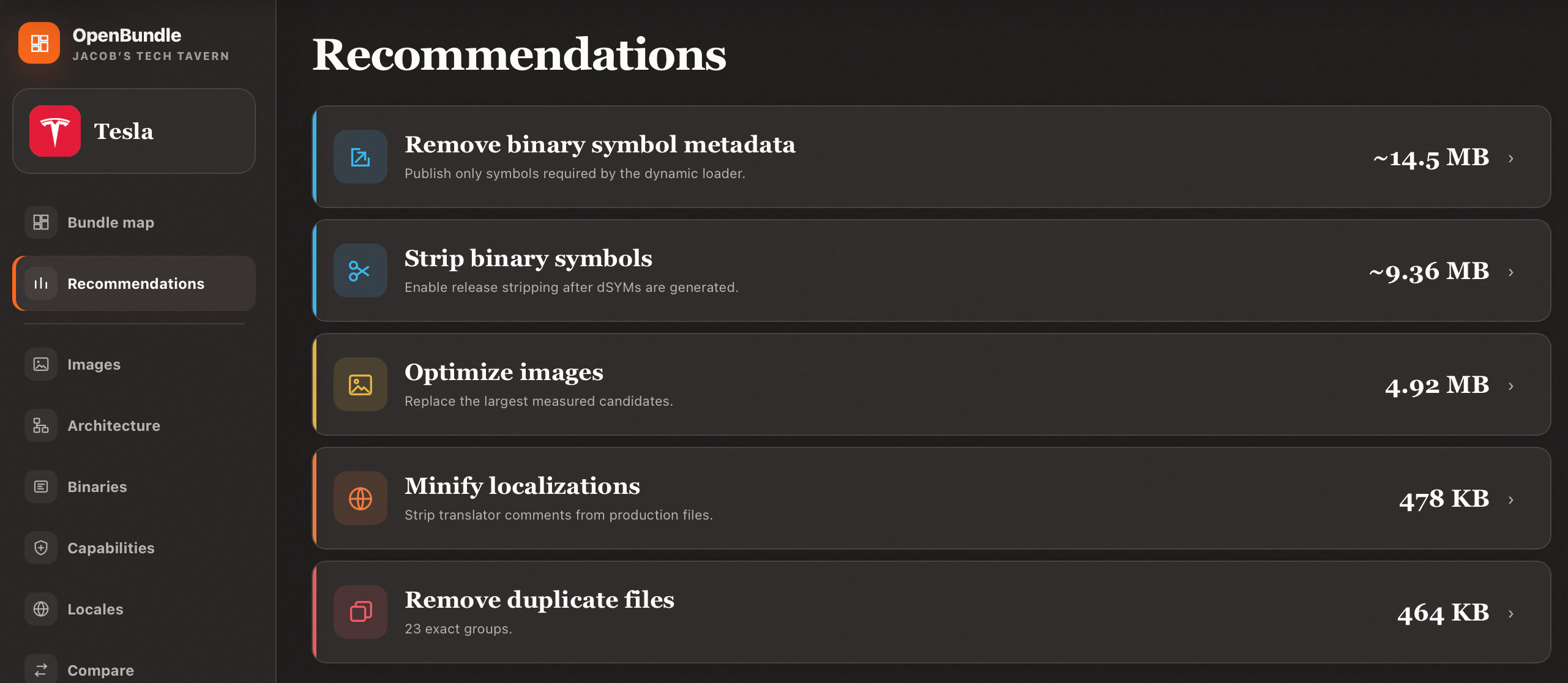
It’s open source, lives entirely in your browser, works fully offline, and has no backend, so your privacy is guaranteed.
How it works
An .ipa is basically a .zip file containing your app: code, frameworks, and resources. OpenBundle runs in your browser (running CPython via Pyodide) to expand the archive into a temporary filesystem, and processes every file to record their:
path in the bundle
size (zip-compressed and uncompressed)
SHA-256 hash

Mach-O files, containing compiled Swift code, are parsed to read segments & sections, symbol tables, load commands, dyld export tries, linked libraries, run paths, build versions, encryption states, code signatures and entitlements.
Asset catalogues are parsed (using Rust tooling in WebAssembly), exposing asset names, dimensions, scales, encodings, opacity, sizes and image payloads. Browser image decoders can then lazily display previews, content hashes and real compression measurements.
OpenBundle now reconstructs the bundle’s directory hierarchy: Compiled code and assets are summed up to compute their parent folder’s size, and laid out in a hierarchical treemap: area represents data size.
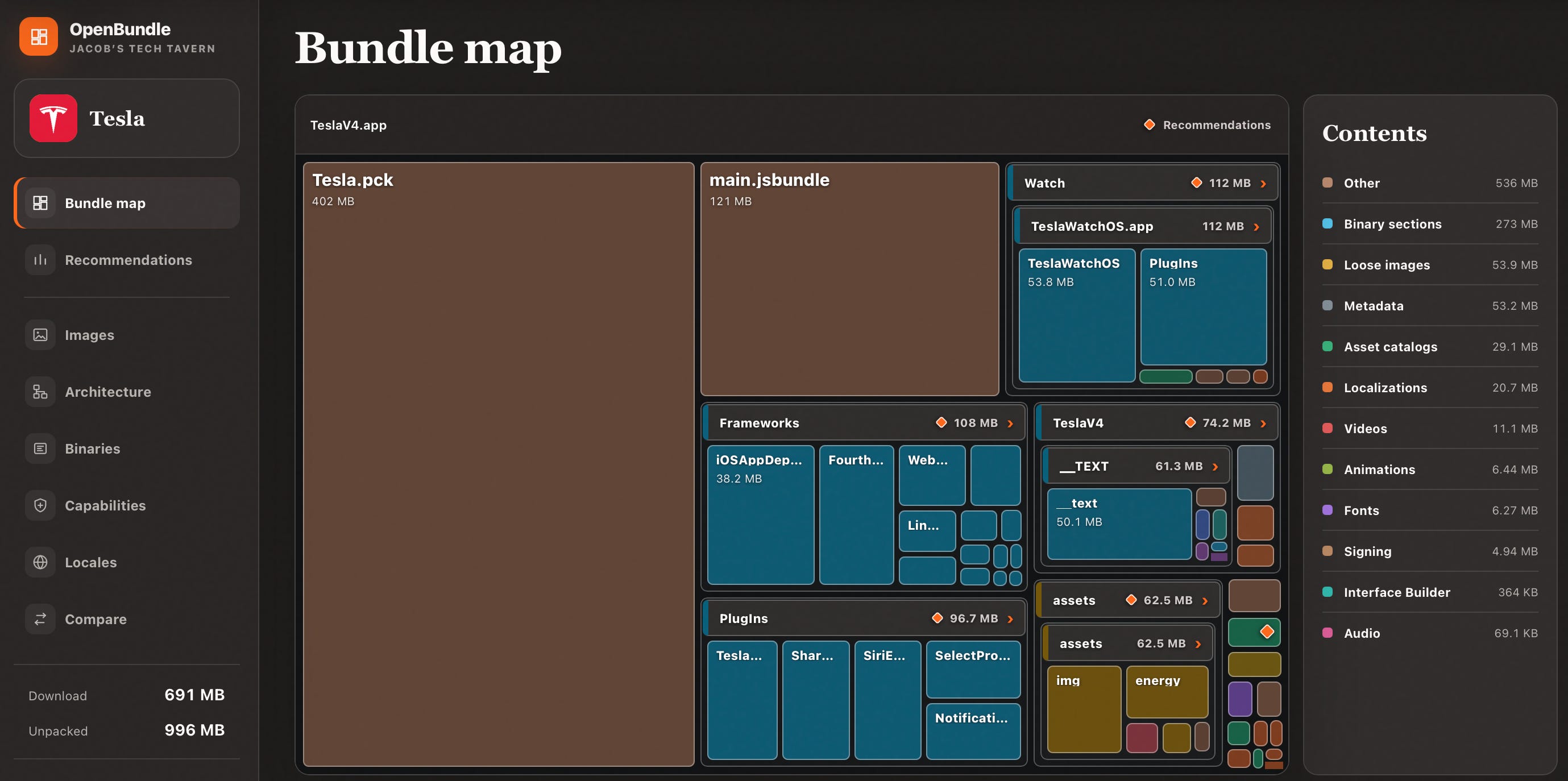
If you think Elon couldn’t get any worse, he built a bloody React Native app
The rest of this article takes you through a real-life worked example of optimising an app bundle, which I implemented in my first week at Granola.
The Low-Hanging Fruit 🍒
Here’s your actual motivation: I wasn’t exaggerating above; between waxing lyrical about someday migrating away from SwiftUI and re-architecting our app modules, I did try to actually contribute something concrete in my first week at Granola.
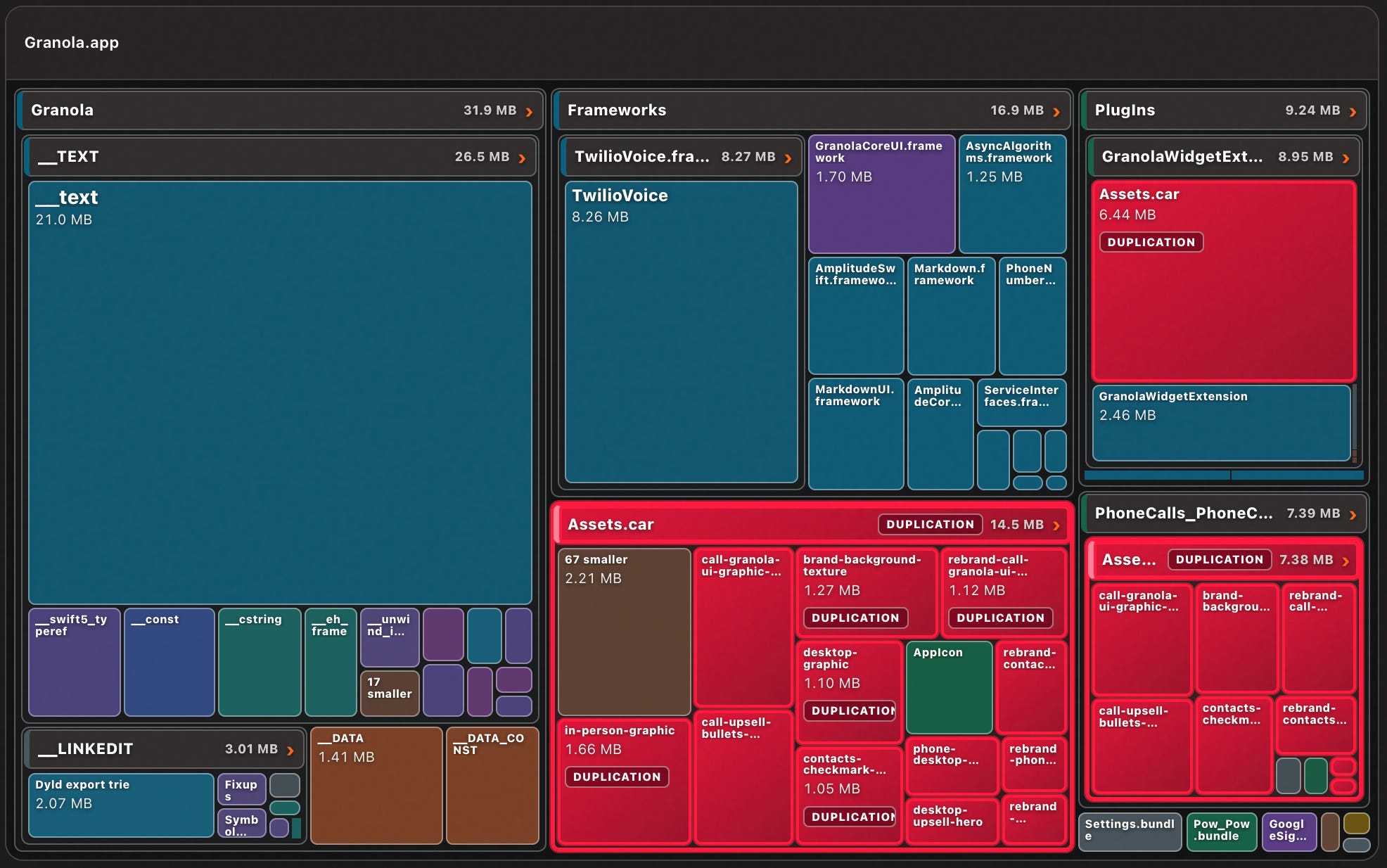
Let’s look at some bundle-size X-rays. There are 2 numbers we care about:
Install size is how much disk space the thinned variant of your app takes up (before documents or data). Download size is the minimum amount of over-the-air network data required to install.
Before
80.9 MB install
48.4 MB download
3.5 hours of work later…
After
58.8 MB install (27% less)
28.1 MB download (42% less)
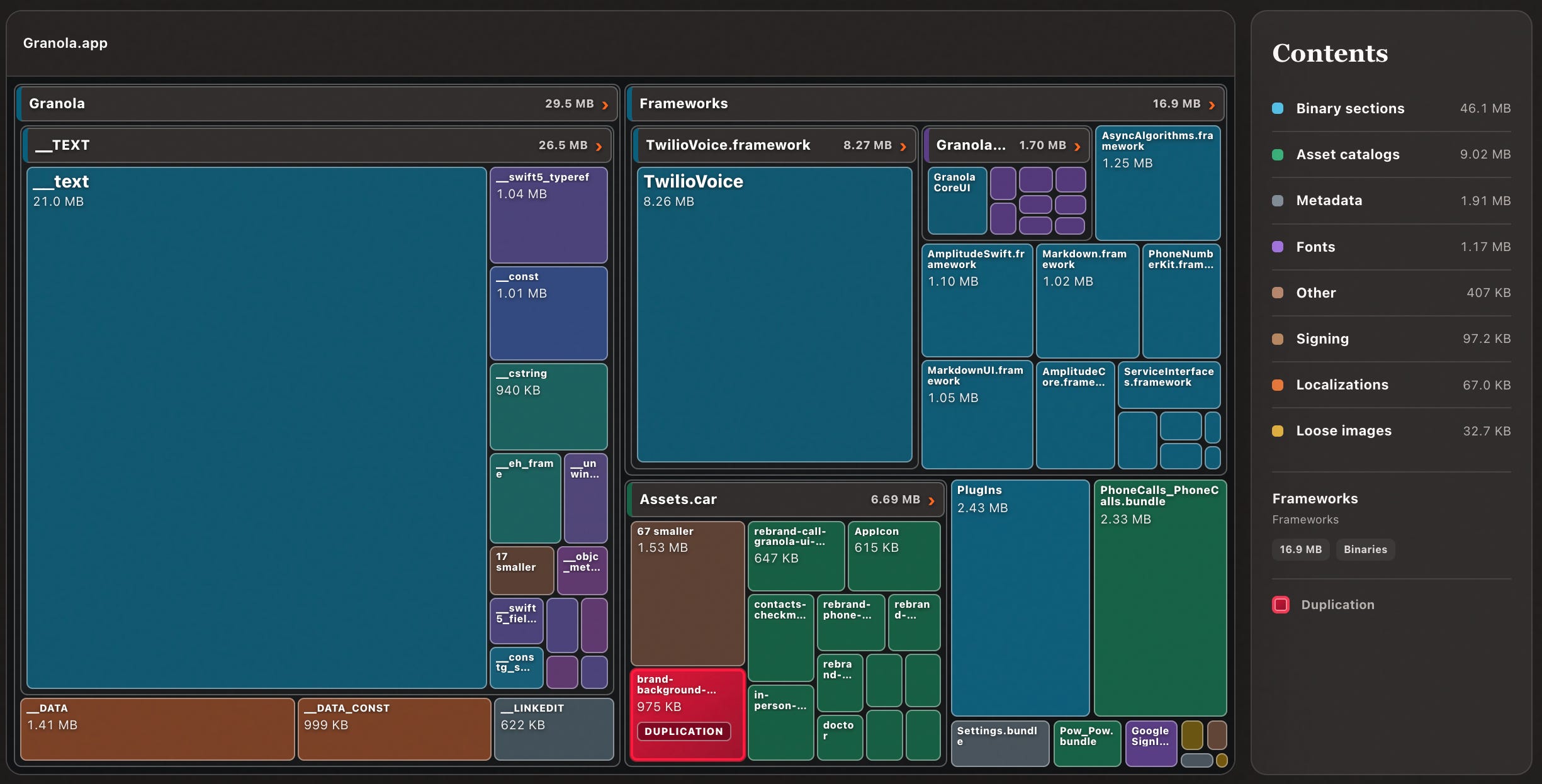
I achieved this through 5 straightforward fixes: low-hanging fruit that can apply to nearly every app:
Handling duplication
Optimising asset sizing
Removing binary symbols and symbol metadata
Choosing between dynamic and static
(if needed) picking your Swift optimisation modes
Duplication
This is simultaneously the most common app sizing issue, usually the heftiest, and most obvious. Fortunately, it’s also easy to fix with zero repercussions (usually!).
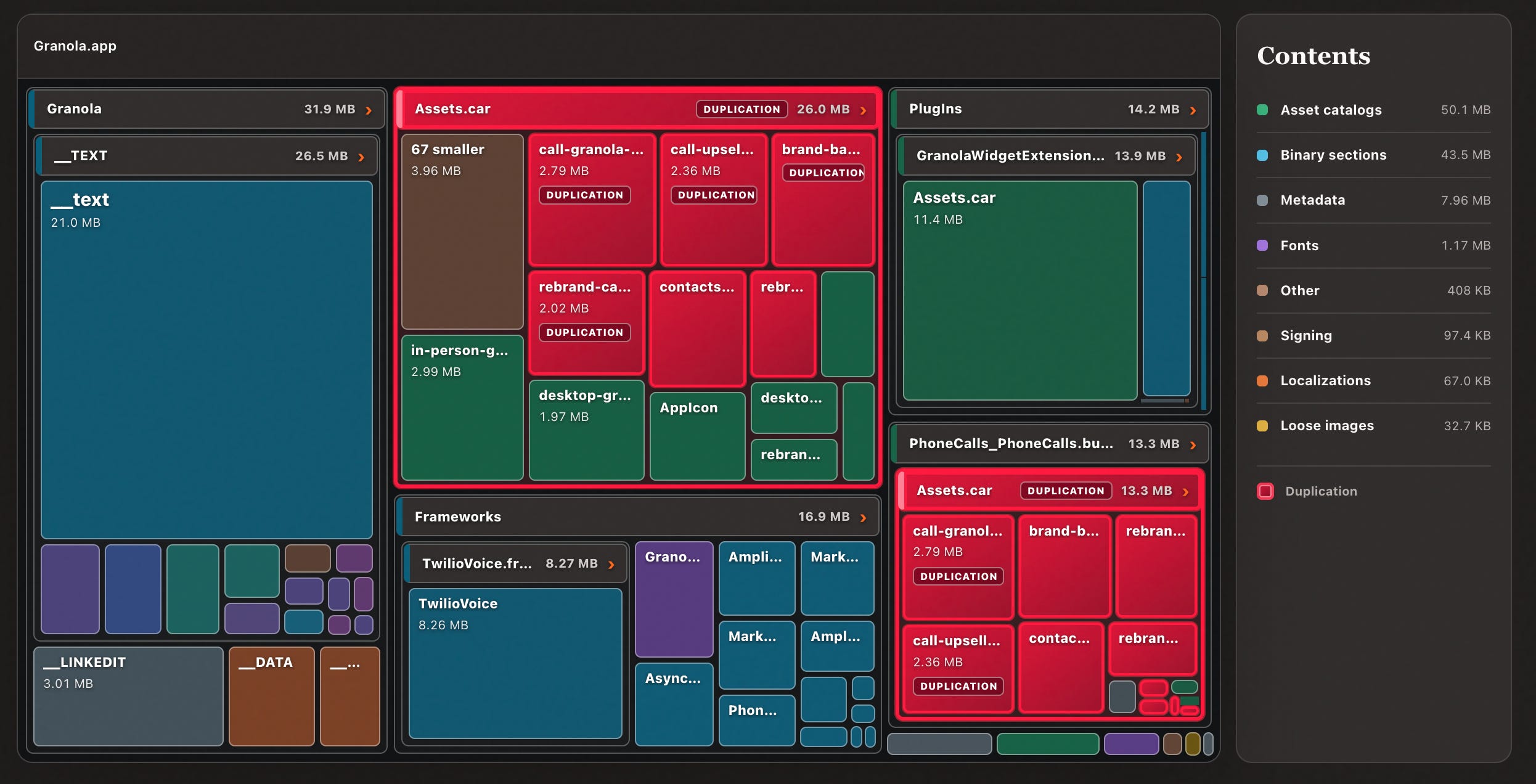
I noticed that Granola had a lot of asset catalogues highlighted in red, flagging them as duplicates.
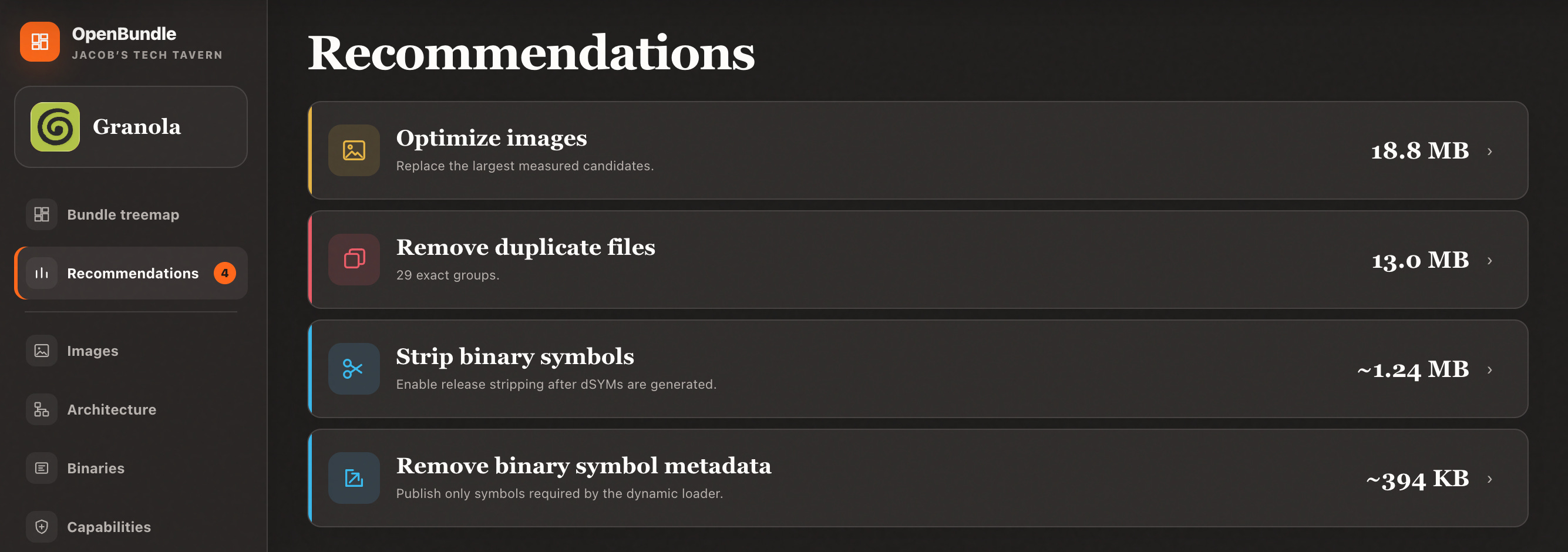
Lo and behold, this is directly flagged in the recommendations.
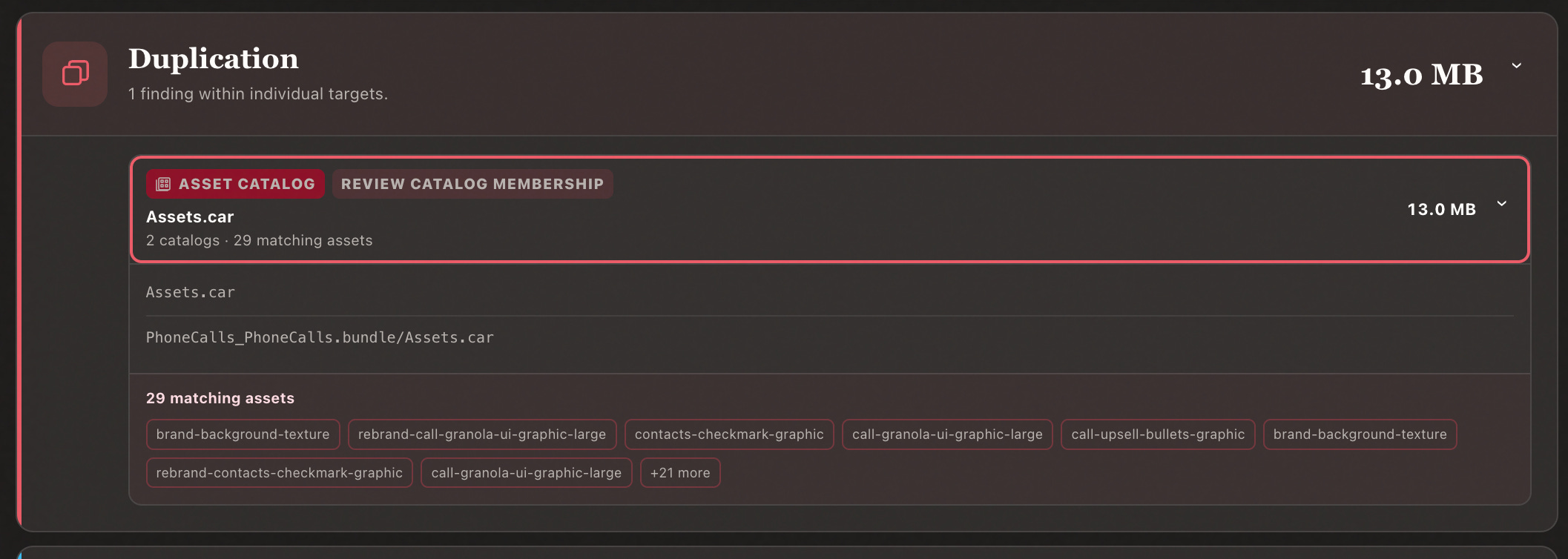
What’s going on here?
Consider you have a second target in your app: a watch app, a widget, or perhaps a notification service extension. This often shares UI elements from your main app, usually a big shared UILibrary or DesignSystem module.
This is also, probably, where your biggest shared asset catalog lives.
Are you getting it?
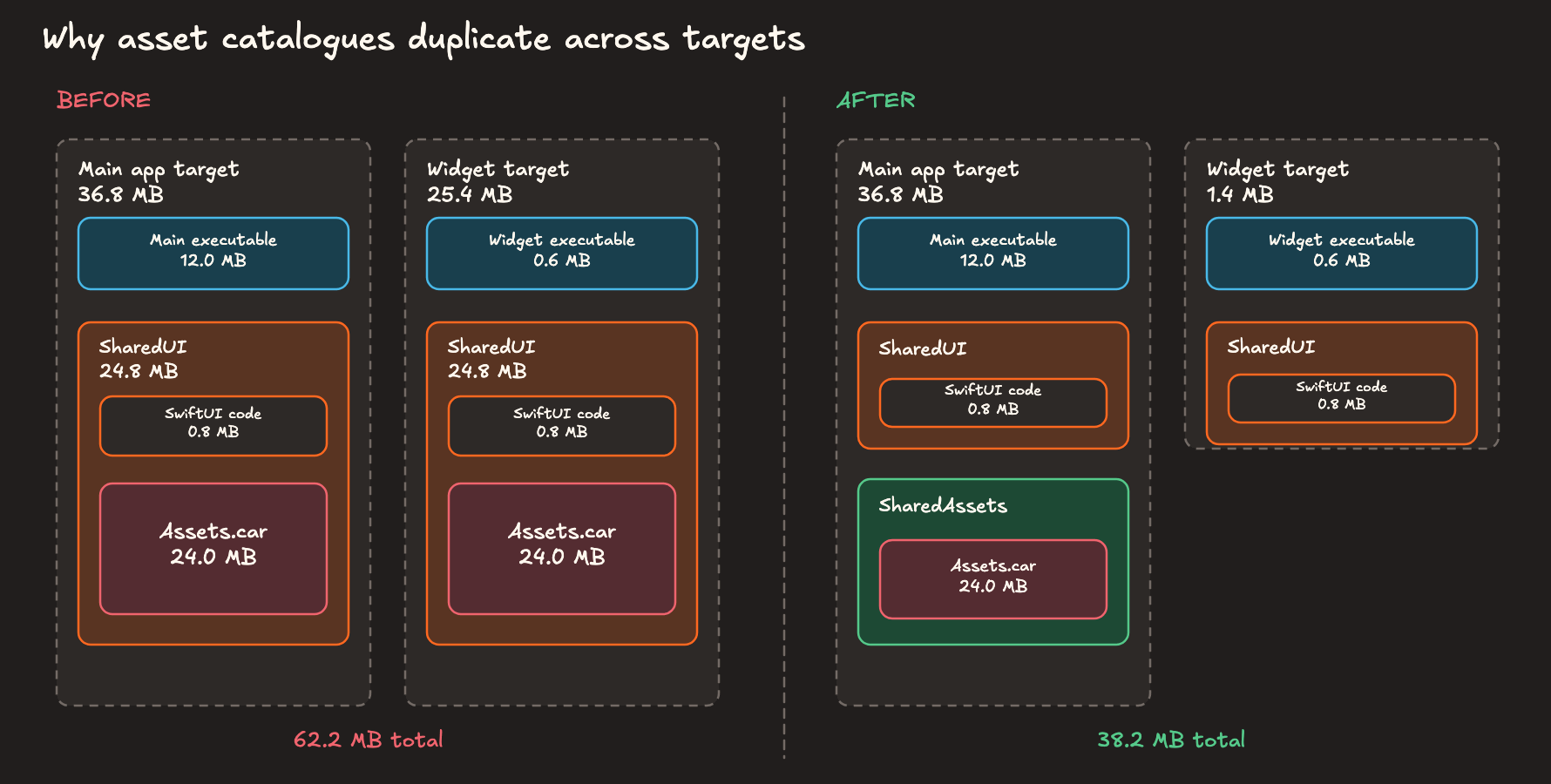
You can fix this pretty easily by splitting shared Assets out into its own module, allowing the other target to import our design system code without statically copying the whole asset repo.
Or, bear with me here, if you prefer to avoid mucking around with your modular architecture and globally refactoring your assets, you can opt to suffer a tiny amount of code duplication to get your design system code, if you choose to accept the maintenance burden to keep them in sync (or want to jerry-rig some tooling to flag up changes).
It’s possible to share code between targets without duplication if we use dynamic linking - more on this later - but asset catalogs quite enjoy being static and are kind of a pain in the bum to convert into dynamic xcframeworks.
Duplication issues aren’t always trivial to fix, mind you.
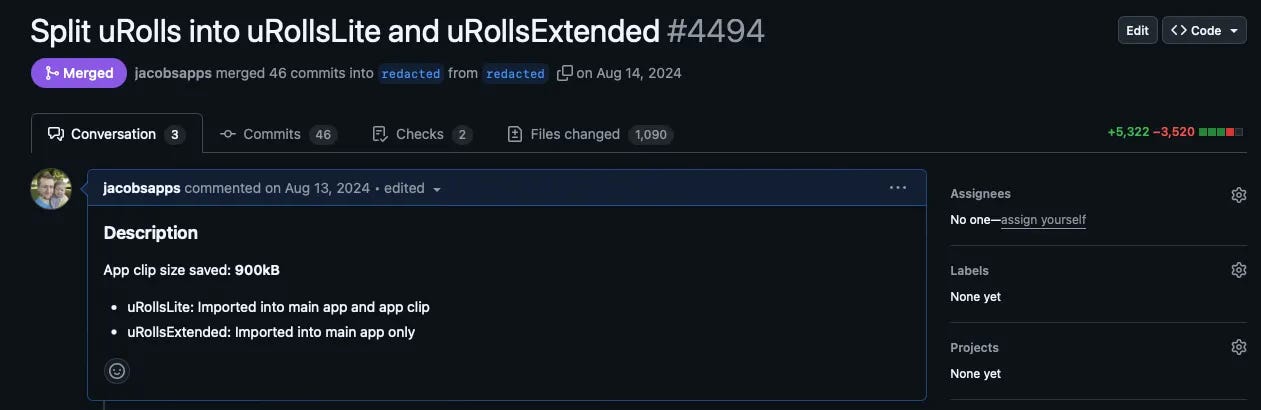
Perhaps you share a full feature betwixt app and app clip, with a very deep underlying dependency graph. I once had to split a large existing module into 2 parts for exactly this reason, so one half fit onto a tiny 15MB app clip.
I almost didn’t mention, probably, the most common form of duplication: flat-out using the same asset in multiple asset catalogs across modules. This isn’t ideal, and you should probably find a lowest-common denominator module to share the asset, but also unless it’s a video the difference will be pretty negligible.
How OpenBundle does it
OpenBundle checks for duplication by hashing each file, and grouping these by their runtime bundle and byte size in a hash table.
If a bundle contains the same hash with the same size, we can pretty confidently highlight them as duplicates. If multiple bundles contain the same hash, it flags them for manual review.
Asset Sizing
This is the most obvious optimisation once I point it out to you, but there is a bit of nuance to unpack here.
Often the biggest optimisation we can recommend is simply compressing our images more efficiently, for example from png to heic.
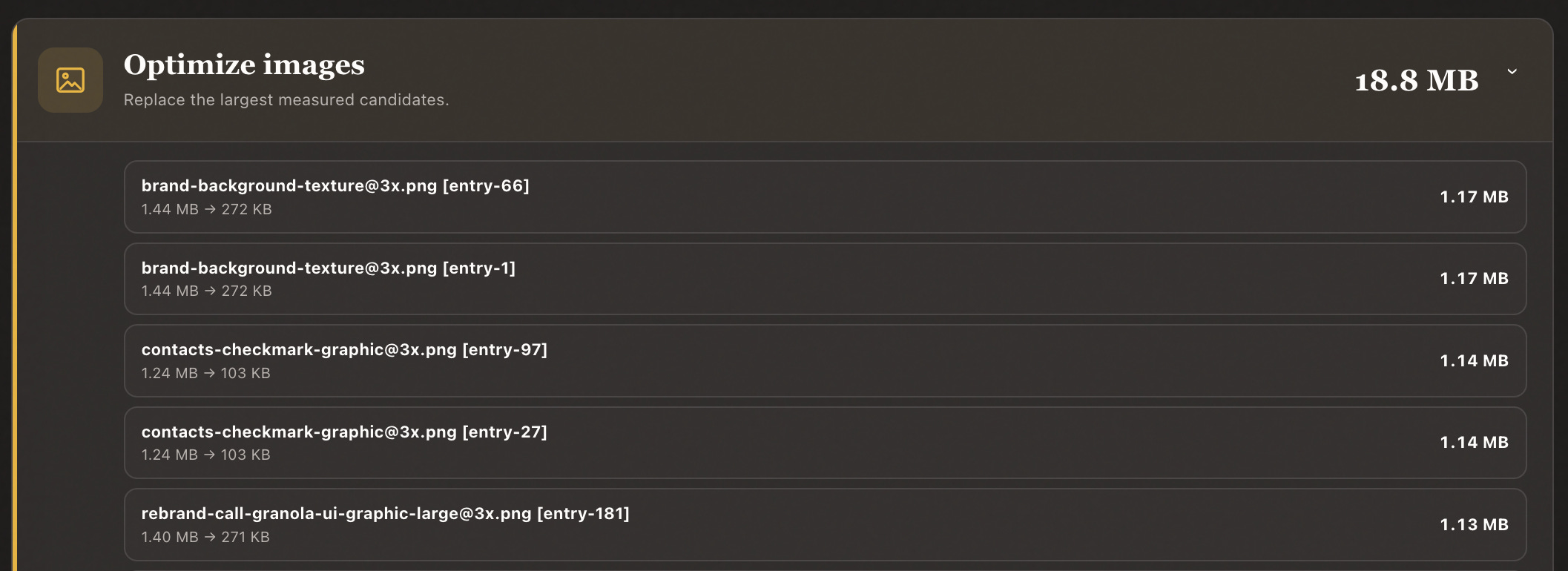
Make sure to look carefully at the Assets.car unbundling in the treemap diagram directly, since you often find a few images taking up ‘surprisingly’ large amounts of space. Audit a few images yourself and work out if you can downscale or compress them without losing any visual fidelity.
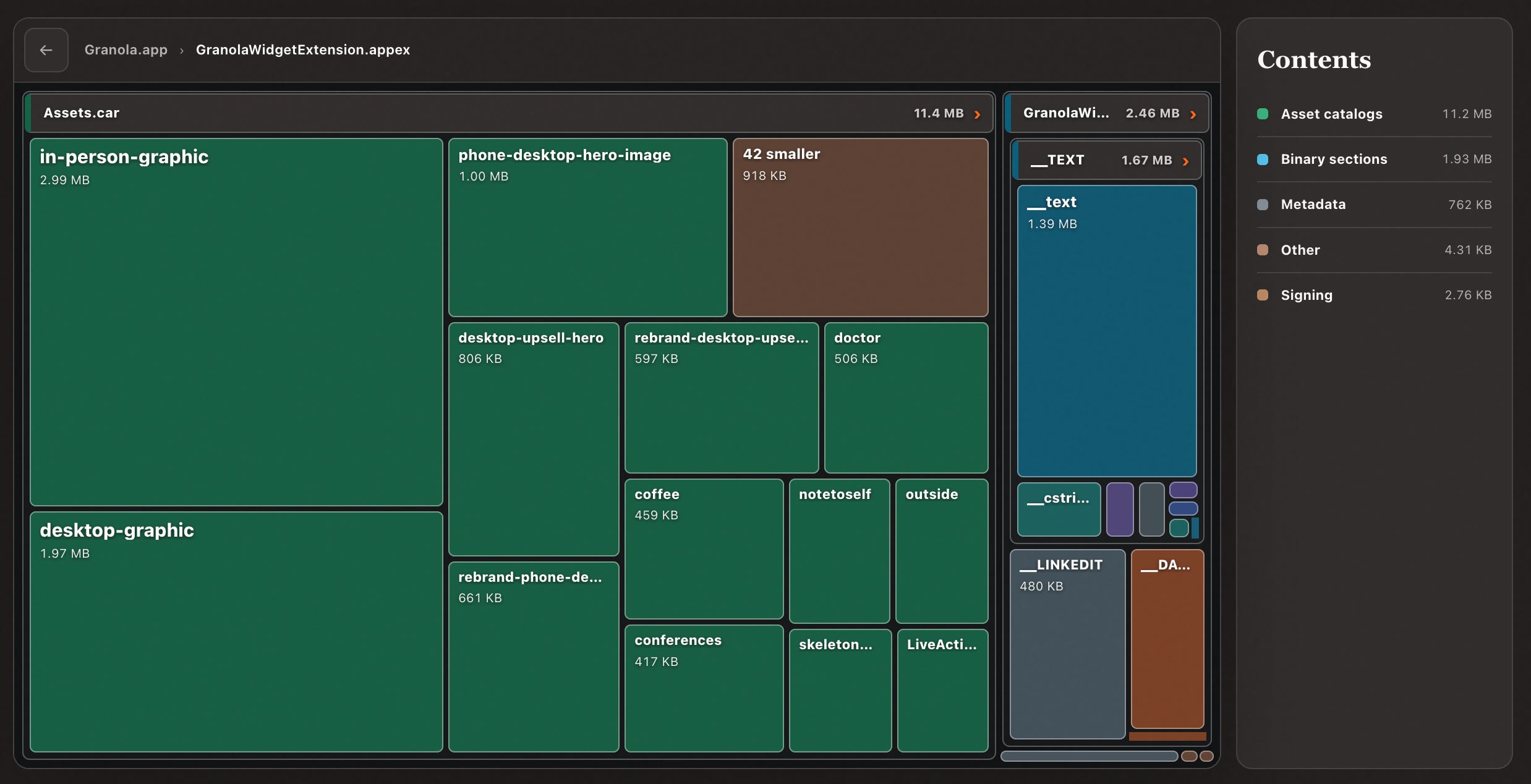
Back in my first startup, Carbn, we stupidly exported some illustration assets as SVG, dramatically expanding these small images to insane 4MB sizes in the bundle. A very easy fix that saved us ~25MB in a single day.
Naturally, when compressing image assets, you probably want a designer to sign off on it: throw a side-by-side before and after onto an HTML page to ensure no quality is lost.
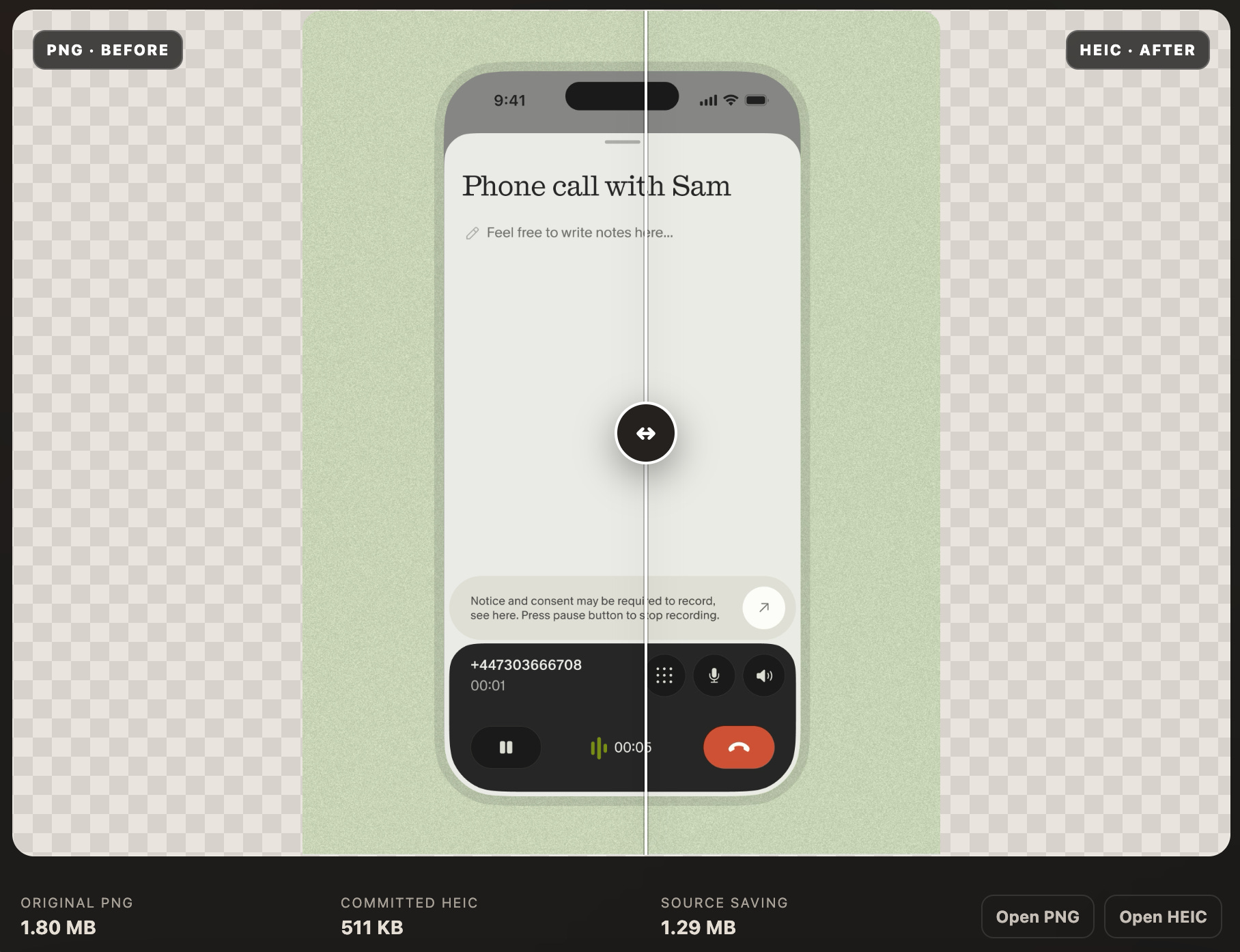
There is, ultimately, a trade-off before blindly replacing all your png with heic. The latter, while more space-efficient, can decode from disk a lot more slowly. As always, profile your code before listening to some guy on the internet.
Here’s an easy heuristic: PNG is great for interface assets and HEIC is best for photographic assets.
There are a few other image optimisations to consider:
Avoid loose image assets in the bundle: asset catalogs enable app thinning.
Videos are always heavy: work out the minimum resolution that still looks good on an iPhone or iPad screen.
Many assets can be offloaded via background assets, on-demand resources or your own CDN.
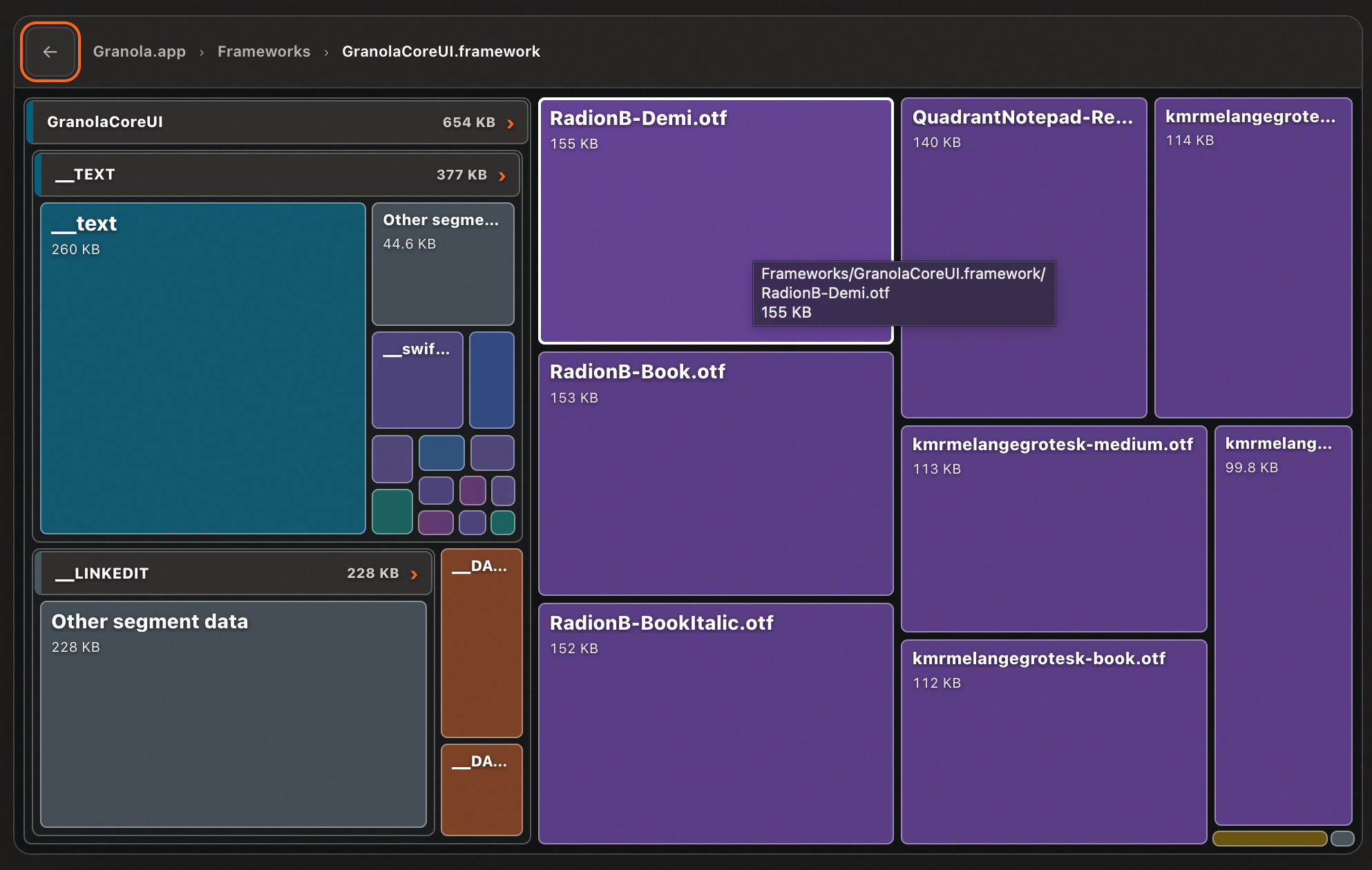
Assets are more than images and videos: if your font file is taking up 500kB, it probably contains letters from Greek, Cyrillic, or Arabic alphabets. Unless you’re very well-localised, you can open up the .otf in FontForge and trim the file yourself.

Fonts are handily highlighted in purple so you can easily investigate. Unless I’m really trying to squeeze the optimisation lemon I won’t worry too much if a font is under 200kB.
How OpenBundle does it
OpenBundle measures potential compression savings the obvious way: it picks the 80 largest assets, and generates an 85%-quality HEIC (or, if there is no alpha channel, JPEG) and checks the potential saving. It also searches for loose assets by finding files with @1x, @2x and @3x names and computing the difference when the smaller ones are thinned out.
Binary Symbols
Binary Symbols and Binary Symbol Metadata are the twin bundle-nerd issues that cruft up your bundle due to some quirks of the compilation process. If you know what you’re doing, they can be removed “for free” without changing your app.

But what are binary symbols?
“Symbols” are names attached to functions, classes and variables inside your compiled Mach-O binary. For a function doSomething(), it might be stored under a slightly mangled name like _$s5MyApp11doSomethingyyF.
The final stage of Swift compilation, static linking, resolves references in each binary, and notes down imports from external frameworks.
At launch, dyld (the dynamic linker) maps the app and frameworks into virtual memory, rebases these addresses, and binds the external imports from before into actual runtime memory addresses.
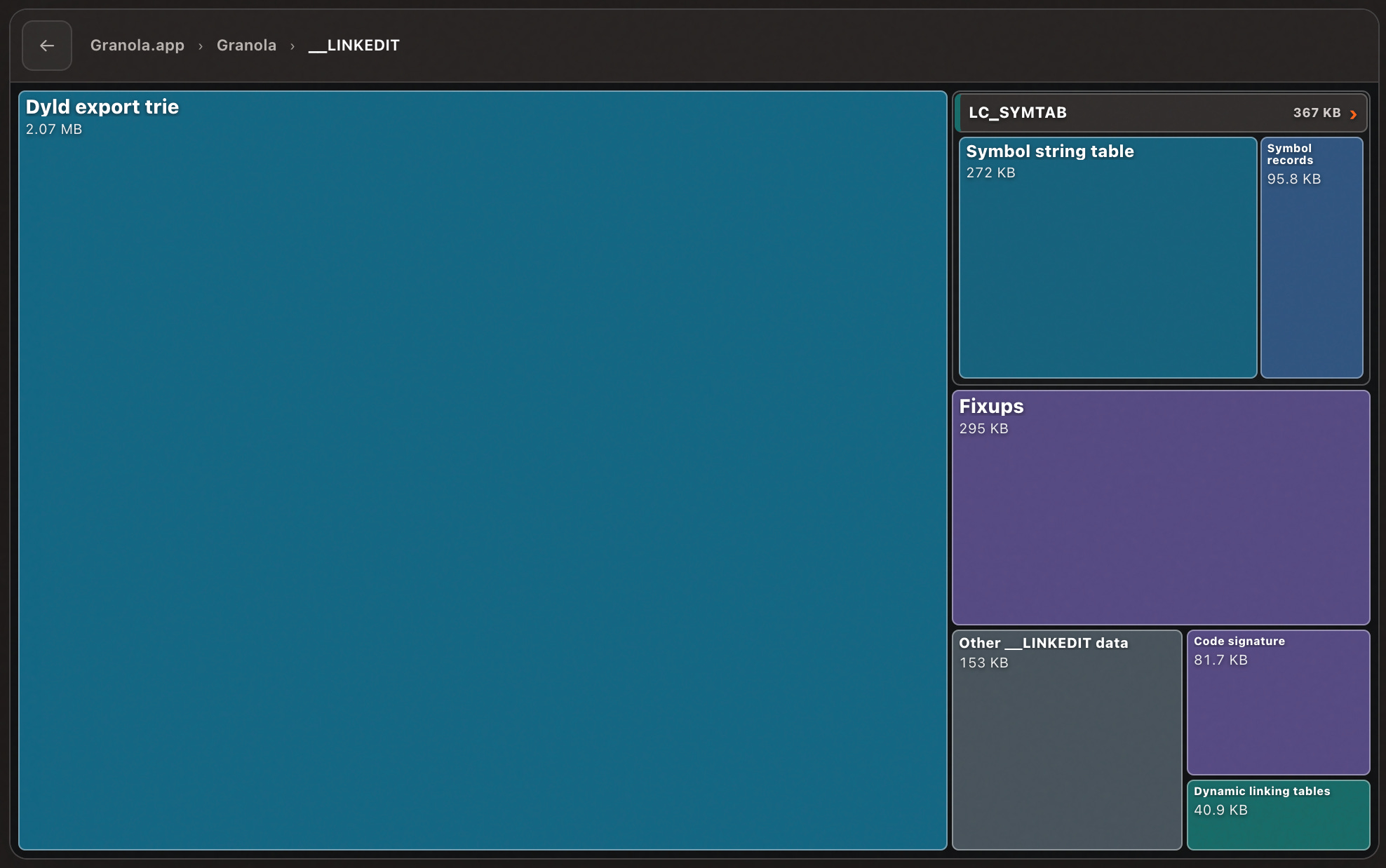
__LINKEDIT is a segment of your binary that contains data produced by the static linker, and used by the dynamic linker. But not all of it is needed for your app to work.