

The 7 Deadly Sins of Cargo Culting
How (not) to turn your startup into the next FAANG
Sponsored Link
How iOS apps actually make money
RevenueCat’s State of Subscription Apps report is out, analyzing 115,000+ subscription apps and more than $16B in revenue. Use it to benchmark your pricing, trials, and conversion rates against what’s actually working across the app economy.
The original cargo cult came from World War II; electric boogaloo. Pacific tribes observed cargo planes distributing supplies & food to soldiers. In short order, they began ritualistically copying military practices: marching about, building runways, and talking on fake radios. This imitation was done in the vain hope of summoning more planes, with more supplies.
It’s fun to point and laugh at the silly historical tidbit, until you realise that in tech, we often do the exact same thing.
“Cargo culting” in tech is when we observe and imitate the behaviour of top companies, without understanding the underlying reasoning. You know what I mean: OKRs. Dashboards. SCRUM. Story points.
The behaviour is at its most insidious in the engineering department. You aren’t just cosplaying as a big Silicon Valley swingin’ d*ck, you’re actively kneecapping the productivity of your org, forever.
Distributed Microservices™ is the most famous case study. Popularised by Amazon in the early 2000s (when they had billions in sales and 40m customers). At scale. Desperately imitated by companies (and sold by consultancies) with microscopic sales and nano customers. (Nah, no customers). Even Amazon is seeing the light.
Complexity debt is orders of magnitude worse than tech debt, because you are paying it every time you touch your system.
It’s insidious because engineers love introducing complexity. You need an iron fist to prevent them introducing the latest networking paradigm, shipping a proprietary UI rendering system, or re-architecting the app to RIBs (sorry, Alex Bush).
I’m deeply impressionable, and no stranger to the allure of the cargo cult. When I CTO’d my own startup, I made the decision to roll a serverless stack so we’d scale 2 da moon 🚀, even though a $5 box could trivially handle our meagre DAUs.
Today we’re focusing on mobile engineering, because I have a lot of war stories to draw on. And we’ll cover the full roster of cargo-culting deadly sins:
👑 Pride: Knowing better than Apple about UI frameworks
🤑 Greed: Everything must be available offline
🧨 Wrath: My architecture is bigger than yours
⚙️ Envy: We must adopt Google’s build system
🍆 Lust: Let’s make our networking stack polyamorous
🤤 Gluttony: Om-nom-nom all the modules
⛓️ Sloth: Automate all the things!
If you like this article, subscribe free to join 100,000 senior Swift devs learning advanced concurrency, SwiftUI, and iOS performance for 10 minutes a week.
Paid members get a lot more:
🌟 Access Elite Hacks, my exclusive advanced content
🚀 Read my free articles a month before anyone else
🧵 Master concurrency with my full course and advanced training
🧑🚀 Get a free copy of my new eBook, “Land your iOS Tech Job”
❤️🩹 Support independent, sometimes funny, tech writing
👑 Pride
Knowing better than Apple about UI frameworks
Apple gives you UIKit and SwiftUI. One’s performant, and one’s nice to write.
But we want to have our cake and eat it. If we re-write the app in HypeUI, we can get blazing-fast UIKit performance with easy SwiftUI-style syntax! Kind of.
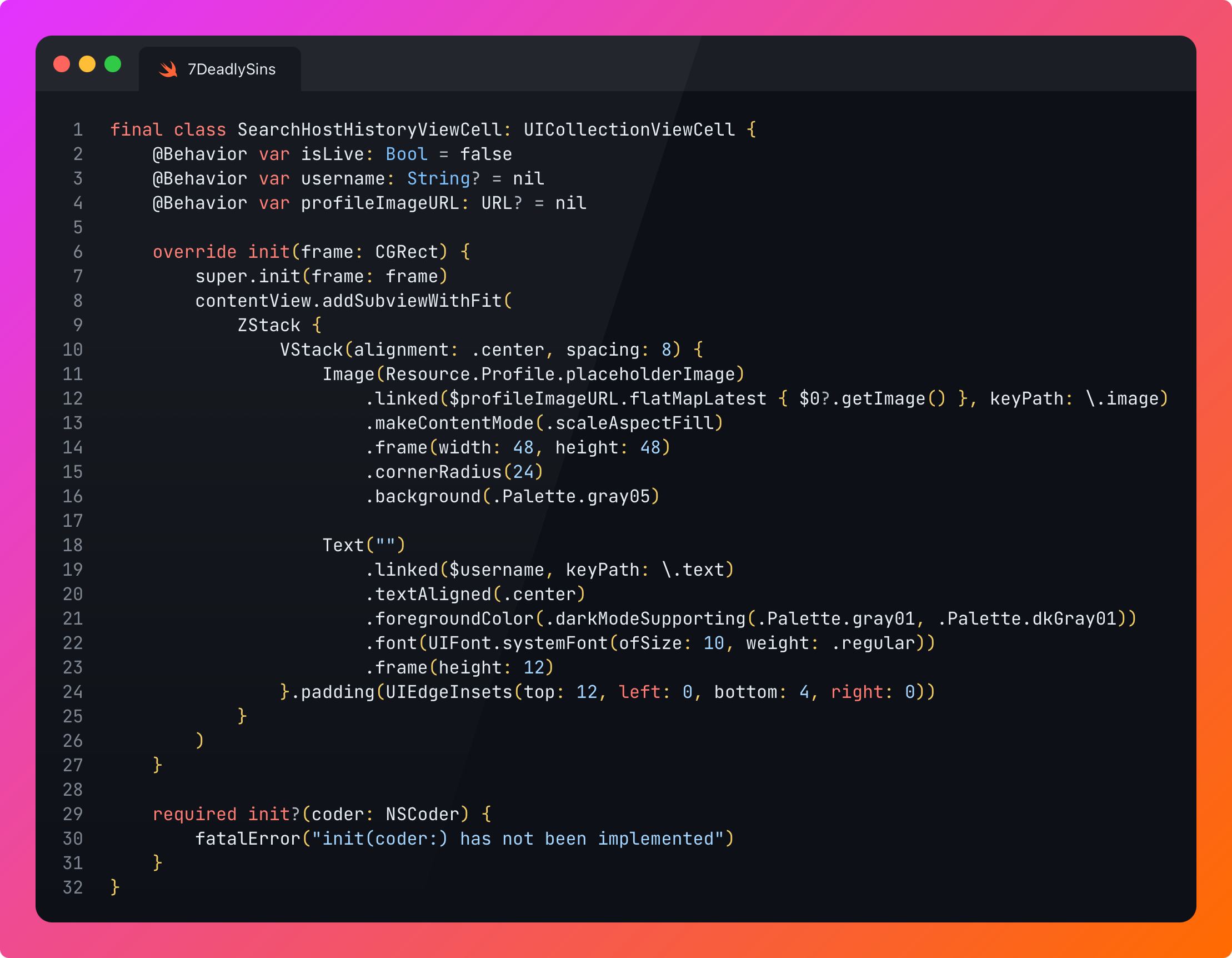
This is fun for side projects, but consider migrating your entire codebase:
Now you have inconsistency between most screens across the codebase, slowing down every context switch.
Invents years of make-work to re-write screens that already work.
Velocity suicide.
This is even worse in the age of AI: perhaps you know the framework inside and out. But the training data is scarce, and your agent will start to hallucinate like it’s 2022.
This is, in my experience, the deadliest sin. I’ve seen it slow feature development to a glacial crawl. If scroll performance is a problem, give UIKit a go. If it’s still a problem, simplify your UI.
🤑 Greed
Everything must be available offline
Sometimes you want everything. Offline-first architecture, total reliability, and sub-millisecond latency.
Over-zealous local persistence won’t kill you, but it’ll slow you down. Lots. The rubric for cargo culting is “copy what Meta does”, but even Meta doesn't bother doing this on your news feed!
There’s a dark, oft-whispered-about practice that’s even more harmful to your productivity than persisting everything: sync engines. Automatically ensuring the local user data is eternally kept up-to-date with the backend representation.
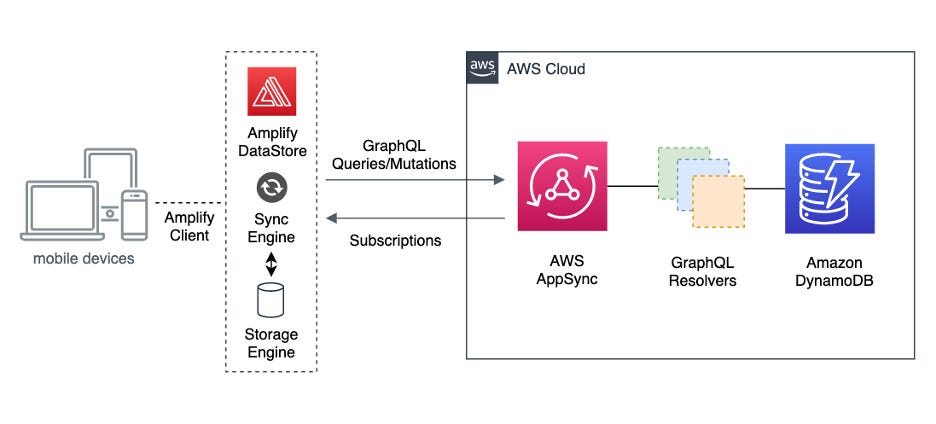
This might not sound that bad, until you try it.
You’re introducing distributed system problems to a f*cking client app! You better at least be rolling “last write wins”, or I’ll really kick off.
Look. Persisting some stuff is good.
You’ll usually want some caching. And some data is great to have locally for fast retrieval or offline availability. For some apps, keeping important user data like voice notes or documents offline is obviously a requirement. But for 96% of apps, 96% of data does not need to be persisted.
🧨 Wrath
My architecture is bigger than yours
We’ve all felt like this at some point.
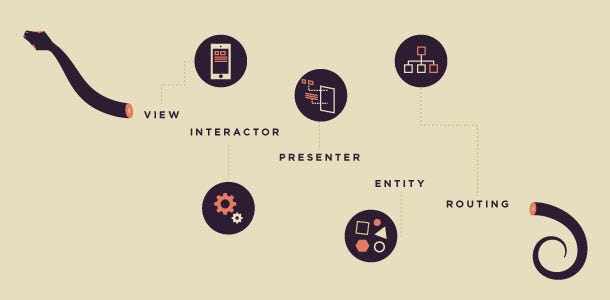
I can’t believe they chose to run vanilla MVC for this app! All the interactions and navigation are run through a view controller extension in a different file! This is dumb. I could totally improve this by using MVVM+C.
You’re not doing your job as a developer if you don’t think the people who originally built the software you’re maintaining were total morons.
But it’s dangerous when you actually try to change things.
Consistency is a superpower for a codebase. Your devs can land on the folder for a screen, know which file does what, how the navigation works, where data is fetched, and where user interactions are handled. All the moving parts are easily searchable, making debugging, maintenance, and new feature work super straightforward.
Architectural churn destroys this hard-won institutional knowledge.
My advice? Pick an architecture and religiously stick to it. Unless you have non-overlapping feature teams who never touch each other’s systems, a-la Monzo’s famously laissez-faire “let teams pick whatever” strategy, architectural inconsistency will hurt you forever. Trust me, this creates years of tech debt.
⚙️ Envy
We must adopt Google’s build system
This is the bread-and-butter cargo culting justification.
Oh no! Our build times are ticking up! Our dependency graph is getting a little heavy. Better consult my two amigós, Buck and Bazel! 🏜️🤠
This will achieve 3 things:
It looks phenomenal on your CV.
You can’t be fired, because no-one else understands how to change the config.
Your build times are fixed, but nobody can really get anything else done.
Google rolls a custom build system. Uber rolls a custom build system. Meta rolls a custom build system. What could possibly be different between your 100k-line project and their 100m-line project? Other than a paltry 99.9m lines of code?
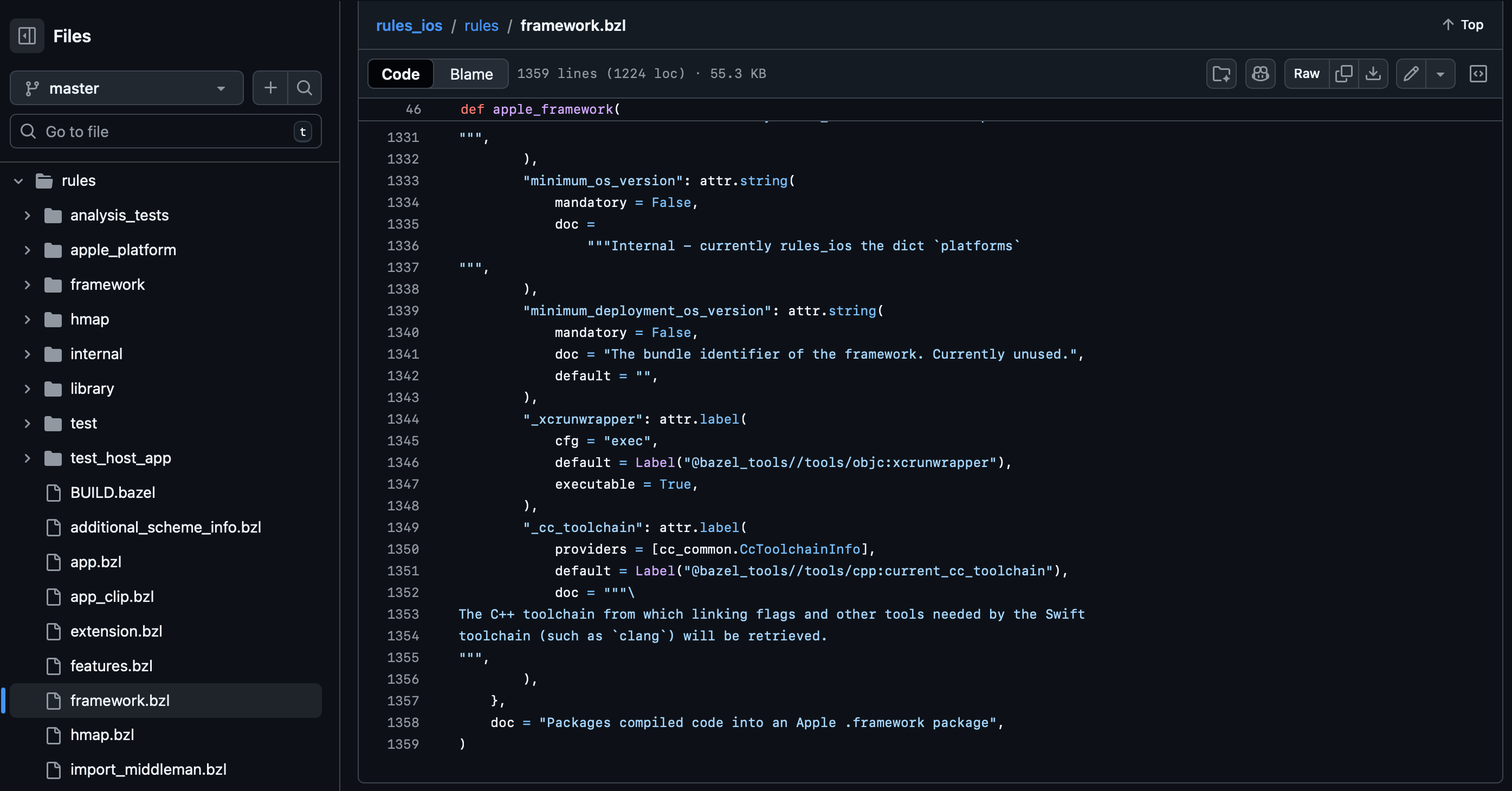
Bazel was created by Google to solve Googley problems like “git stopped working in our monorepo”. These tools are designed to build your whole system and unify deployment across backend and frontend, but there’s a second level of this sin: deploying a hyper-complex build system for a single platform alone, negating the entire point.
Look. I love Tuist. They don’t pay me. Yet 😏.
Pedro, pls sponsor my Substack 🙏
It’s the everyman’s alternative build system, and solves problems like “xcodeproj files suck arse” or “caching modules speeds up your builds a whole bunch”, not “our repo literally won’t fit on your hard drive”.
Maaaaaybe you can justify a hyperscale build system like Buck if you’re a team of ex-Facebookers building a company, and want to just use what you know. But you’re creating more work down the line: onboarding overhead for every new team member, forever, and a dramatic maintenance burden. Why take the hit?
🍆 Lust
Let’s make our networking stack polyamorous
When you study system design for the first time, you might think you can create the optimal system that’s good for everything by applying a range of networking stacks:
REST where you need simplicity
GraphQL where you need flexibility
gRPC when you want to minimise latency
Let’s be real.
YOU ARE NOT GOOGLE. You aren’t Google.
Ask your devops guys now. Seriously. How much are you spending on network I/O? What’s your p95 for fetching user info?
If you have less than a million customers, it’ll be nothing. Certainly trivial when compared to real infra costs like DB, compute, and storage.
Using the “optimal” approach for each given situation creates the worst of all worlds for people who actually have to touch the networking stack, because engineers have to re-learn the tooling for each paradigm every time they touch it.
The maintenance burden is real. These approaches sprout divergent error modes, caching semantics, auth patterns, and observability methods. If you’re serving advanced requirements like pagination, delta queries, or offline mode, you incur a combinatorial explosion with each stack handling them differently.

⚠️ Info Hazard Warning: Don’t let your resident architecture astronaut read below! ⚠️
Did you know you can build your own proprietary application-layer networking stacks with Network.framework if you really want?
Frankly I struggled to avoid putting “GraphQL” for this whole sin and taking an early lunch break, because I hate it, but I’m a professional.
Stick to a stack. Keep it simple. Go fast.
🤤 Gluttony
Om-nom-nom all the modules
Look, it’s really good to modularise your app, in a thoughtful way. Build times go down, you can easily split up responsibility as your org grows, and you can make the app more simple.
But there can be too much of a good thing.
Investing in automation to spit out modules (or, these days, asking an agent to do it) is nice, but without due care it’s possible for your dependency graph to descend into the depths of spaghetti.
Not sure what module a new screen fits into? Hell, just make a new one, for that single screen.
You can introduce another combinatorial explosion here where you introduce more than 1 submodule per module: after all, why not have an API module alongside each feature module? We need a test target, after all. And what about the service layer? Huh? You want an alternative service layer for our watch target? Why not!
It gets real messy real quick.
Modules are great! Use them. But keep your feature modules carefully scoped. Just be thoughtful when adding new stuff. Avoid your dependency graph turning into a Gordian Knot.
⛓️ Sloth
Automate all the things!
Automation is great. You should automate boring, repetitive, routine work as much as possible.
But, like this delicious, ice-cold Peroni I am drinking, it’s best enjoyed in moderation.

Automation is a high-leverage activity. You can spend a day automating work that saves your team an hour a week. Think release CI, routine QA testing, or performing analysis on your analytics.
So what am I getting at? Why am I being a sourpuss?
Automation can go wrong when you start to default to it, before even proving something is routine: “let’s make a devtool to enforce this rule we just thought of”, or “let’s use Swift subprocess to wrap our build commands”. Automation always feels like a high-leverage activity, but you are often introducing annoying, hard-to-kill overhead.
You also create a new maintenance vector: when you’re freezing random workflows in a hard-to-change CLI, everything grinds to a halt if suddenly you find yourself on the wrong Rust runtime version.
I think the root issue is premature optimisation: you don’t really need to set up codegen or a DSL to build simple stuff like analytics events or deep links. Now, instead of just changing the thing, you have to re-learn how to use some tool (this is a major part of why I dislike GraphQL).
I like to think that in the age of agents, this will become less of a problem. Claude Code, especially alongside an MCP, can often automate most routine tasks. But pessimistically, it can just as easily spit out a bash script that works, until it doesn't. Or, god forbid, a Git Hook.
Nobody wants to be the jerk that kills someone else’s automation project, and so you are usually stuck with these forever. Over-automation can backfire badly: devs can get both clever and sloppy with workarounds for an overly-pedantic suite.
Many times have I intentionally squashed several tickets into a single PR to get around the annoying overhead of a ponderous, inflexible test suite (that insists on running UI tests and a build).
What I’m really trying to get across is, trust your devs!
The Golden Rule
When is it okay to Cargo cult?
The insidious thing about cargo culting is that you can trick yourself into justifying it.
You’re getting frame drops? Drop SwiftUI and find a UI framework that can handle your design.
Clean builds taking over 10 minutes? Re-architect to Buck immediately.
Engineers stepping on each other’s toes with MVVM architecture? Whip out VIPER for the ultimate separation of concerns.
It’s incredibly easy to justify big-tech cargo-culting with a “real business need”, but often this is poorly thought through. You see the problem one step in front of you, but don’t see the death by a thousand maintenance cuts your decision will create in the medium-term.
Just consider whether you’re solving a problem, or cosplaying as one of the big boys.
The golden rule?
Try to understand the problems that each technique is designed to solve.
Big-tech solutions are for problems ~two orders of magnitude bigger than most mobile teams, even really successful ones, ever hit.
As a heuristic, try not to be the smallest company you know that’s using the approach. But also, if you can find a smaller company doing it, find out why.
If a startup full of ex-Snapchatters is starting from scratch with Buck, they probably all know how to use it, and don’t want to learn something new, and are stoically accept the onboarding overhead for new team members in the future.
Facebook invented ComponentKit for the news feed because they had thousands of mobile engineers, dozens of UI components (so cell reuse exploded memory), serious frame drops on a billon low-end devices, and spaghetti data-flow. UIKit simply wasn’t designed to handle these issues, because nobody had encountered these issues before. And I hate to tell you this, but you are (probably) not Facebook.
If you are Facebook, might I interest you in my group subscriptions; 33% off?
Last Orders
Back in 2020, my startup’s commercial co-founder insisted that our MVP works 100% offline. This constrained our options to AWS Amplify (alone). I’m easy. It came with a free sync engine. But we had to use GraphQL. I dropped it for V2.
These cargo-culting deadly sins have a lot in common: they feel like they solve a problem now (even if that problem is, “my CV isn’t exciting enough”), but create complexity and overhead for the rest of your team, forever.
Simplicity is a gift. That boring codebase will be equally boring 10 years from now, allowing the inexpensive AGI maintaining our work in the future to easily get their head around it.
CV-driven development is the deadly enemy of simplicity. Engineers love to make things complicated, and often the loudest, most disagreeable voice can win out.
Motivations might be pure (in a capitalistic sense): complexity is usually accepted to solve a real business problem. Maybe the builds are too slow. We might be getting too many frame drops. Perhaps your team isn’t always following the process.
But consider the full picture. Yes, we may solve frame drops on this screen with a shiny new UI framework. But we also permanently slow down feature development by 50%, and invent a huge class of “rebuild” work that no user asked us for.
Today we covered the seven deadly sins of cargo culting:
👑 Pride: Knowing better than Apple about UI frameworks
🤑 Greed: Everything must be available offline
🧨 Wrath: My architecture is bigger than yours
⚙️ Envy: We must adopt Google’s build system
🍆 Lust: Let’s make our networking stack polyamorous
🤤 Gluttony: Om-nom-nom all the modules
⛓️ Sloth: Automate all the things!
Which are you most guilty of?
Sponsored Link
How iOS apps actually make money
RevenueCat’s State of Subscription Apps report is out, analyzing 115,000+ subscription apps and more than $16B in revenue. Use it to benchmark your pricing, trials, and conversion rates against what’s actually working across the app economy.
If you like this article, subscribe free to join 100,000 senior Swift devs learning advanced concurrency, SwiftUI, and iOS performance for 10 minutes a week.
Paid members get a lot more:
🌟 Access Elite Hacks, my exclusive advanced content
🚀 Read my free articles a month before anyone else
🧵 Master concurrency with my full course and advanced training
🧑🚀 Get a free copy of my new eBook, “Land your iOS Tech Job”
❤️🩹 Support independent, sometimes funny, tech writing
As a final word; here’s two very good blogs on this topic that formulated my core opinions in this post:


Lmao, no offense taken. I love my RIBs :)