


This might be my wildest article yet. Follow along as I combine 3 hacks in order to unlock impossible behaviour: recording a video, then immediately having it play on someone else’s lock screen.
One of my favourite feelings is the a-ha moment when you try an experiment, entirely expecting it to be impossible… and it works perfectly*.
*plus, the subsequent feeling if it actually passes App Review.
I love mucking around, and some of the best technical tricks come from stringing together random APIs. For example…
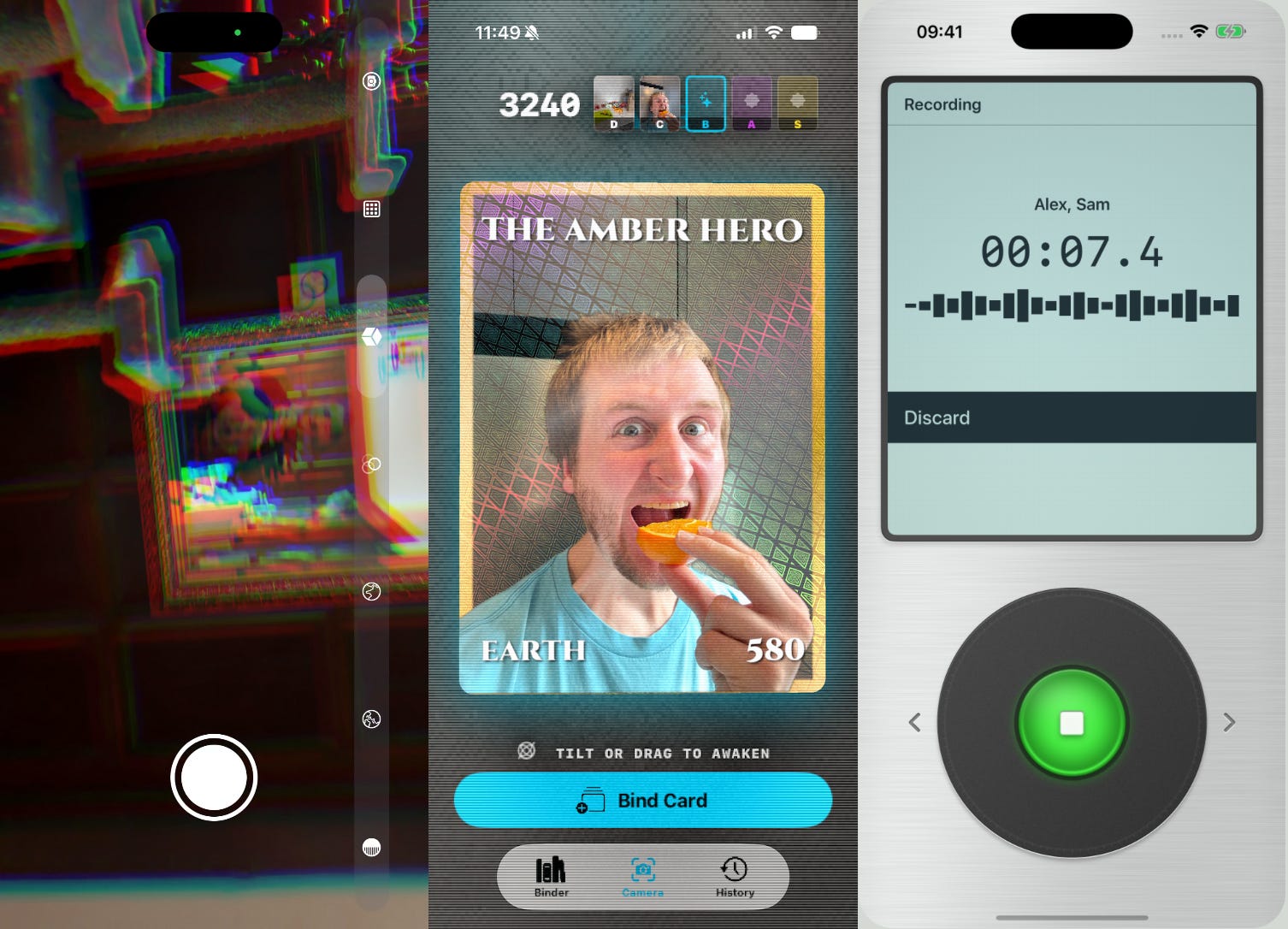
The camera’s AVCaptureVideoDataOutputSampleBufferDelegate, plus graphics shaders, add up to real-time camera effects.
Vision APIs like GenerateForegroundInstanceMaskRequest, alongside motion-controlled metal graphical tricks, created layered holographic trading cards.
I chained together AlarmKit, APNs, notification content extensions, and some basic server-side wiring, to send instant voice messages through silent mode.
I’ve outdone myself.
Today’s trick leaves these 3 in the dust. Magic Postcard lets you record a video and play it on a friend’s lock screen.
I jerry-rigged a video player that runs where it’s meant to be impossible: the lock screen. It uses video recording, live activities, push-to-start, custom fonts, a clever animation hack, and a hell of an optimisation puzzle. Let’s see it in action:
Today I’ll guide you through the experimentation that allowed me to achieve this. 8 experiments across 3 (not-so-simple) steps, solving each technical hurdle:
Send an image to someone’s Lock Screen
The secret to animating widgets
Turning a push notification into a video
Sponsored Link
Designing RevenueCat Paywalls for both iPhone Duo displays
Keep content readable on the open display, make room on the closed screen, turn a crowded paywall into a multi-step flow, and use the Paywall AI Editor to be ready in minutes.
Read all about it here.
Contents
Act I: Sending an image to someone’s Lock Screen
Act II: The secret to animating widgets
Act III: Turning a push notification into a video
How the moving parts fit together
This post is super long, and your email client will probably cut it off. Read on my website for the best experience.
Act I
Sending an image to someone’s Lock Screen
This used to be really, really hard. But since iOS 17.2, it’s fairly straightforward.
Experiment #1: an image on a Live Activity
The first 5 experiments center around getting this classic gif to work on my own lock screen:

But let’s start simple. Dead simple.
Let’s get a static frame, create a widget extension, and bundle Homer into our asset catalog. We can then insert it into the Live Activity boilerplate like so:
import ActivityKit
import SwiftUI
import WidgetKit

struct Experiment: ActivityAttributes {
    struct ContentState: Codable, Hashable {}
}

@main
struct ExperimentWidget: Widget {
    var body: some WidgetConfiguration {
        ActivityConfiguration(for: Experiment.self) { _ in
            GeometryReader { host in
                Image("Homer")
                    .resizable()
                    .scaledToFill()
                    .frame(width: host.size.width, height: 160, alignment: .top)
                    .clipped()
            }
            .frame(height: 160)
        } dynamicIsland: { _ in
            DynamicIsland {
                DynamicIslandExpandedRegion(.center) { EmptyView() }
            } compactLeading: { EmptyView() }
              compactTrailing: { EmptyView() }
              minimal: { EmptyView() }
        }
    }
}
Experiment is the type that represents data shared by our app and widget extension.ActivityConfiguration is created using this type, and tells iOS what to display based on the data.
We can trigger this directly from our app using this:
try Activity.request(
    attributes: Experiment(),
    content: ActivityContent(state: .init(), staleDate: nil),
    pushType: nil
)
And… voilà.
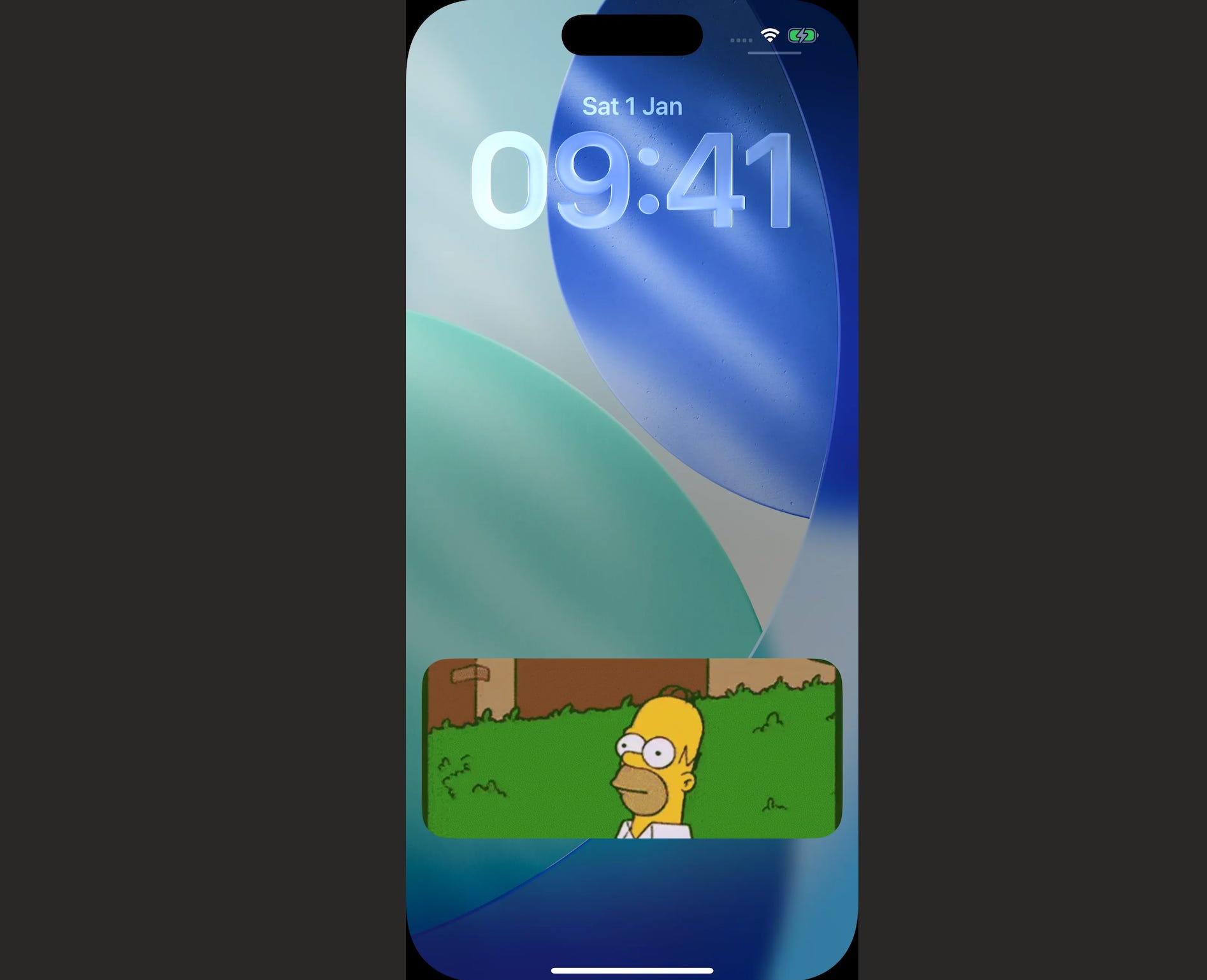
Easy does it. Looking good so far.
Experiment #2: start it with one push
A Live Activity can’t touch the network, and push notifications have a paltry 4kB data limit. This is nice for an Uber Eats delivery update with just a few states, but created a serious constraint back in the day if you wanted to send a photo to a friend’s lock screen.
Prior to iOS 17.2, you could only update a live activity via pushes, and not start one. This meant a few awkward workarounds: a permanent live activity, or flakey double-push-notification setup to 1) download via a notification service extension and 2) separately update the live activity.
Today, your server can send an ActivityKit push-to-start through APNs. This means you can trigger a live activity to start from a push, and then wake the app in the background to fetch assets over the network.

We can now adjust our app to handle remote images: supply a download URL in our push and add it to our Experiment data.
For now this is an image, but later we’ll be pointing to an MP4.
struct Experiment: ActivityAttributes {
    struct ContentState: Codable, Hashable {
        var ready = false
    }
    var url: URL? = nil
}
The app updates the state to ready when it’s finished downloading the image in the background, and the live activity then updates with the fresh image.
The push payload itself looks a little like this:
{
  "aps": {
    "timestamp": 1792069420,
    "event": "start",
    "attributes-type": "Experiment",
    "attributes": {
      "url": "https://cdn.jacobstechtavern.com/homer.jpeg"
    },
    "content-state": {
      "ready": false
    },
    "alert": {
      "title": "New postcard",
      "body": "Someone sent you a photo."
    }
  }
}
A little bit of wiring is needed here:
final class AppDelegate: UIResponder, UIApplicationDelegate {
    func application(
        _ application: UIApplication,
        didFinishLaunchingWithOptions options: [UIApplication.LaunchOptionsKey: Any]?
    ) -> Bool {
        Task { await sendPushToStartTokens() }
        Task { await prepareIncomingActivities() }
        return true
    }
}
First, we send an ActivityKit push-to-start token to our server, using pushToStartTokenUpdates.
Helpfully, iOS decodes these ActivityKit pushes automatically and casts it to our attributes-type.
func sendPushToStartTokens() async {
    for await token in Activity<Experiment>.pushToStartTokenUpdates {
        await backend.savePushToStartToken(token)
    }
}
When waking in the background, we listen for the activityUpdates that pass us the new value for Experiment, download and store the image into a shared App Group, and then set the live activity state.
func prepareIncomingActivities() async {
    for activity in Activity<Experiment>.activities {
        await prepareImage(activity)
    }
    for await activity in Activity<Experiment>.activityUpdates {
        await prepareImage(activity)
    }
}

func prepareImage(_ activity: Activity<Experiment>) async {
    guard !activity.content.state.ready,
            let url = activity.attributes.url else { return }
    do {
        let (data, _) = try await URLSession.shared.data(from: url)
        try data.write(to: SharedFiles.image, options: .atomic)
        await activity.update(ActivityContent(
            state: .init(ready: true), staleDate: nil
        ))
    } catch {
        print("Could not prepare image: \(error)")
    }
}
I won’t explain the server boilerplate here, but tl;dr you store the push-to-start tokens alongside user accounts, and hand it to APNs when sending the payload.
So now we’ve got a live activity set up in a widget extension, and we’ve sent a push over the network to download the image and remotely start this live activity!
The result looks the same, but now there’s a lot more going on underneath. Critically, imagine one friend sending this (static image) to another friend.
Act II
The secret to animating widgets
I’ve already given you enough information to make the hottest social app of 2020. But to find out the secret to video widgets, you need to pay me. Or wait a month.
Paid subscribers unlock all of these bonuses:
⚓️ Access my full library of 50+ paywalled articles
🚀 Read free articles a month before anyone else
🧵 Master concurrency with my full course and advanced training
🧑🚀 Get a free copy of my new eBook, “Land your iOS Tech Job”
❤️🩹 Support independent, sometimes funny, tech writing
