



To use a tired cliché, I don’t like drawing inside the lines. This causes my 5-year-old to get incredibly f*cked off with me when I try and express myself.
Apple used to give you a book on your first day as an iOS engineer. The Swift Programming Language. Since Swift 5.8, it’s no longer available as a book, because it would be over 4,000 pages. Chris Lattner is rolling in his grave.
This blog post is for devs who aren’t afraid to reach around in the septic tank behind the compiler to locate their ring. Who aren’t cowed by petty concerns like mild App Review rejection risk. Devs who, most importantly, have the cojones (the balls) to step outside the sandbox offered to you by a type-safe memory-safe baby-mode language.
Today I’m sharing 7 facets of iOS you might never have encountered before. Some are useful in your day-to-day. Most won’t be. But all teach an interesting lesson about iOS.
Reflection & _UINavigationBarPalette
(You can learn a lot about framework internals at runtime.)
ARM64 & Machine Code
Your code ultimately turns into low-level instructions, fed into a CPU.
Mach APIs & the CPU
It’s possible to talk to hardware
Dynamism & objc_setAssociatedObject
Swift is built on 5 decades of ObjC foundations
CAEmitterLayer & Design Risks
You are just scratching the surface of what’s possible onscreen
Unmanaged Swift & Ancient Frameworks
Most of the underlying libraries in MacOS and iOS are C
_UIPortalView & Liquid Glass
Liquid Glass isn’t magic
Reflection & _UINavigationBarPalette
You can learn a lot about framework internals at runtime.
Here’s a picture of me and Seb Vidal at a recent Apple event!
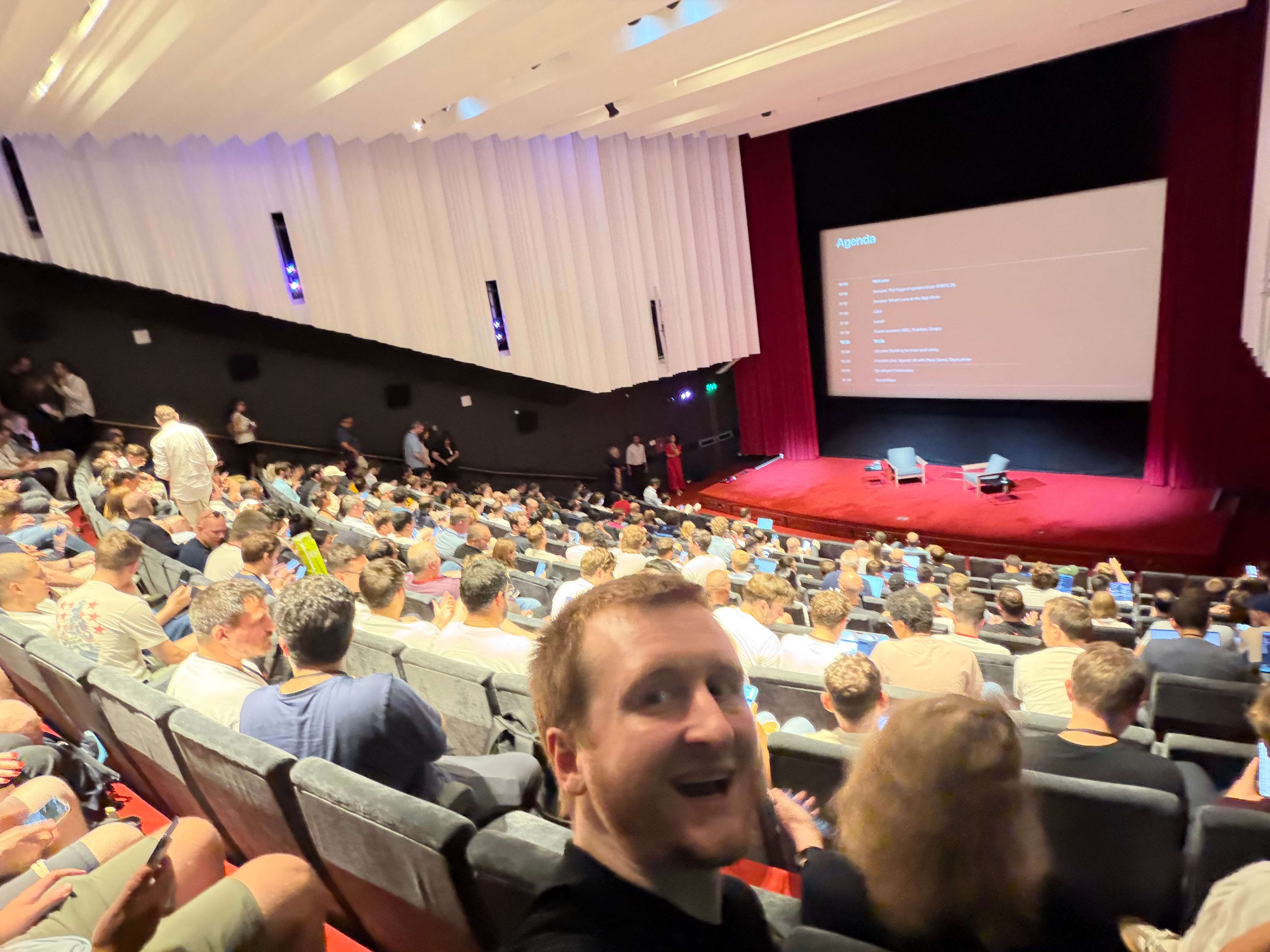
Seb knows more than anyone about UIKit internals, mostly through the most straightforward kind of reverse engineering: runtime reflection using Objective-C selectors.
Most of Apple’s frameworks are Obj-C based. Thank John Sculley, Steve Jobs, and NeXT for that. This makes frameworks like UIKit more-or-less transparent, for those with eyes to see.
Dynamically picking selector strings at runtime is the linchpin of private API work. In your Swift code, you never lost access to the Objective-C runtime: just call NSClassFromString, NSSelectorFromString, and all their friends to initialise underscored classes and “private” APIs.
import UIKit

let tabs = AnimatedTabSelector(titles: ["For You", "Following"])
tabs.frame.size.height = 56

let cls = NSClassFromString("_UINavigationBarPalette") as! UIView.Type
let palette = cls.perform(NSSelectorFromString("alloc"))!.takeUnretainedValue()
    .perform(NSSelectorFromString("initWithContentView:"), with: tabs)!
    .takeUnretainedValue()

navigationItem.perform(NSSelectorFromString("_setBottomPalette:"), with: palette)
Seb’s pride is the _UINavigationBarPalette, which lets you attach arbitrary views onto a navigation bar, but without losing the useful a11y, size transitions, and automatic layout that makes most custom UI so Temu-esque. Apple uses this a ton internally for apps like Calendar, Fitness, Photos, and Messages but jealously guards it from mortals.
See Seb’s original tweet (and give him a follow!) here:

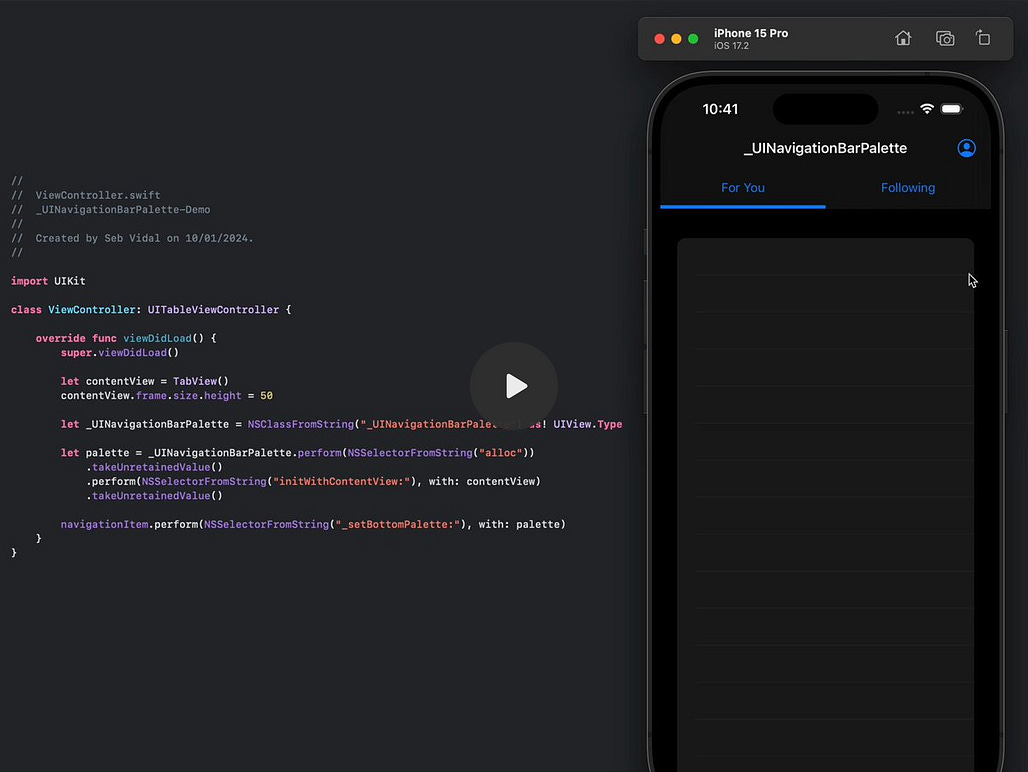
App Review can always ding you if you muck around with private APIs, but (we were not lawyers) Seb reckons you’re basically probably alright. More or less.
I’ve chatted (recently!) about using private CAFilter API to add design flourishes to nav bars before:
If you want to go harder with reverse engineering, there’s a way to do so with pure-Swift frameworks as well.


ARM64 & Machine Code
Your code ultimately turns into low-level instructions, fed into a CPU.
This is another hidden gem I found via a Tweet: the incredibly cracked p-x9 created a library and a macro that lets you run raw ARM64 machine code inside your apps. It’s not exactly a built-in Apple framework, but learning about assembly is a bucketlist item for all serious engineers.
The library is two components:
swift-assembly does the complicated ARM instruction set translation: parsing assembly strings, validating instructions & registering against its ARM64 instruction catalog, then encodes them into machine code bytes: [UInt8].
swift-asm-macro is the tidy API surface; running during compile-time, calling ARM64Assembler.assemble(source) in swift-assembly, and emitting them into the executable.
Here’s a couple of simple examples to get you going with instructions and registers:
@Asm(
    """
    add x0, x0, x1,
    ret
    """,
    arch: .arm64
)
func add(_ lhs: Int64, _ rhs: Int64) -> Int64
This sums the input values in the x0 and x1 registers, places the result into x0, and returns it.
@Asm(
    """
    cmp x0, x1,
    csel x0, x0, x1, ge,
    ret
    """,
    arch: .arm64
)
func armMaximum(_ lhs: Int64, _ rhs: Int64) -> Int64
cmp and csel compare the inputs in the x0 and x1 registers, place the larger value into x0, then return it.
The library assembles these assembly instructions at compile-time and uses section placement control to insert them into your app’s compiled MachO binary, called via a @convention(c) function pointer.
The expanded macro itself is pretty cool, if you’re a huge nerd:
@Asm(
    """
    add x0, x0, x1,
    ret
    """,
    arch: .arm64
)
func add(_ lhs: Int64, _ rhs: Int64) -> Int64
#if arch(arm64)
@used
@section("__TEXT,__text")
nonisolated(unsafe) var __asm_add: (UInt32, UInt32) = (
    0x8b010000,
    0xd65f03c0
)
#else
#error("@Asm storage __asm_add was generated for arm64.")
#endif
{
    #if arch(arm64)
    typealias __AsmFn = @convention(c) (Int64, Int64) -> Int64
    let f = withUnsafePointer(to: &__asm_add) {
        unsafeBitCast($0, to: __AsmFn.self)
    }
    return f(lhs, rhs)
    #else
    #error("@Asm function add was generated for arm64.")
    #endif
}
We can create a slightly more interesting example: a screenshot difference engine. I’m re-writing parts of Granola in UIKit, and want to work out whether we’re pixel-perfect or not. This function compares every colour byte across 2 images, and returns red if they aren’t equal:
@Asm(
    """
    movi v2.4s, #0                     // start four running pixel counters at zero

    loop:
      ldr q0, [x0], #16                // load four before pixels; advance x0
      ldr q1, [x1], #16                // load four after pixels; advance x1
      eor v0.16b, v0.16b, v1.16b       // matching bits become 0; differences become 1
      cmtst v0.4s, v0.4s, v0.4s        // changed pixels become 0xffffffff
      str q0, [x3], #16                // write four pixels into the output mask
      sub v2.4s, v2.4s, v0.4s          // subtracting -1 adds one to that lane's count
      subs x2, x2, #1                  // consume one four-pixel batch and set flags
      b.ne loop                        // repeat until every batch is processed

    addv s2, v2.4s                     // combine the four lane counters into one total
    umov w0, v2.s[0]                   // move the total into the ARM64 return register
    ret                                // return to Swift
    """,
    arch: .arm64
)
func armPixelDiff(
    _ before: UnsafePointer<UInt8>,
    _ after: UnsafePointer<UInt8>,
    _ batchCount: UInt64,
    _ mask: UnsafeMutablePointer<UInt8>
) -> UInt64
See the full Github Gist, including full CoreGraphics code, here.
And when we look at the results… perhaps we still have some way to go!
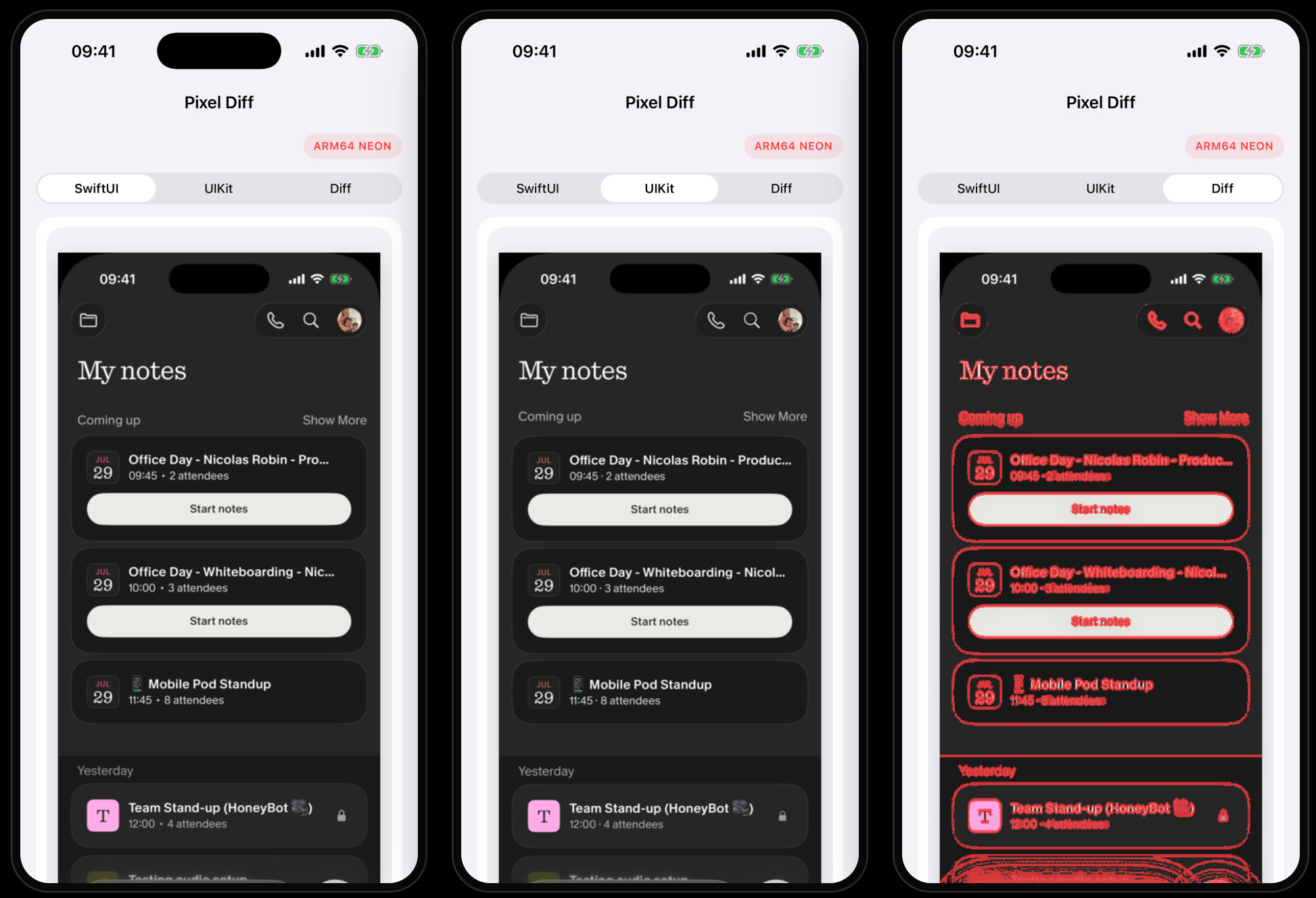
Let’s be clear: the Swift compiler is pretty well-optimised, and so you will be unlikely to need to use raw assembly to improve performance. This example is fun, but way slower than basic CoreImage APIs that get to use the GPU.
2 chapters is enough for most people. But if you’re in my top 5% smartest subscribers, you’ll want to read the rest.
If you want the subsequent 72% of the article, you know what to do:
Paid members get lots of nice things:
⚓️ Access my full library of 50+ paywalled articles (including this one)
🚀 Read free articles a month before anyone else
🧵 Master concurrency with my full course and advanced training
🧑🚀 Get a free copy of my new eBook, “Land your iOS Tech Job”
❤️🩹 Support independent, sometimes funny, tech writing
