


Every year I tell myself I’m gonna watch lots of WWDC videos, and every year I bookmark about 70 and watch about three.
But this year is actually different, because I’ve found a way to turn the WWDC grind into a side project. If you can’t be arsed to read my waffle, just click below.
If you can be arsed to read my waffle, what do we mean by a Snow Leopard year? In the OS X days, Apple would proudly declare the 100s of new features they were introducing to their shiny, increasingly cumbersome desktop OS.
At WWDC 2009, they hit developers with this slide:
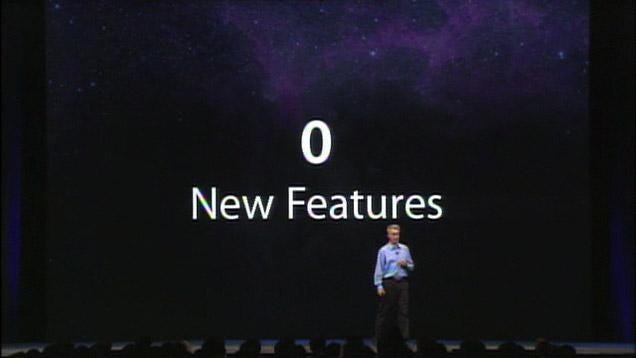
Snow Leopard was all about stability, bug fixes, and tools for developers. It was a banger year, introducing heavy-hitters like Grand Central Dispatch, OpenCL, and (f*cking) Objective-C blocks!
Apple has done it again. They mostly kept away from flashy UI overhauls, opting to shore things up under the hood and place the burden of innovation onto devs via lots of AI tools. They appear to have finally got their house in order since the bungled announcement of Apple Intelligence in 2024.
Anyway, long story short, there’s a ridiculous abundance of material. If I’m honest, due to a severe case of AI brainrot, I have lost the ability to make my own decisions, so I will give you the chance to influence me. Please vote on some articles you’d like to read in my subscriber chat:
What parts of the kernel is Apple writing in Swift?
How did Apple improve launch times by 30%?
When to use Core AI, Evals, fm CLI, Foundation Models, or Private Cloud Compute?!
App Intents will be the major user interface in 2027.
How to use Core Spotlight to prepare your app for agentic Siri.
Get users to pay your inference bill with Private Cloud Compute
LazyStacks, Lists, and SwiftUI internals
Programmatic Photography (or; 48MP is not why your pics look nice)
Fine. I will learn what Evals are. Goddammit.
Optimising performance in iOS 27
Anyway, back to my little side project. Introducing... tl;dw (too long; didn’t watch).
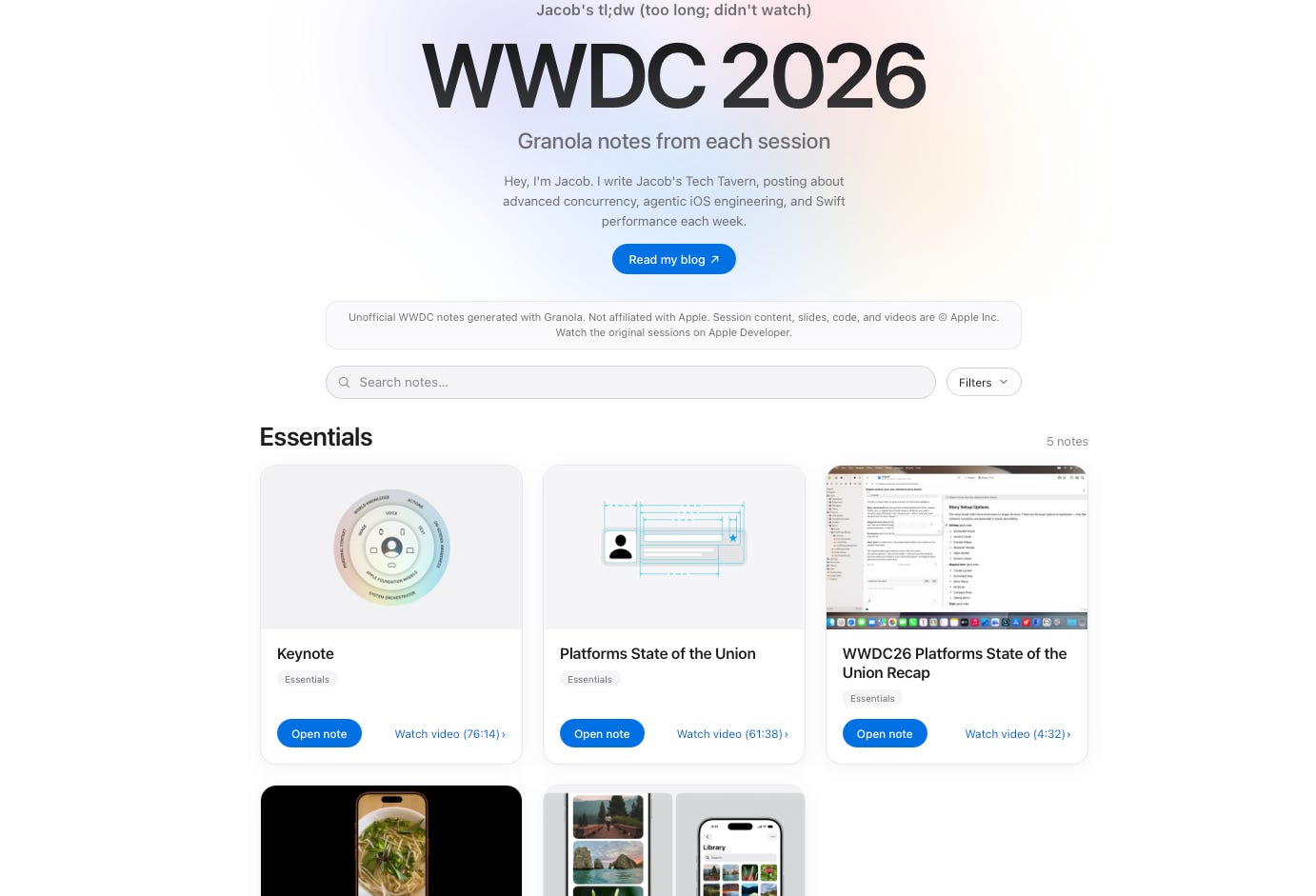
People really like using the Granola mobile app at conferences. So I wanted to know what all the fuss was about.* I grabbed every WWDC 2026 session video and used Granola to create summary notes for each.
*Granola didn’t pay me to write this, but they do pay me in general
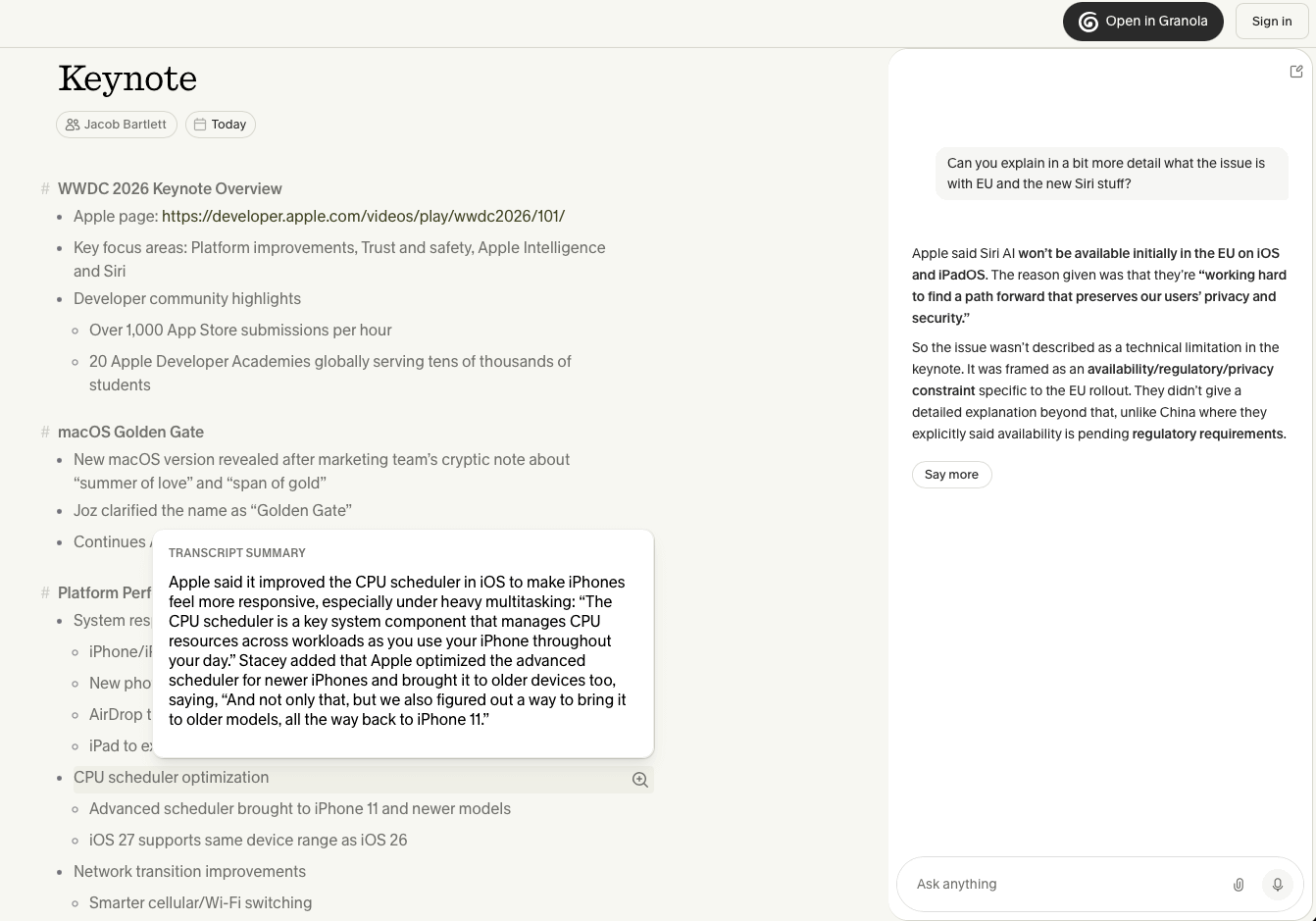
I’ve used it to scan key points, to help me decide which videos to watch in full, and to ask for more detail when needed. I hope you find it useful too!
If you somehow managed to find yourself on this blog post about already subscribing to me, you can do so here: