


Real talk: AlarmKit is my favourite API Apple has ever released. It lets users schedule full-screen takeover alerts that go through silent mode, and force a user to remember something. It’s a great fit for any app that works better with a little reminder.
You can even set custom alarm sounds *(now that they fixed the API).
But we’re only scratching the surface.
AlarmKit has an enormous hidden potential that nobody has really noticed yet:
You do not need your app to be running to schedule an alarm.
I first discovered this when mucking about with geofences. If you enable background location permissions, you can wake up your app in the background when you trip the geofence. During that wakeup window, you can call AlarmManager.shared.schedule to schedule an alarm for right now.

But we can go further.
You can also schedule alarms from inside a notification service extension. This is a small app target you can build that allows code to run upon receiving a notification, designed so you can preload images, video, or audio content before displaying it.
*I’ve used these before to make a neat lock-screen photo widget that lets you send photos to your friends, no app open required! Another very easy to abuse feature…
Lo and behold, after hacking together a local notification server and testing it out, I discovered that this can also schedule alarms for right now. You can also set and use a custom sound. As well as performing a network request or two.
AlarmKit.
Notification extensions.
Custom alarm sounds.
A network request.
AlarmKit.
Notification extensions.
Custom alarm sounds.
A network request.
Are you getting it??
Sponsored Link
Rico can now take action
RevenueCat’s AI assistant Rico can now do more than answer questions. With your approval, it can create and edit products, offerings, packages, entitlements, and paywalls — and even set up and run paywall experiments for you. Rico is also now available in the RevenueCat iOS app.
Read all about it here.
UltraPing is born
If you prefer to read my blog for the fun ride, and not for the mental stimulation, UltraPing ties together the hidden powers of AlarmKit:
You record a message. This sends another user a push notification. This push downloads your message, then schedules an alarm for right now using the recording as the custom sound.
Your voice recording is delivered to the other user as an interrupting full-screen takeover, making certain (pending notification delivery) they hear what you have to say, now.
Let’s go back 1.5 years
Unlike my second-born, this project arrived a year late, borne out of a longstanding frustration with my former newborn: as any young parent knows, you’ll often sleep in different rooms to attend to the kids. But you might not be the first to wake up when the baby cries, even if it’s your turn.
The natural solution my wife landed on was to wake me up with THE FIND MY ALERT SOUND, a whiplash which was subsequently seared into my nervous system.
I’d just been saddled with on-call rotation at work, with PagerDuty set up: it could fire critical alerts to me, which also had configurable notification sounds*.
*My favourite was the barbershop quartet “the server’s on fire”. If you know, you know.
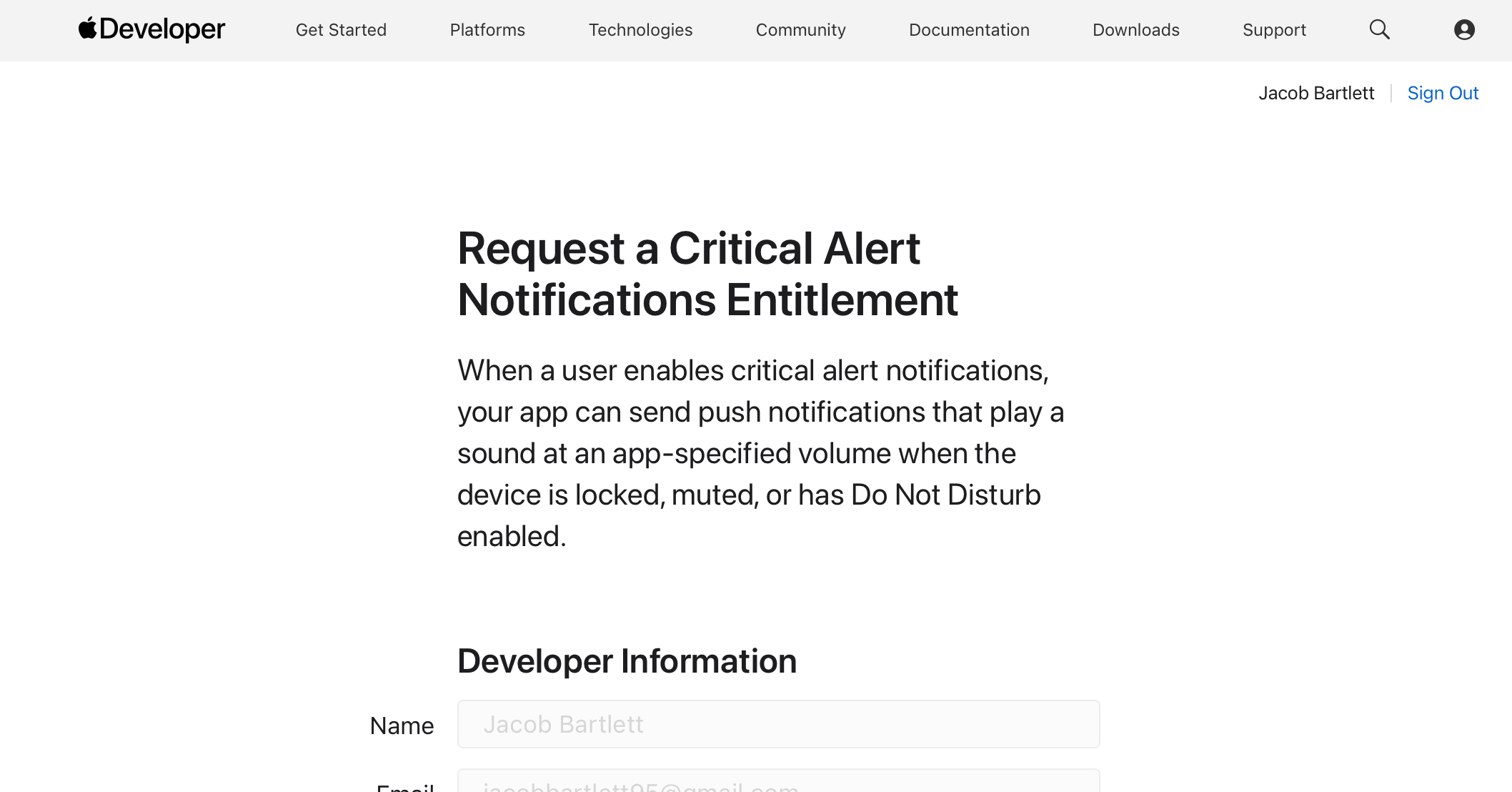
This got me thinking. Perhaps I can implement critical alerts to wake me up a little more gently? Unfortunately, Apple has this entitlement locked DOWN. You can’t even use it in development without filling in a form, and hoping Apple approves your use case. They sadly did not sympathise with my plight. I resigned myself to Find My and parked my dream.
But today, with AlarmKit, I realise I could realise my dream (subject to App Store approval).
If you don’t mind spoilers, and hate reading, I passed. 🥳
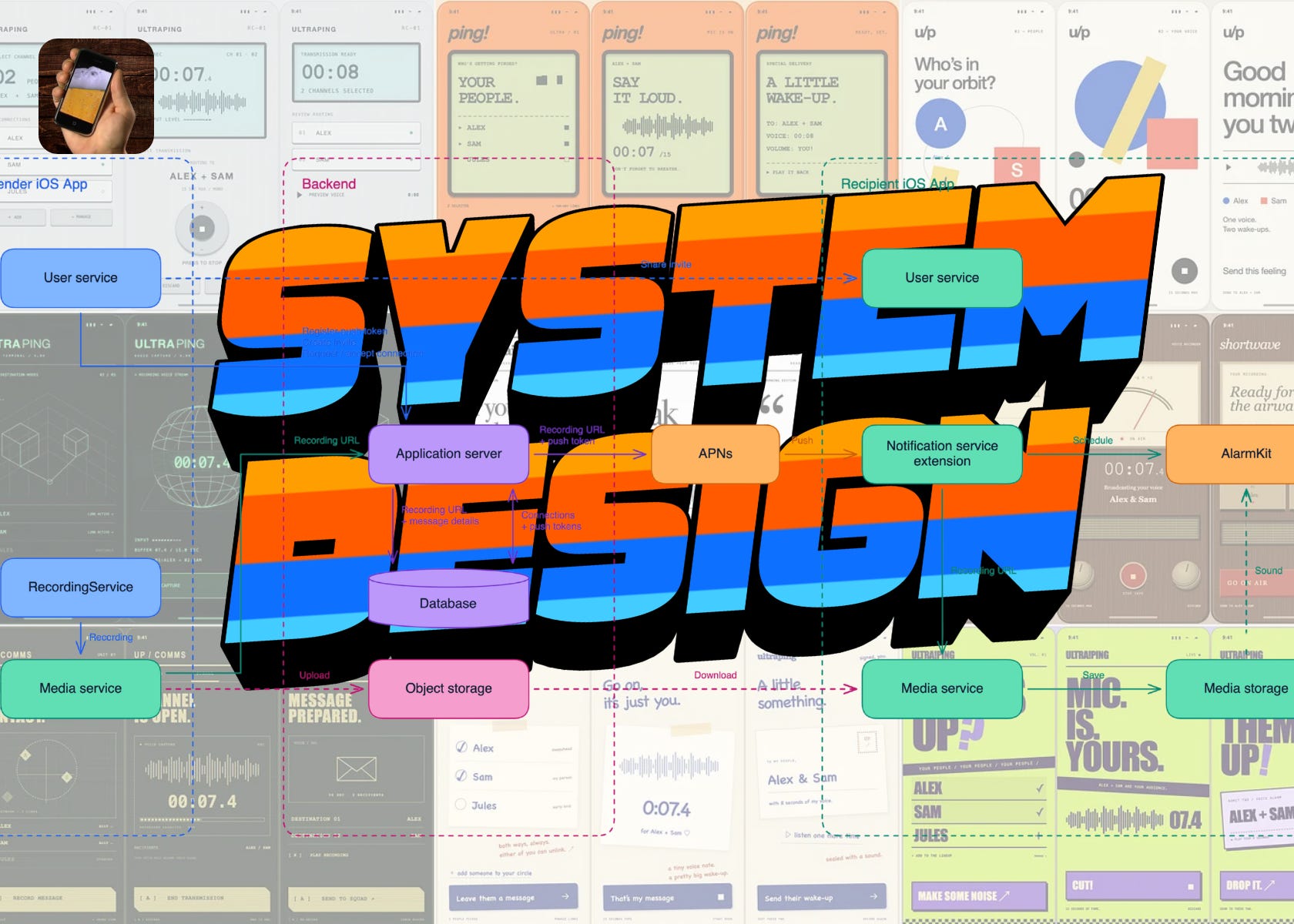
System Design
Unless you get a kick out of it, you probably aren’t hand-rolling a lot of your code these days. But system design is more important than ever.
I’ve spent many a cognitively taxing day this year puzzling out performance traces across a whole system, between app, backend, and LLM. The abstraction level that matters the most is the system: the boxes that perform each job, and the connections between them.
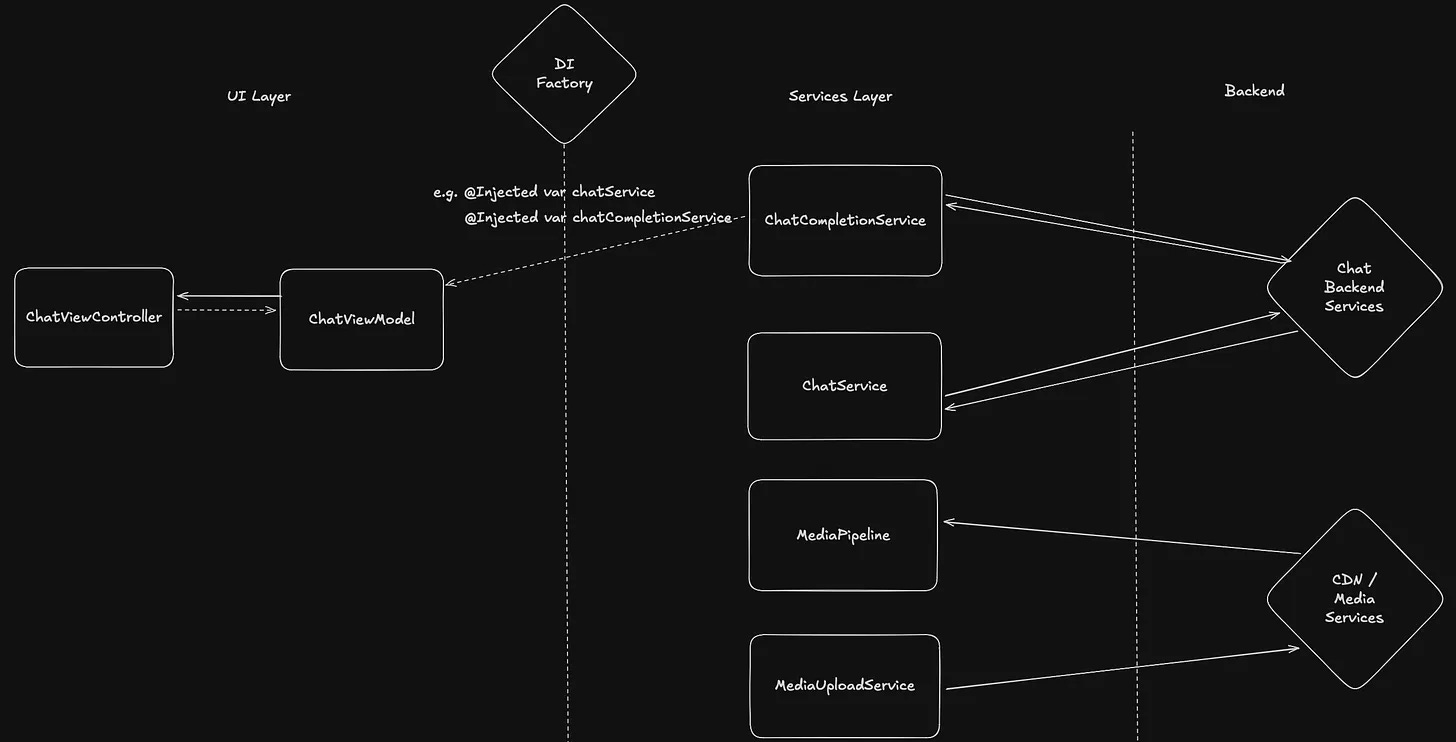
Particularly when it comes to side projects, knowing the big-picture of your system allows us to play fast and loose with the code, while still delivering working products with confidence (and keeping a careful tab on what’s really important; I’m looking at you, Firebase Cloud Functions).
The problem still exists, but we’re working at the abstraction level of boxes on a screen. We pay $20/month for perfect execution machines, but we’re still handling the high-level important architectural decisions.
UltraPing is a phenomenal example because it pretty much allows us to work through the basic building blocks of full-stack system design: app, server, database, object storage, and notification services.
Let’s design UltraPing, step by step. There’s 4 layers to work through:
Proving the core concept with a local prototype.
Taking a recording and placing it on an object server.
Setting up an application server, database, and APNS.
Finally, enabling user-to-user pairing and communication.
Proving the concept
Our first piece of design tested the two biggest uncertainties:
Can a notification service extension schedule AlarmKit?
Can this use a custom sound downloaded by this extension?
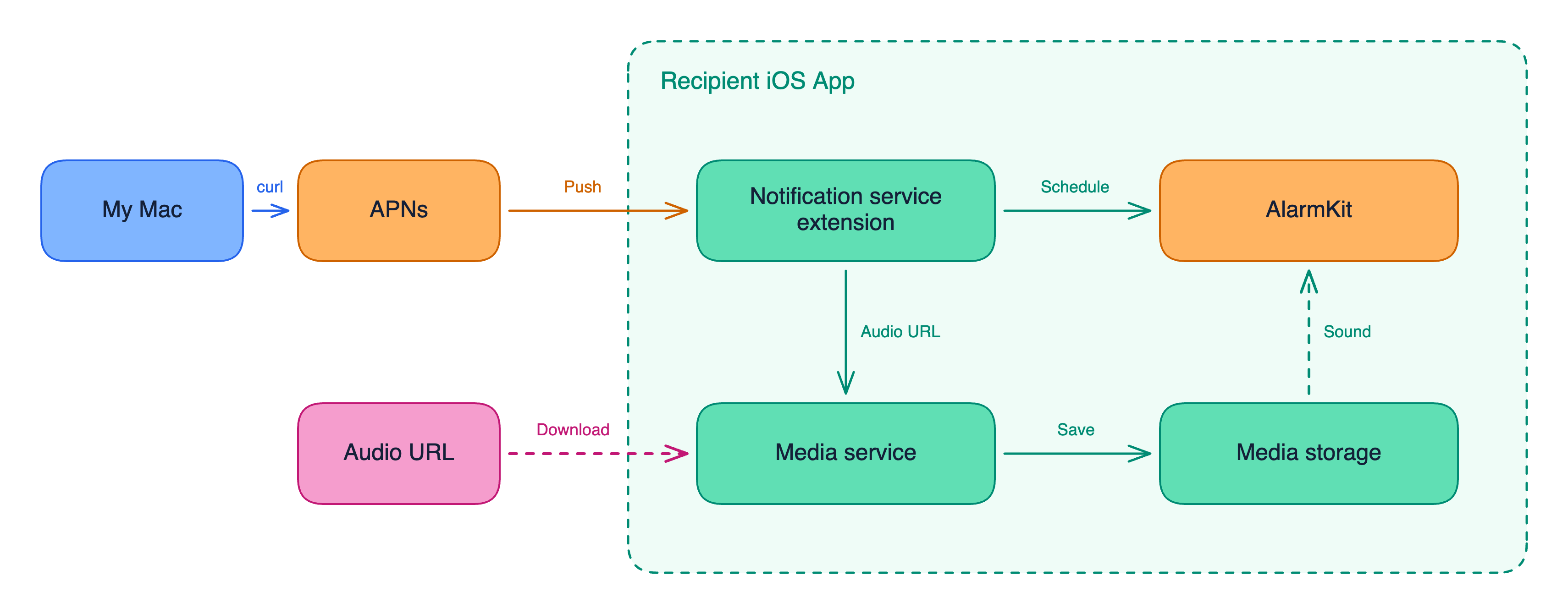
No “proper” backend required at this point: we can use macOS command line tools to send test push notifications to our iOS app, using a simple curl command.
As part of the payload, we include a random .caf download link for our alarm sound, then wire up the notification service extension of our POC to download this and schedule an alarm.
curl --http2 "https://api.sandbox.push.apple.com/3/device/MY_DEVICE_TOKEN" \
  -H "authorization: bearer MY_APNS_JWT" \
  -H "apns-topic: com.jacob.ultraping" \
  -H "apns-push-type: alert" \
  -d '{
    "aps": {
      "alert": {"title": "UltraPing", "body": "Preparing your alarm…"},
      "mutable-content": 1
    },
    "audioURL": "https://raw.githubusercontent.com/openfoodfacts/openfoodfacts-cordova-app/develop/beep.caf"
  }'
The mutable-content flag and alert property make the notification eligible to handle inside a notification service extension. So we can set this up in our POC. The extension handles downloading the sound, storing it in the app’s local file system (using app groups), and triggering the alarm.
// Notification Service Extension
override func didReceive(_ request: UNNotificationRequest, withContentHandler finish: @escaping (UNNotificationContent) -> Void) {
    Task {
        defer { finish(request.content) }
        let url = URL(string: request.content.userInfo["audioURL"] as! String)!
        try saveAudio(try await downloadAudio(from: url))
        try await scheduleAlarm()
    }
}

// Media Service
func downloadAudio(from url: URL) async throws -> Data {
    return try await URLSession.shared.data(from: url).0
}

// Media Storage
func saveAudio(_ audio: Data) throws {
    let folder = FileManager.default.containerURL(forSecurityApplicationGroupIdentifier: "group.com.jacob.ultraping")!.appending(path: "Library/Sounds")
    try FileManager.default.createDirectory(at: folder, withIntermediateDirectories: true)
    try audio.write(to: folder.appending(path: "alarm.caf"), options: .atomic)
}

// AlarmKit
func scheduleAlarm() async throws {
    let alarm = AlarmManager.AlarmConfiguration.alarm(schedule: .fixed(.now.addingTimeInterval(1)),
        attributes: alarmAttributes, sound: .named("alarm.caf"))
    _ = try await AlarmManager.shared.schedule(id: UUID(), configuration: alarm)
}
All this code lives in the Notification Service Extension, storing the downloaded media into the App Group’s shared Library/Sounds directory, then scheduling AlarmKit directly.
In 20 minutes of hacking, we’ve proved the concept, and now we can move into the next phase of our system design.
Recording and the object server
We’re sort of working backwards here, but it’s important to experiment with the greatest uncertainties before everything else.
We’ve proven the two big questions:
A notification service extension can schedule an alarm.
This extension can download and use a custom alarm sound.
It’s time to build.
Many of my readers are happy with a novel working POC. But the hardcore readers will keep reading to learn how to use system design principles to create a full-stack working product in half an afternoon.
Paid subscribers unlock all of these bonuses:
⚓️ Access my full library of 50+ paywalled articles
🚀 Read free articles a month before anyone else
🧵 Master concurrency with my full course and advanced training
🧑🚀 Get a free copy of my new eBook, “Land your iOS Tech Job”
❤️🩹 Support independent, sometimes funny, tech writing
