



There is a lot to understand in Swift Concurrency.
You’ll immediately feel the benefits of async/await syntax to squash your nested maze of completion blocks down to linear, readable APIs across your entire codebase.
Once you grasp the basics, you’ll pick up async let, task groups, and the mighty Task to unlock the powers of parallelisation, priority, and propagation (of cancellation through a hierarchy*).
With so many language features to get to grips with, you might have never applied powerful advanced tools like AsyncStream.
*perhaps that last bit of alliteration was a stretch.
That ends today.
We’re going through 3 real-world applications of AsyncStream to develop an intuition for how & when to apply it. My lazier paid subs can also just copy-paste my sample project—knock yourselves out.
File downloads over a network
Location streaming with CoreLocation
Performance measurement with CADisplayLink
Check out my open-source project now to get access to the full code.
Subscribe to Jacob’s Tech Tavern for free to get ludicrously in-depth articles on iOS, Swift, tech, & indie projects in your inbox every week.
What is AsyncStream?
AsyncStream is a kind of AsyncSequence.
AsyncSequence
Let’s very briefly recap on the AsyncSequence protocol before continuing.
AsyncSequence is the Swift Concurrency analog to Sequence in the Swift Standard Library: it provides an asynchronous Iterator protocol that offers async access to the next() element with each iteration.
This iteration can be invoked using for-await-in syntax.
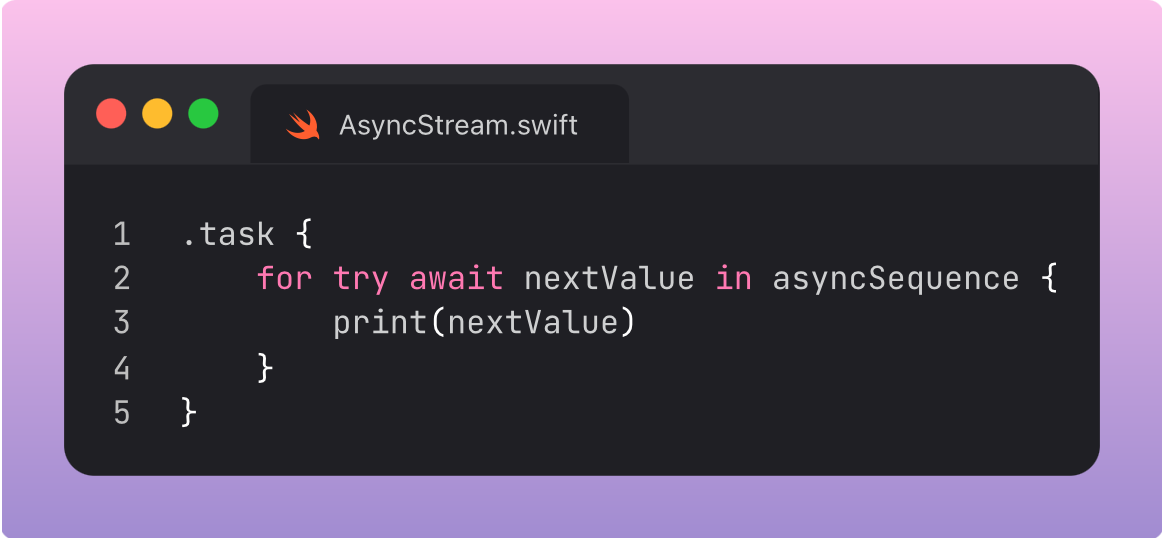
AsyncSequence is a protocol. To create your own, you need to manually implement an AsyncInterator like this:
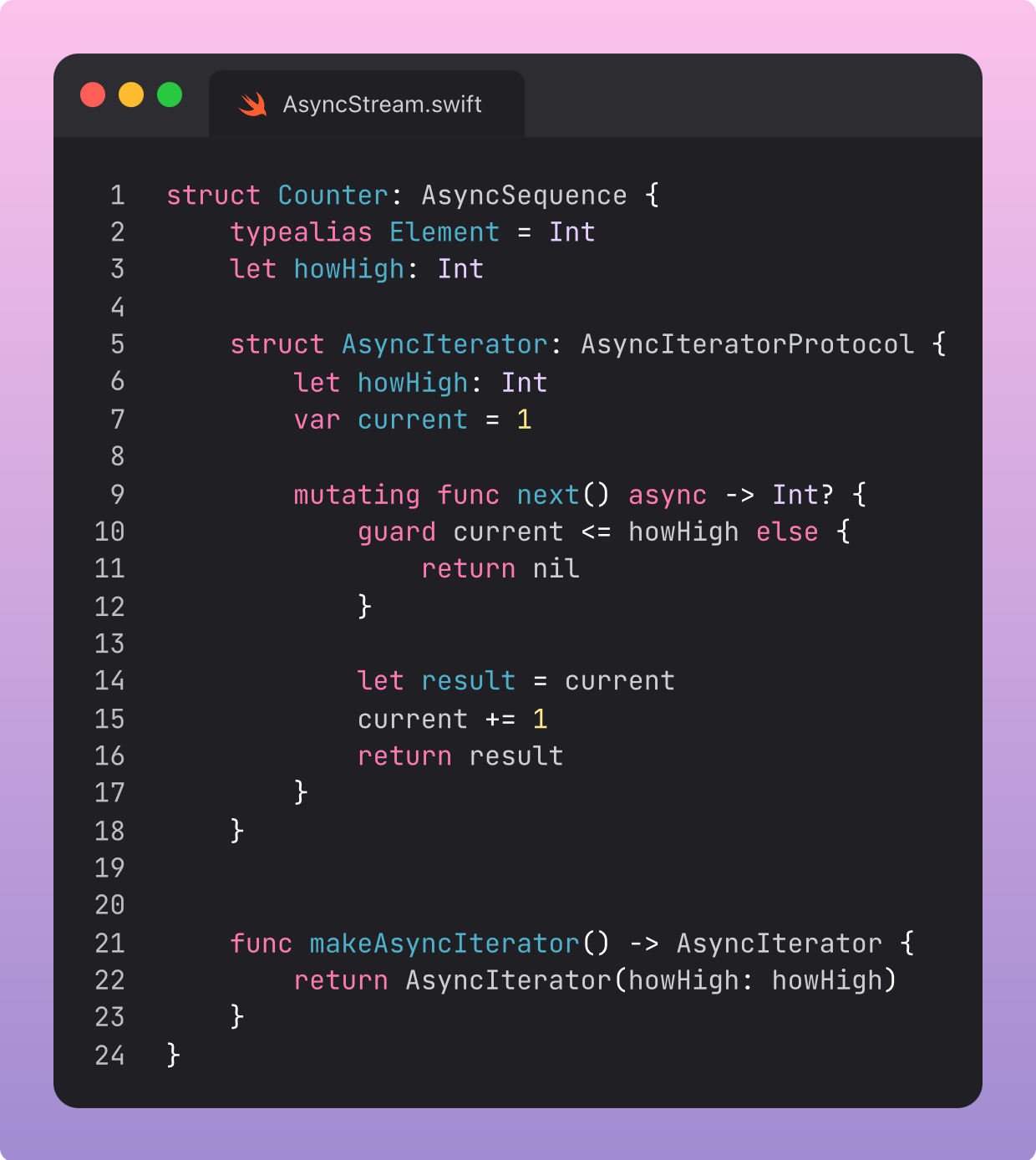
This is sort of a pain to work with. It’s a lot of boilerplate, and very tough to customise. Imagine trying to hook this up to a backend!
Enter AsyncStream.
AsyncStream
This is a generic type built into the standard library, conforming to AsyncSequence.
It allows you to easily create async sequences from anything that emits values over time. You can easily wrap network requests and delegate callbacks to manually pipe values downstream to consumers.
Essentially, AsyncStream helps you easily push out new data as it becomes available, and consume it through for-await-in loops.
Let’s jump straight into the use cases.
Location Tracking with CoreLocation
This shows a simple geometric compass, that rotates in real-time as I move my device.
The for-await-in loop listens to the stream and updates the rotation angle.
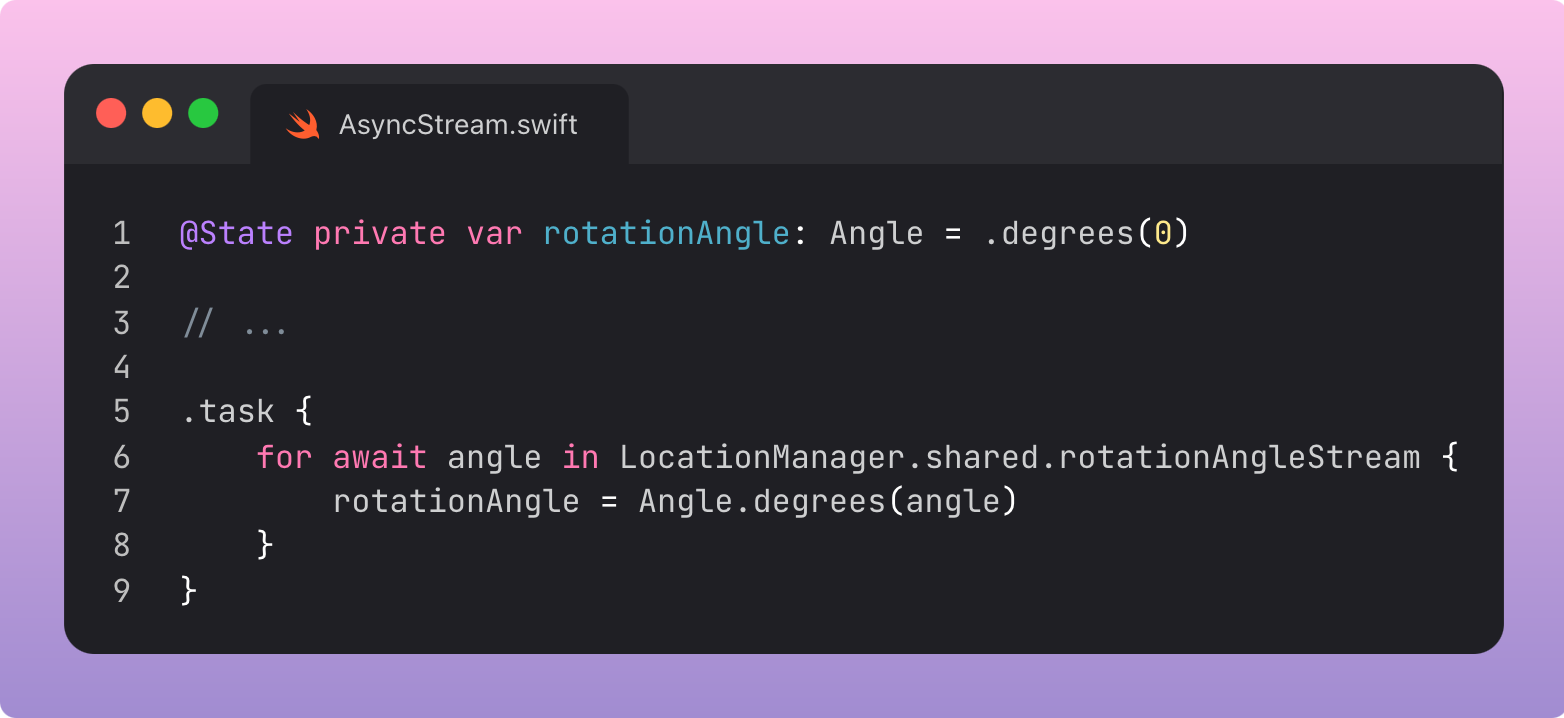
We set the stream up in our LocationManager.
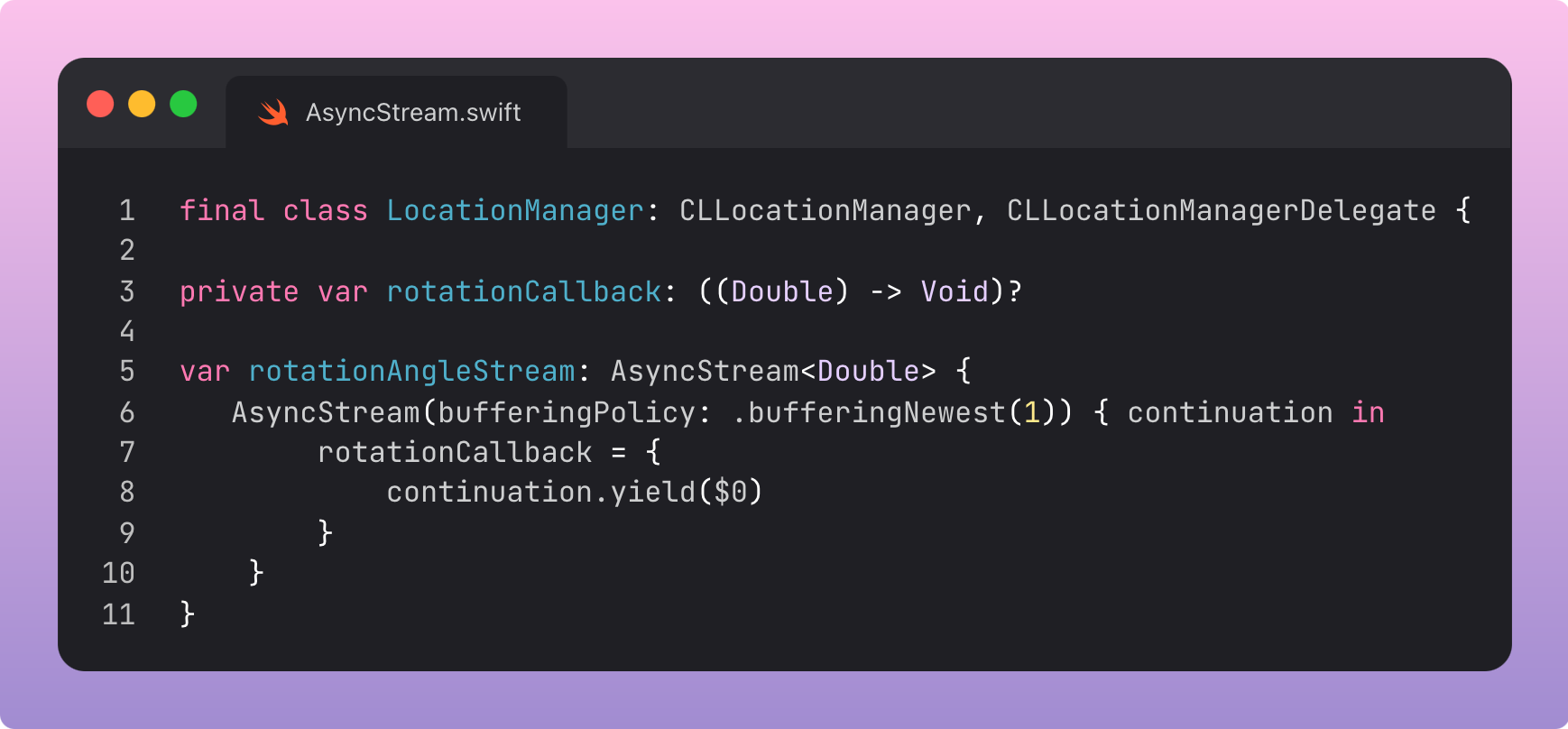
Creating an async stream is as simple as declaring it. The continuation inside the closure allows you to pass values through the stream using continuation.yield(). This passes values to consumers in the for-await-in loops.
The closure itself simply passes the orientation value directly from the delegate callback:

You can set a buffering policy when initialising an AsyncStream. This determines how many elements are stored internally if the for-await-in loop can’t consume them fast enough. In this instance, we only care about the latest orientation value when updating our UI, so we set .bufferingNewest(1).