


Creating a Task is the simplest way to introduce an async context to your code. Because we’re initialising them with a closure, the standard behaviour of creating a Task isn’t immediately obvious: they’ll run on the same thread they’re created on.

Tasks are the unit of async work in Swift Concurrency. Creating a Task is the simplest way to introduce an async context to your code:
func setupView() {
    Task {
        self.data = await fetchData()
    }
}
Using a Task, we can call await and fetch data asynchronously even though setupView() itself is not marked async.
Because we’re initialising them with a closure, the standard* behaviour of creating a Task isn’t immediately obvious: they’ll run on the same thread they’re created on.
Let’s explore the implications this has on our code.
*I’ll come back to this, I promise.
Blocking Synchronous Workloads
Recently, I helped debug a weird hang — a UI freeze — that showed up from a viewDidLoad method (remember those, kids?).
The culprit was a synchronous database call which performed a complex read query and processed the results. This blocked our UI, since the processing had to complete before the screen was presented.
@MainActor
override func viewDidLoad() {
    super.viewDidLoad()
    self.data = fetchDataFromDatabase()
}
Let’s try the first obvious solution: get this code off the main thread. The naïve approach is to create a Task and call it a day.
@MainActor
override func viewDidLoad() {
    super.viewDidLoad()
    Task {
        self.data = fetchDataFromDatabase()
    }
}
Remember that a Task will normally run on the thread it was instantiated from: unless you explicitly allow a context switch with await, execution will be bound to the thread of the actor it was called from.
Therefore, since this function is on the @MainActor, the contents of the Task will still run on the main thread — the original UI hang isn’t fixed.
We can create our own sample code to see this principle in action.

Using breakpoints, we can inspect the active threads during our function in the Xcode debug navigator. The Task is running on Thread 1, the main thread where all UI work is performed.
Clearly Task isn’t a silver bullet — it won’t magically get a slow sync workload to run on a background thread.
Jumping Between Threads
A cooperative thread pool (similar to Grand Central Dispatch) is used to aim for optimal parallelisation — one thread running per CPU core. This means that workloads running inside a Task can be scheduled on different threads in the pool.
While Task allows us to create this async context, the Swift Concurrency runtime won’t actually jump between threads unless the code inside the Task is broken up by an await.
await marks a suspension point. Code which calls the async method is stored in the heap on an async frame and can be resumed afterwards to continue doing work.
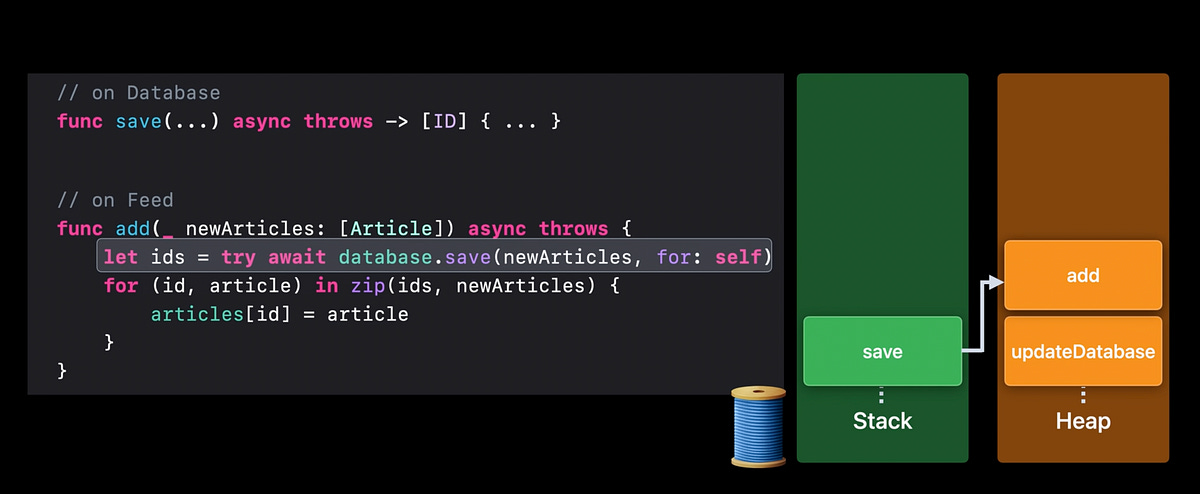
We can illustrate this suspension using the debug navigator — let’s run a real asynchronous workload by fetching some data from the internet.

This Task begins on the main thread, but the URLSession data task jumps to Thread 9, a background thread, to wait for the network response. After fetching, the remainder of the work is performed back on Thread 1.
When using a Task from the main actor, it can still jump between various threads to perform async work and avoid blocking the UI thread with waits.
For functions not marked @MainActor, you can ensure a Task runs on the main thread by initialising it like this:
Task { @MainActor in
    // ...
}
Back to our blocking synchronous workload in viewDidLoad(): we could convert the database query and time-consuming processing into an async function. This can get the processing off the main thread while the Task awaits the results.