


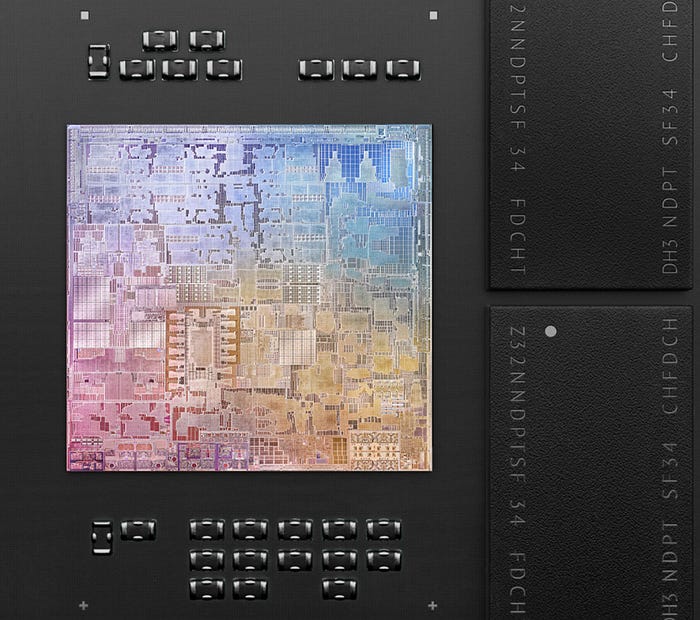
Timeline & Key Concepts
This is the tale of the 4 Ages of Apple CPU Architecture. Each chapter, however, also serves as a framing device for fundamental CPU concepts.
If Android is more your thing, you are free to jump between sections at will like an overclocked instruction pointer.
The King of CPU Architecture Migrations
I’m no evangelist, but it doesn’t take a fanboy to acknowledge that Apple is an impressive company.
They invented the most successful product in the history of capitalism, and subsequently became the first business to hit a $1T market cap. Through hit products like the iPod, unparalleled branding, and the reality distortion field of Steve Jobs, they even managed to make tech cool.
Behind this impressive execution is a borderline-obsessive hardware optimisation: Since the Mac was released in 1984, Apple has migrated its CPU architecture three times.
This is no easy feat.
Every time a computer company announces a CPU architecture migration, there is widespread skepticism about whether the business can survive its entire software ecosystem being deprecated at once.
In the days when software still came in cardboard boxes, this skepticism bordered on incredulity. John Dvorak, prominent tech columnist, suggested the 2005 move to Intel x86 was a precursor to bringing Apple onto Windows.
Apple is the undisputed king of CPU architecture migrations.
Apple’s tolerance for pain in the short term has allowed them to master the processor game. Each new CPU architecture allowed Apple to stay competitive against existential threats; or to place themselves head-and-shoulders above the competition.
Today, we’re going on an odyssey through the 4 eras of Apple CPU architectures. I’ll colour in the business context — why each migration was necessary — and will show you how Apple survived each transition to end up even stronger than before.
Along the way, we’ll learn some critical CPU concepts as we go. Chip technology becomes more and more advanced as time marches on, offering us a convenient learning curve as we travel Through The Ages.
1984 — Motorola 68k

1981.
Reagan. MTV. Indiana Jones.
Apple is stumbling.
Its early breakout success and cash cow, the Wozniak wizardry of the 1977 Apple II, was creaking under its age.
The IBM PC has just hit the mass market, precipitating an unprecedented influx of purchase orders for PCs. 24-year-old whizkid Bill Gates was asked to supply IBM’s operating system.
In 10 years, let’s check in on our friends at IBM to see how this move went.
Apple’s LISA is shaping up to be their flagship product. After being a huge jerk to everybody for 5 years, Steve Jobs has been relegated by the board to run the low-end Macintosh project.
Choosing a CPU
Initially a cheaper mass-market consumer product, the Macintosh under Jobs pivoted to focus on one thing: upstaging the LISA team. Steve introduced a cutting-edge totally-not-stolen graphical user interface to the Macintosh and demanded his team find the most advanced hardware available at the time.
If you want to make a dent in the personal computer universe, your choice of CPU is critical. This is the hardware in which your OS lives and the platform upon which you nurture your software ecosystem.
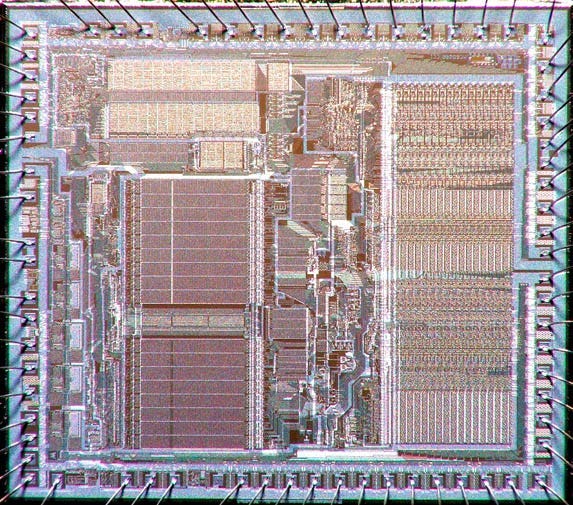
Very early PCs — the sort that hobbyists like Wozniak assembled in their garages — used 8-bit CPUs. But if you’re designing a powerful mass-market computer in the early 1980s, you’re going to want to use modern 16-bit processor architecture. There are really three major choices available: The Intel 8088, the Zilog Z8000, or the Motorola 68k.
Here, 8-bit and 16-bit refers to the size, or “width” in bits, of the registers and data bus with which the CPU works.
The CPU and Registers
Let’s get on the same page: a CPU is a device that moves data from computer memory (RAM) into fast temporary memory (registers), runs operations on this data, then moves the output back into memory.
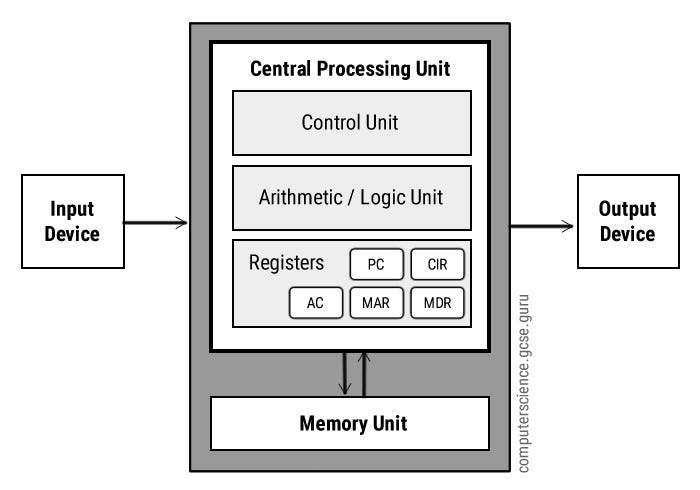
A register is the tiniest unit of electronic memory — they each hold just a few bits in the heart of the CPU. The CPU follows instructions (a computer program) to perform operations on this data — manipulating the bits (1s and 0s).
The ALU
These operations are performed by the Arithmetic-Logic Unit (ALU). This is basically a collection of circuits that perform simple, specialised jobs, such as:
Adding up binary numbers, e.g.
0010+0101=0111Perform logical operations, e.g.
NOT0000=1111Shift bits around, e.g. left-shifting
0011by 1 place becomes0110
The CPU’s control unit decodes instructions one at a time to decide what data should move to which register, and which register’s data should go through which ALU circuitry.
Perform these operations lots of times, very quickly, and it adds up to outputs such as matrix multiplication, collision physics in a video game, or rasterising image data into on-screen pixels.
8-bit and 16-bit
So why does bit width matter?
An 8-bit CPU can run a NOT operation on 0010110 in one clock cycle, inverting its bits into 1101001. A 16-bit CPU leaves this in the dust, converting a hefty 10100100010110 into 01011001101001 in the same amount of time.
Moreover, a single 8-bit register can point at 2⁸ different byte ‘addresses’ in RAM — a meagre 256 locations in which we can look for data. Due to this limitation, most 8-bit computers needed two registers to store memory addresses. 16-bit registers, or two 8-bit registers stacked against each other, can point to 2¹⁶ memory addresses, meaning access to 64kB of memory.
Endian-ness
Endian-ness becomes a major compatibility consideration when upgrading from 8-bit (1 byte) to 16-bit CPUs (2 bytes). Systems are either big-endian or little-endian, which defines the order in which they store bytes — for example, the number 41,394, in hexadecimal fashion, would be stored on registers as A1 B2 in big-endian systems and B2 A1 in little-endian systems.
Lastly, the “data bus” refers to the circuity that connects the CPU to main memory; so a 16-bit bus is essentially twice as fast as an 8-bit bus at reading and writing data to and from memory.
Are we all on the same page? Let’s get back to Apple.
Intel vs Zilog vs Motorola
Let’s imagine you’re Apple’s VP of Hardware presenting to Jobs.
Which chip architecture do you think you’d choose?
Intel 8088
8/16-bit microprocessor — 8-bit registers with a 16-bit data bus.
20-bit memory addressing range — supports 640kB of RAM.
The IBM PC uses this chip architecture, so it has a strong existing software ecosystem.
Low-end price point of ~$35 (in 1983 dollars) thanks to Intel’s massive economies of scale.
Little-endian.
Zilog Z8000
Pure 16-bit microprocessor — 16-bit registers and 16-bit data bus.
23-bit memory addressing rage — supports 8MB of RAM
Few large competitors use this architecture, minimal software ecosystem.
Mid-range price point of ~$55 in 1983 dollars while looking to build market share.
(Mostly) big-endian.
Motorola 68k
16/32-bit microprocessor — 32-bit registers with a 16-bit data bus.
24-bit memory addressing range —supports 16MB of RAM.
Atari and Commodore use this chip architecture, some existing dev ecosystem.
Prior supplier relationship with Motorola through the Apple I, Apple II, and LISA.
Mid-to-high-end price point of ~$70 in 1983 dollars.
Big-endian.
Overall, the Motorola 68k appeared to be the forward-thinking choice to show why 1984 won’t be like 1984. The weaker dev ecosystem and compatibility was a necessary sacrifice to provide brand differentiation against the dominant IBM PC.
What’s more, the 68k had a (mostly) orthogonal instruction set — this meant that (almost) every CPU operation could be performed on (almost) every register, whereas many competing CPUs had instructions restricted to specific registers. Orthogonality makes a CPU much easier to program, which is ideal when nurturing a nascent software ecosystem.
The 16MB addressing range ended up becoming critical: the Macintosh reserved the top 12MB of RAM for the OS, leaving a pithy 4MB of computer memory shared between software applications.
If you ever looked, dismayed, at the storage space available in your 16GB iPod Touch in 2012, you’ll know that nothing changes.

1994 — PowerPC

The year is 1994.
Steve Jobs was ousted by Apple 8 years ago, and is busy inventing Pixar and NeXT.
Apple is losing relevance.
Their former bitter PC rival, IBM, was in the long, painful process of having their lunch eaten by Microsoft.

Intel and Bill Gates, who was more commonly known as “the devil” in the 1990s, had entered an unholy marriage referred to as Wintel that was carving out near-monopolies for both businesses.
Beyond consistent improvement to their powerful x86 chip architecture, Intel had just produced the greatest innovation since the transistor: giving their chip a cool name. The Pentium processor powered the Microsoft market-share munching machine.
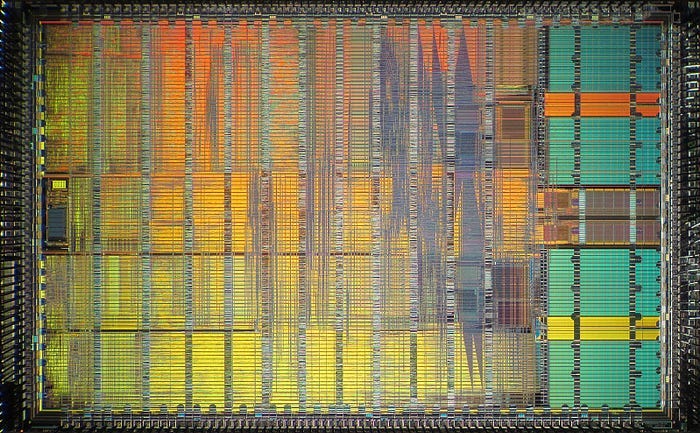
That’s not to downplay the power of x86 chip architecture: Intel was earning its dominance with a 100MHz clock speeds and unparalleled power efficiency. The Motorola 68,000 chip family that carried the Macintosh into the 90’s was failing to keep up.
With the computer world under threat from monopoly, Apple joined up with its longtime partner, Motorola, and an unlikely ally, IBM. The plan: use the power of friendship to fight the forces of capitalism.
The AIM (Apple, IBM, Motorola) alliance was born. They realised that the x86 architecture had a key weakness: it utilised CISC architecture.
In response, AIM deployed a RISCy tactic: PowerPC.
CISC vs. RISC
There are two opposing chip design philosophies:
CISC (Complex Instruction Set Computer)
RISC (Reduced Instruction Set Computer)
To understand this, we need to get a handle on what is meant by Instruction Sets. In the previous section, I mentioned the CPU is running operations every clock cycle. These operations include things like moving data between registers, arithmetic, and logic operations.
Each CPU, constrained by the actual physical layout of its circuitry, can perform a limited number of different operations. These individual operations are represented by Assembly Language, also called machine code. This code is fed into the processor as a sequence of binary instructions and performed sequentially.

The two schools of thought lead to divergent approaches for building microprocessors:
CISC accepts a complex instruction set to continue adding functionality to your CPU. Eventually, you gain the power to perform complex multi-step processing with single instructions, such as the (in)famous evaluate polynomial instruction,
POLY. While this felt like magic, it also meant lots of internal state was held by the processor — and devastating performance hits if anything goes wrong.RISC takes the “Keep it simple, stupid!” approach. The big pitfall in CISC was complexity for the developers. The compiler engineers writing for CISC architectures had to consult 500-page manuals to find the instructions they might need, while RISC engineers were laughing with the 60-ish instructions stored in their registers — I mean — brains.
Pipelining
To really see the primary performance boost endowed by RISC, you need to understand Pipelining by looking at the fetch-decode-execute cycle. In short, in a single clock cycle — the time for one operation to execute on the CPU — one of three things is done:
Fetch: The CPU fetches the next machine code instruction from memory.
Decode: The CPU’s control unit interprets the instruction to work out what it actually does.
Execute: The CPU executes the instruction — that is; moving data between registers and memory, or pushing bits through logic units.
When your CPU uses a simpler RISC instruction set, these steps each take a single cycle, and you can line up these operations concurrently. In each clock cycle, you can get 3 instruction running, 1 at each of the 3 stages, in parallel. This results in (on average) one machine code operation executed per clock cycle.

When using CISC, each steps might not take a consistent 1-cycle-per-step. For the POLY operation, the execute step alone might take 10 cycles for an x² expression. In CISC, it’s hard to get your operations lining up nicely and therefore it’s tough to get good performance on complex instructions.
Pipelining, in short, is the concept of interleaving these instructions concurrently.
Why is a CPU architecture migration tough?
Apple and the AIM alliance hatched their scheme.
PowerPC, a modern Reduced Instruction Set Computer microprocessor architecture, was built to compete directly with the dominant Intel x86 architecture.
PowerPC promised better efficiency — that is, more CPU operations per watt of electricity — and since Apple controlled both software and hardware, they could optimise the Mac OS for this processor architecture.
Now they just had to migrate their ecosystem.
Assembly Language
Software written for one processor doesn’t necessarily run on another. Different families of processors naturally contain different instruction sets — that is, the list of assembly instructions that define each CPU operation.
Here’s a slice of Motorola 68k assembly code:
MOVE.L  $1000, D0     ; Load longword from address $1000 into data register D0
MOVE.L  $1004, D1     ; Load longword from address $1004 into data register D1
ADD.L   D1, D0        ; Add the values in D0 and D1, result stored in D0
MOVE.L  $1000, D0     ; Load longword from address $1000 into data register D1
NOT.L   D1            ; Invert all bits in D1
And now, here is what PowerPC assembly code looked like:
lwz     r3, 0x1000    ; Load word from address 0x1000 into register r3
lwz     r4, 0x1004    ; Load word from address 0x1004 into register r4
add     r5, r3, r4    ; Add the values in r3 and r4, result stored in r5
lwz     r3, 0x1000    ; Load word from address 0x1000 into register r3
not     r4, r3        ; Invert all bits in r3 and store the result in r4
Since the machine instructions themselves are different, all the existing software in Apple’s ecosystem would need to be re-compiled, and in some cases re-written (such as when writing compiler software, or when code makes assumptions about endian-ness), in order to work on PowerPC machines.
Apple needed a plan.
The PowerPC Transition
Apple developed two strategies to manage this transition:
A Emulator was developed where PowerPC could emulate the Motorola CPU. This translates instructions from one instruction set architecture to another in real-time.
This, unsurprisingly, incurs a huge performance cost. Fortunately, since the PowerPC CPUs were so powerful, emulation wasn’t usually a massive issue for consumers who were upgrading their hardware.
Another strategy which Apple employed was to use “fat binaries” for software during the transition period. This allowed software to contain code compiled for both 68k and PowerPC architectures. Therefore, engineers could ship a single app which worked on both Mac CPU platforms by containing two separate binaries.
In the era when 80MB was a decent hard drive, this was pretty annoying, so a cottage industry of binary stripping tools spawned so end-users only needed to save the one that worked on their device.
Overall, Apple’s migration was a success. Moving from 68k to PowerPC lent a massive performance boost. Emulation and fat binaries allowed the software ecosystem to transition without a major hitch.
Unfortunately, the Wintel alliance was barely touched. Their market dominance grew to unprecedented levels with the release of Pentium and Windows 95. Windows grew into the default computing platform, tragically transforming school ICT curriculums the world over into “how to use Microsoft Office”.
Now that they had a solid hardware platform, Apple’s antiquated System 7 Mac OS became the primary headwind. Internal projects to create a modern competitor to Windows had failed, which meant an acquisition was the only way out of a tailspin — simply buying a new OS.
This laid the groundwork for Apple’s purchase of NeXT and the return of Steve Jobs.
2006 — Intel x86
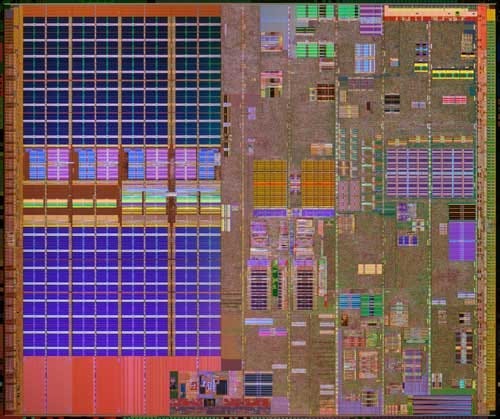
By the early 2000s, Apple had its mojo back.
Jobs is CEO. An era-defining software transition to Mac OS X had been a success. The iPod has turned a struggling computer company with single-digit market share into a consumer electronics powerhouse.
Desktops dominated the 80s, the 90s, and the turn of the millennium. But as Moore’s Law marches inexorably onwards, electronics are miniaturising and laptops are becoming big business.
When your hardware isn’t connected to mains electricity, battery becomes a bottleneck. With performance-per-watt the foremost concern, one thing became clear in the early 2000s: PowerPC architecture was failing to keep pace behind the Intel x86 behemoth.
Intel had simply been out-executing, out-manufacturing, and out-R&D-ing the competition. Their vast installed base of Windows hardware granted an unbeatable ecosystem of compatible software, and printed money to further invest in deepening the Intel processor technology moat.
The early-2000s PowerPC CPUs used far too much power and generated far too much heat to create the ultra-thin MacBook Air that Jobs was envisioning. With more than 50% of their revenues already drawn from laptop computers, the decision was clear: to compete, Apple had to switch to Intel.
WWDC 2005

Jobs explained it best at Apple’s 2005 Worldwide Developer Conference:
“I stood up here two years ago in front of you and I promised you a 3 GHz Mac, and we haven’t been able to deliver that to you yet.
… As we look ahead we can of envision some amazing products we want to build for you and we don’t know how to build them with the future PowerPC roadmap.”
But my favourite part of the video?
“So get on Xcode 2.1 and get your copy today. There will be a copy for everybody at the registration desk immediately following this keynote.”
As someone who became a developer in the 2010s, picking up a CD at a conference for your latest Xcode update seems so quaint. I wonder if the 2005 Betas were as glitchy as we are used to today.
What really fascinates me, however, is this: